Blog →
What we released in 2025

Blog →

by
Philippe Lehoux
January 5, 2026
· Updated on
Each year gives us 365 days to make Missive better for you, our users. I'm excited for 2026 and I'm incredibly proud of what we accomplished in the last 365 days.
Looking back at 2025, we doubled the size of our team and set out to tackle some of the most requested features from our users. We also shipped a handful of improvements that quietly make everyone’s day‑to‑day work in Missive smoother.
Here are some highlights from our favorite releases this year.
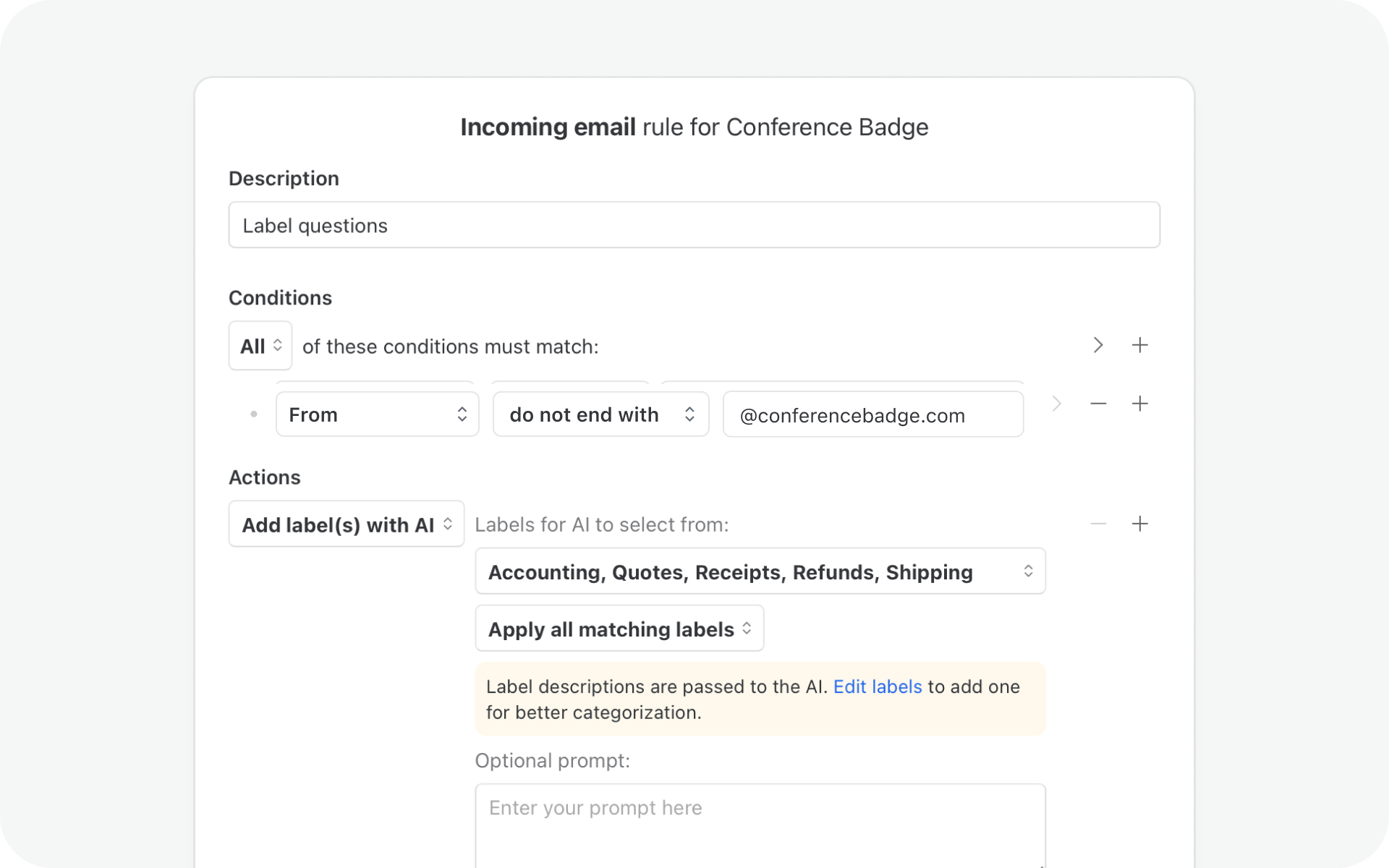
This year we introduced AI-powered rules that let automations understand message content rather than rely on static conditions. We expanded them with multi-channel support, model selection, and practical actions like AI labeling, draft creation, and pre-send checks for outgoing messages, making rules more useful in day-to-day workflows.
Rules also became easier to manage with drag-and-drop editing, support for signatures in rule-generated drafts, and the ability to remove users from conversations automatically.
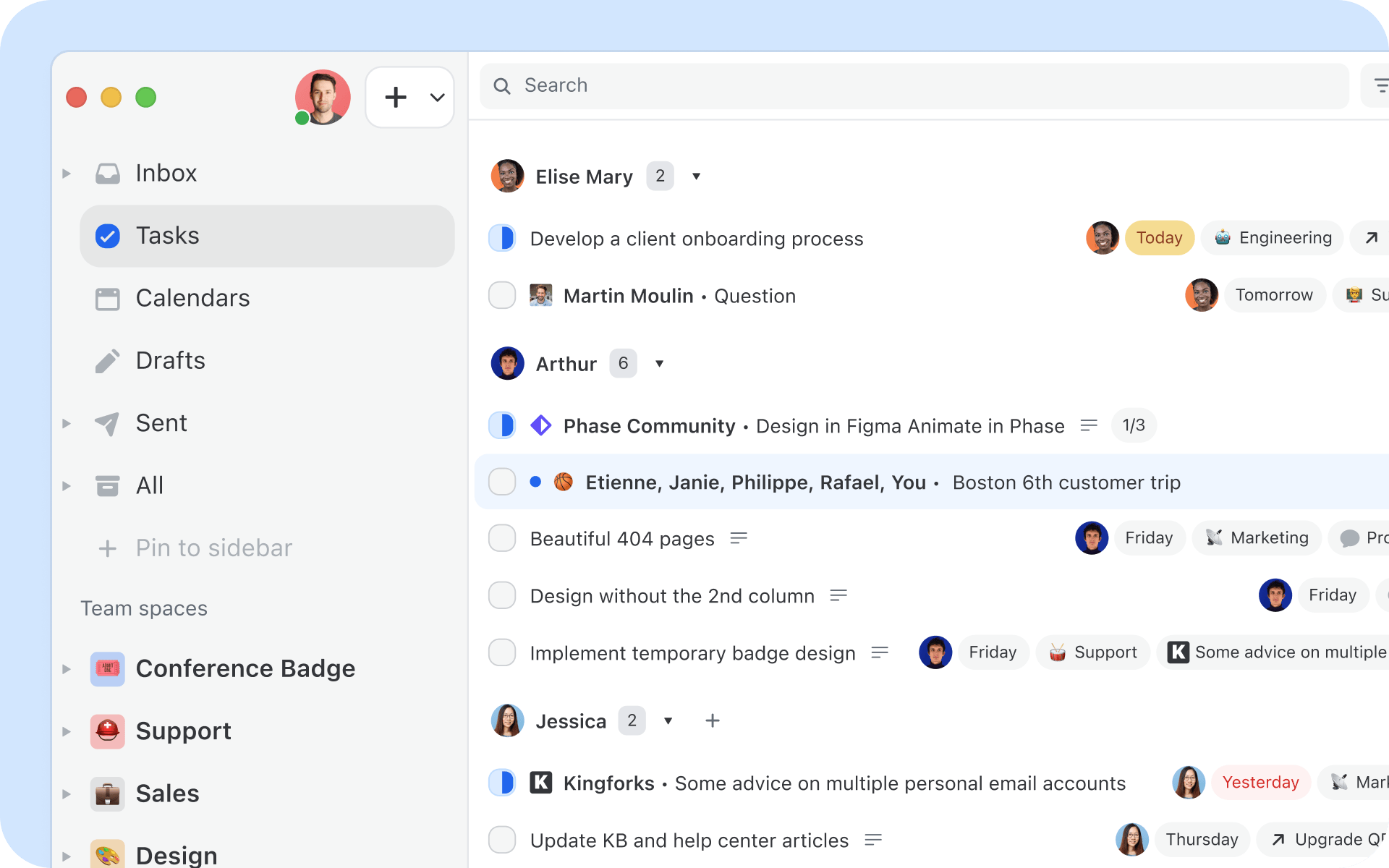
We’ve completely re-imagined how tasks work in Missive. You’ll now find dedicated views that brings together all your tasks into one place.
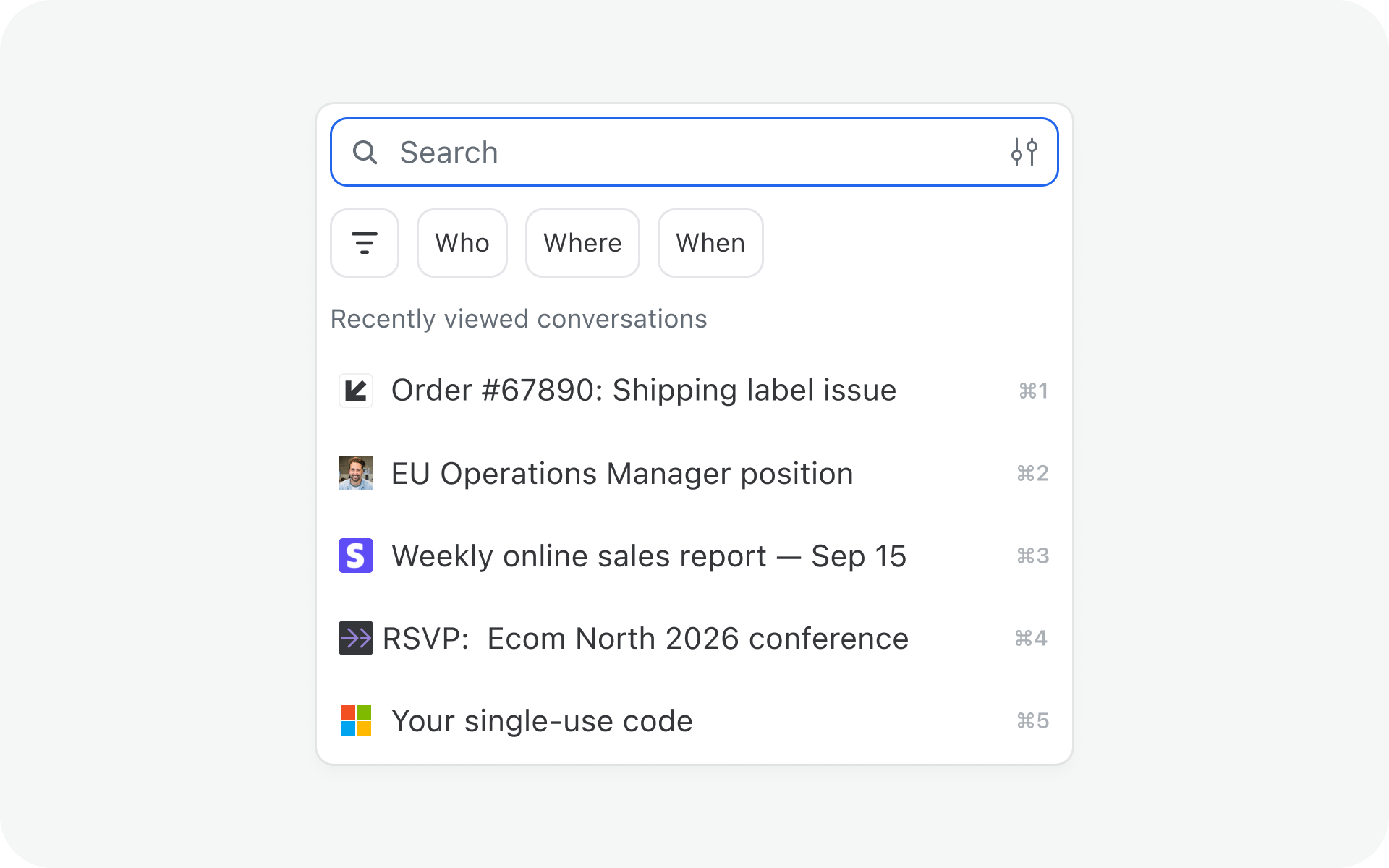
We added search and filter options to make it easier and more efficient to find the information you need. Filters with a specific date range, domain names, only conversations with attachments, etc.

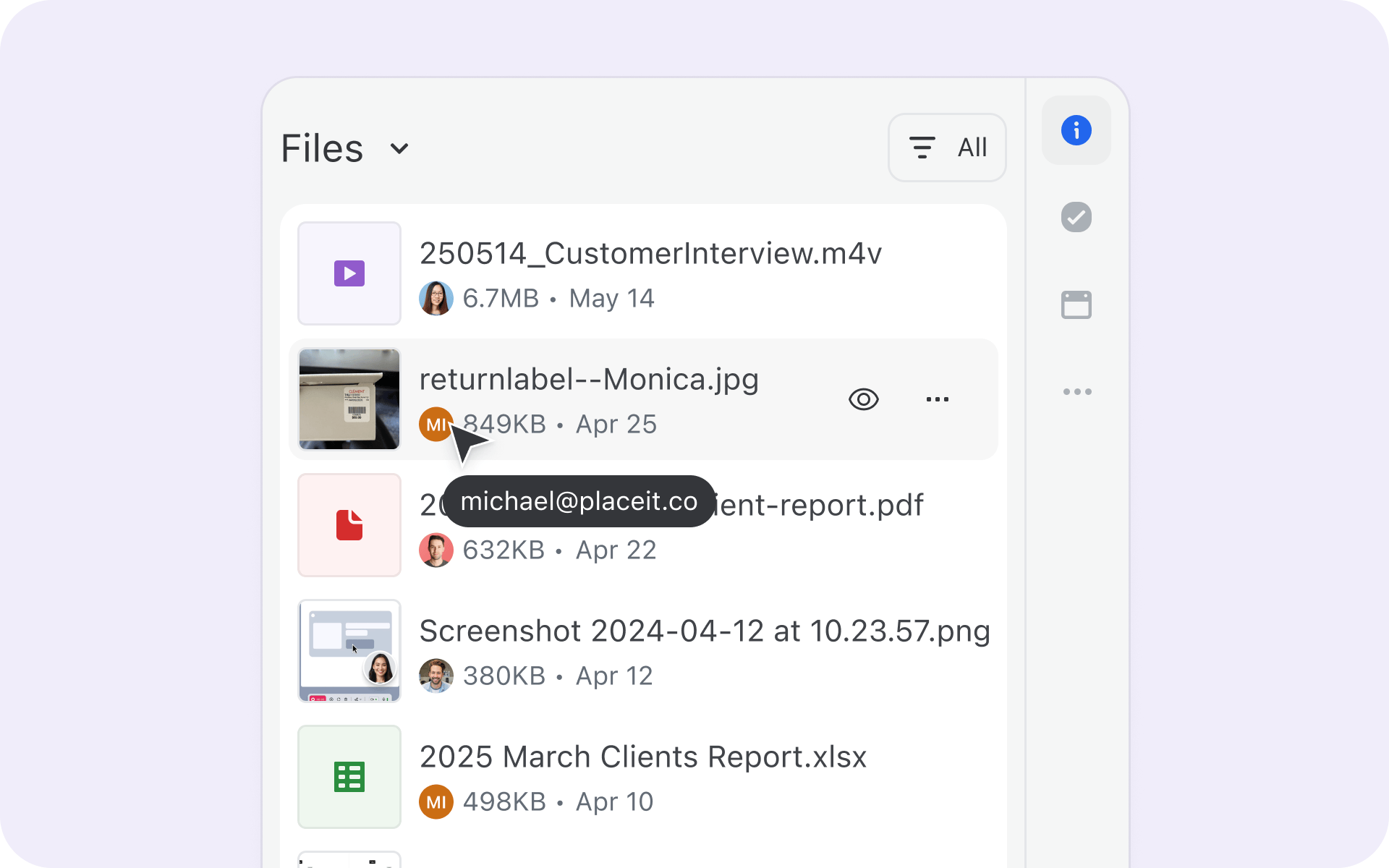
See all files and attachments from any conversation in one unified view. Cleaner thumbnails, category-based organization, and Quick Look with keyboard shortcuts make everyday tasks faster.
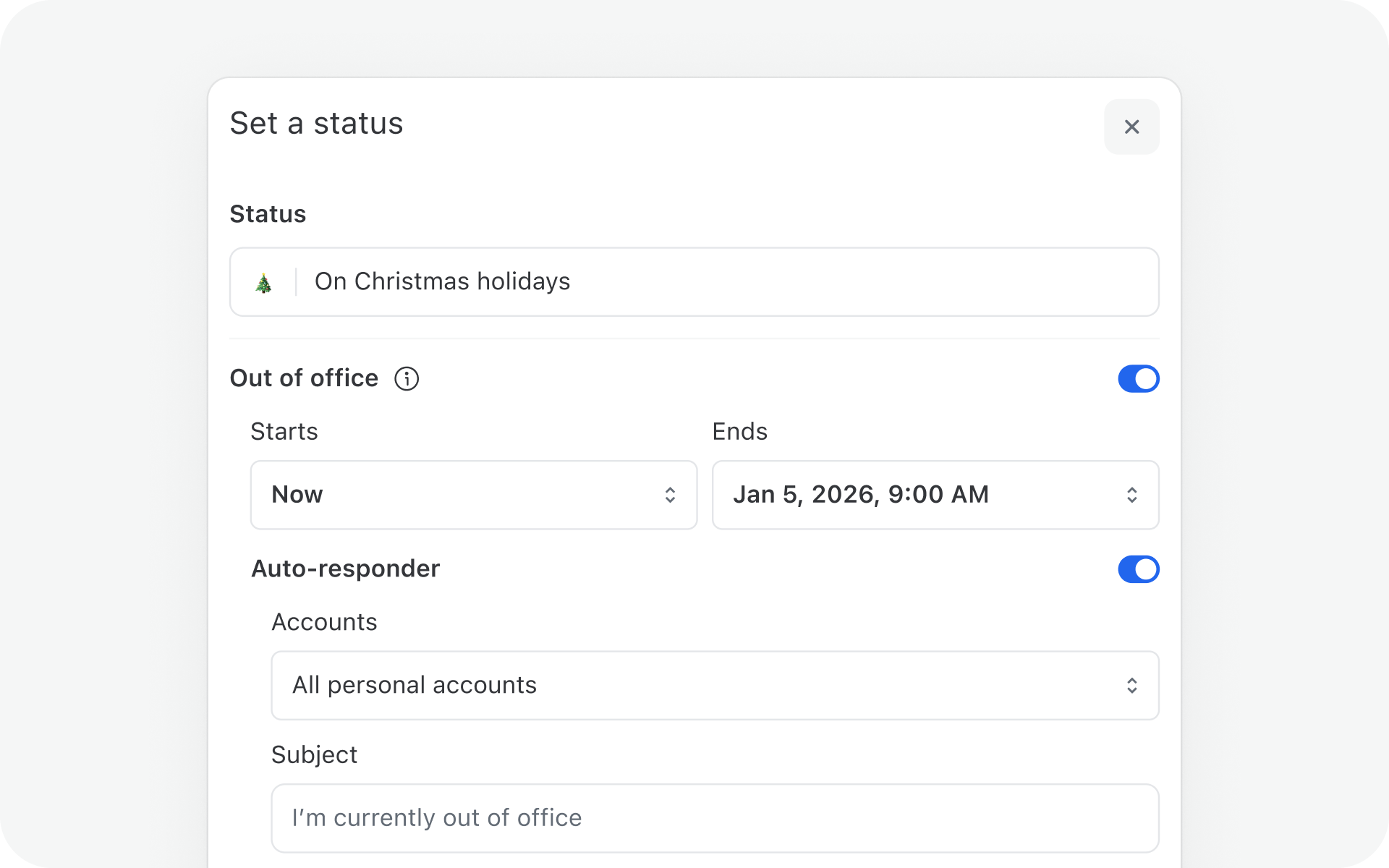
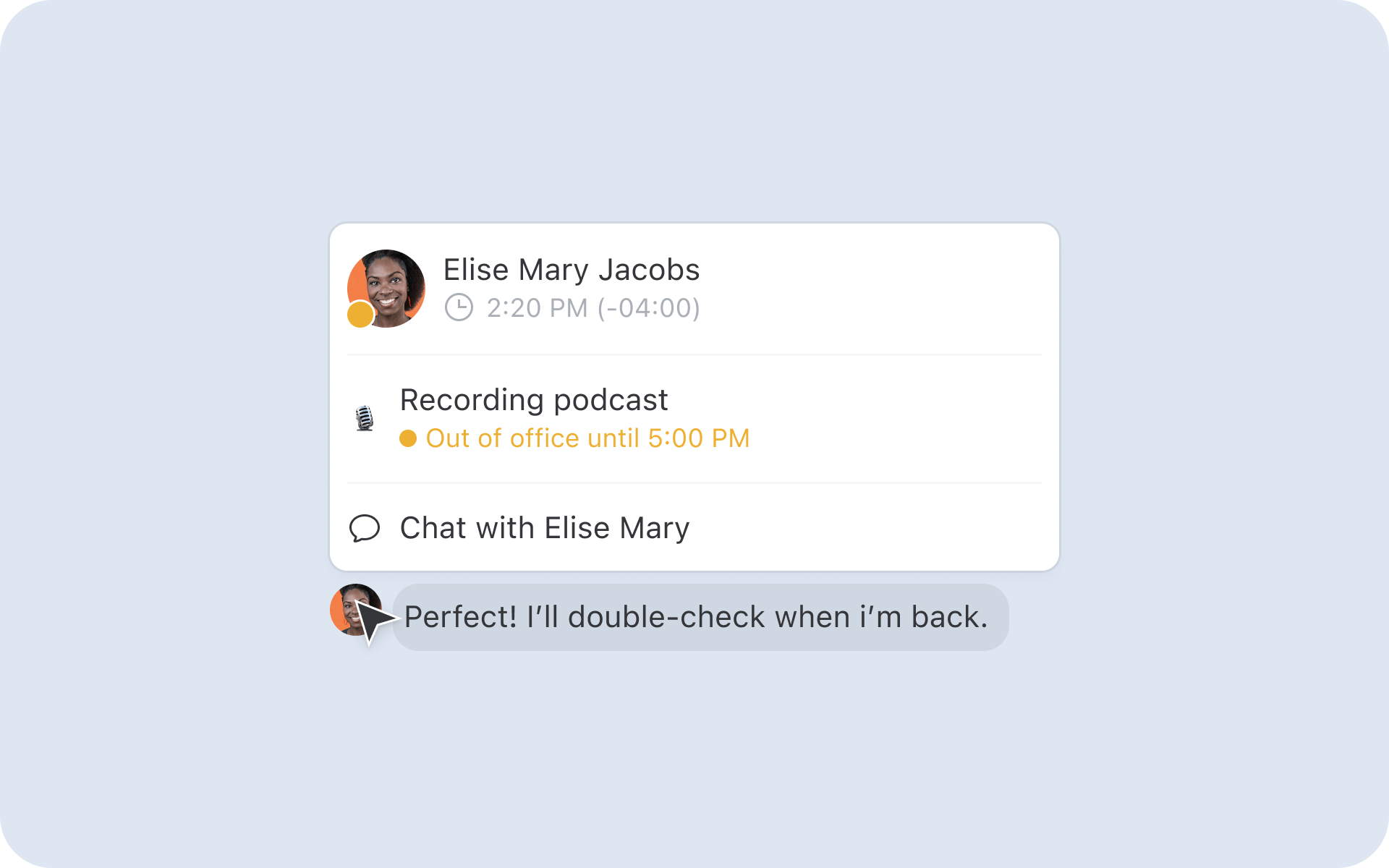
Taking a well-deserved break? You can now set up automatic replies for your personal accounts right from your out of office status, no need for a rule.
No more forwarding long threads or stitching together feedback from different tools. Guest Access lets you bring people outside your organization, like an accountant, contractor, or client—directly into specific Missive conversations.

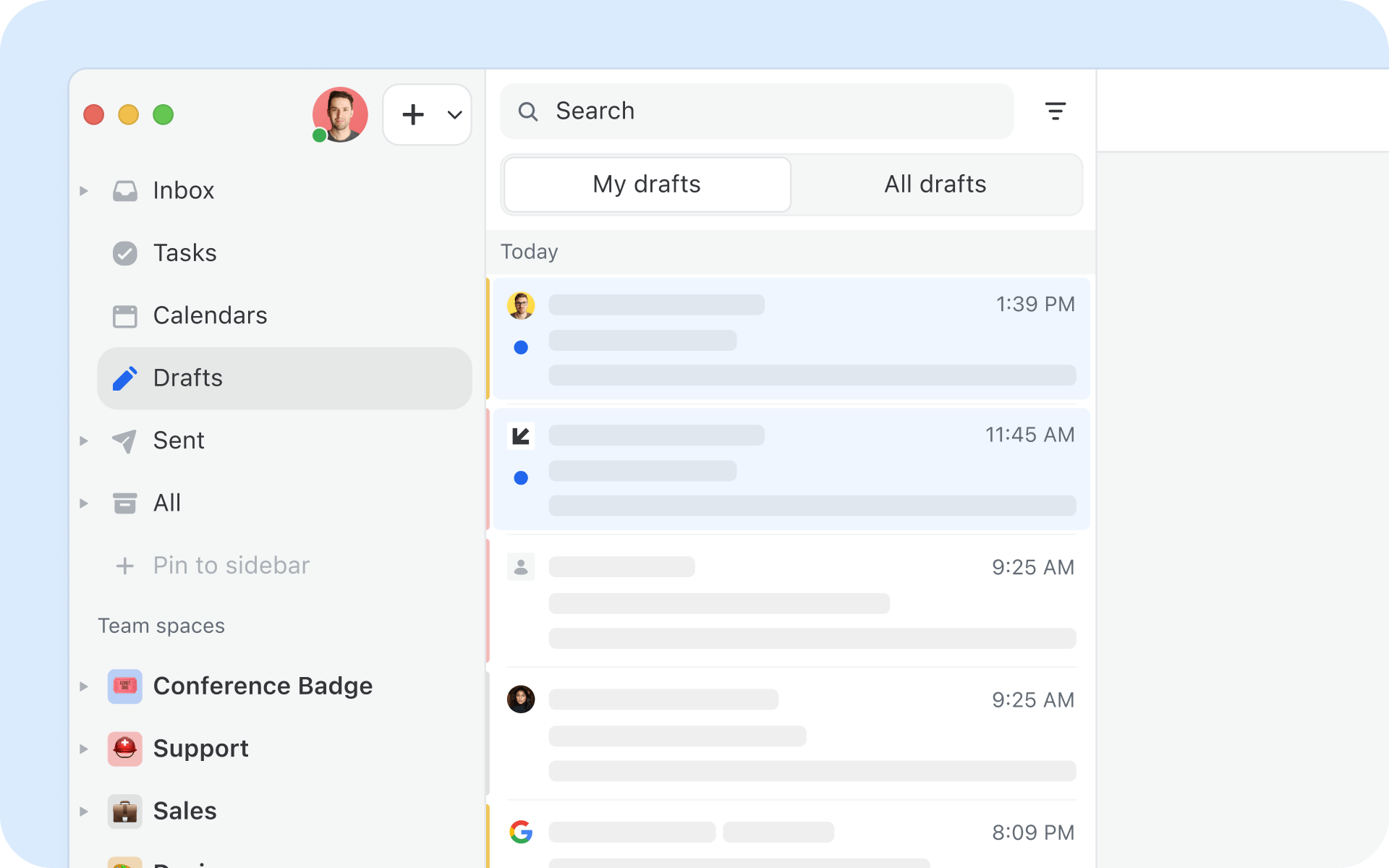
You can now toggle your Drafts and Sent mailboxes to show only the conversations with messages you personally created or all the ones from your colleagues, making it easier to focus on your own work.
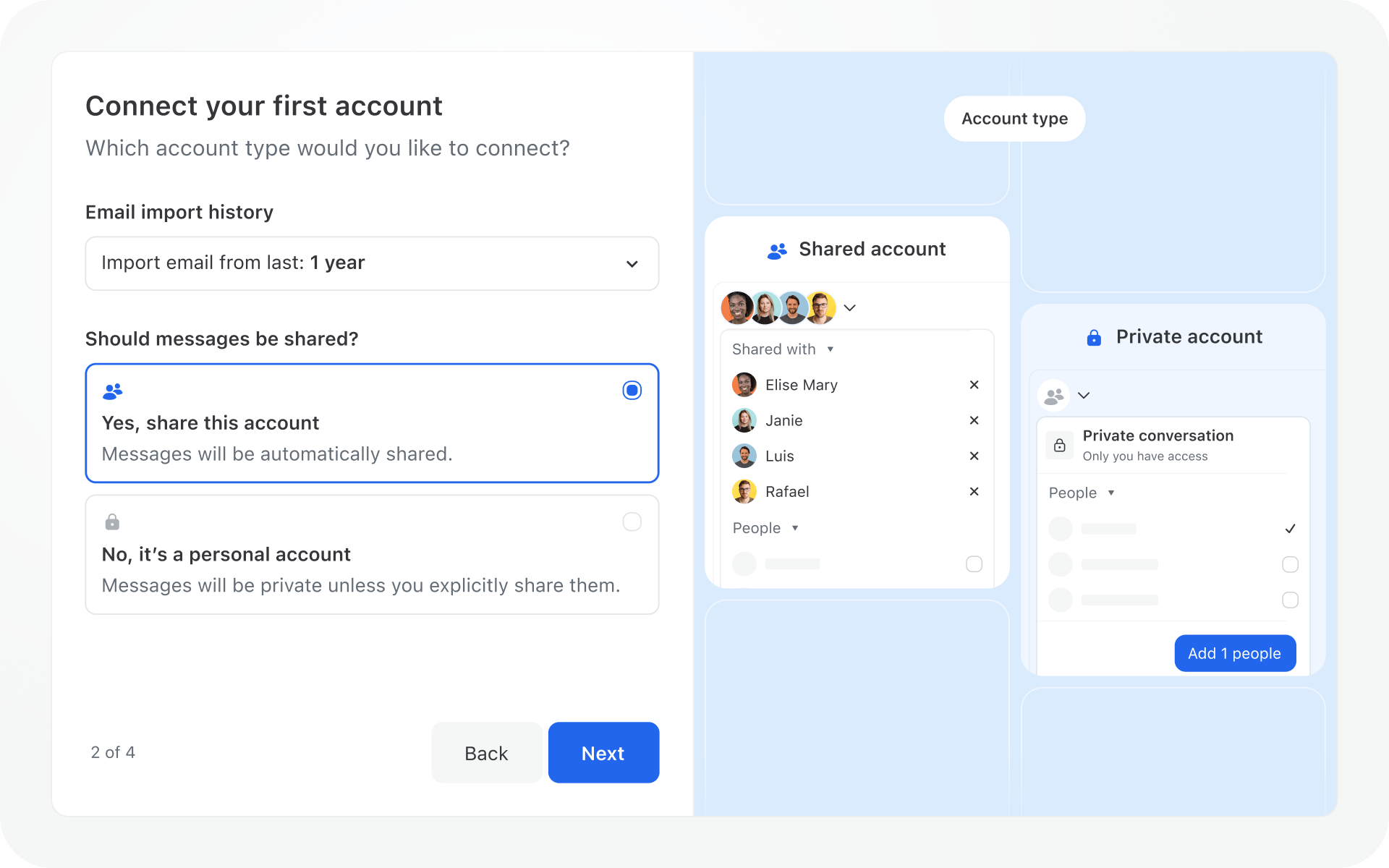
We redesigned our signup and onboarding flow to better guide new organizations through their first steps, with clearer hand-holding around creating a team and connecting a first shared account.
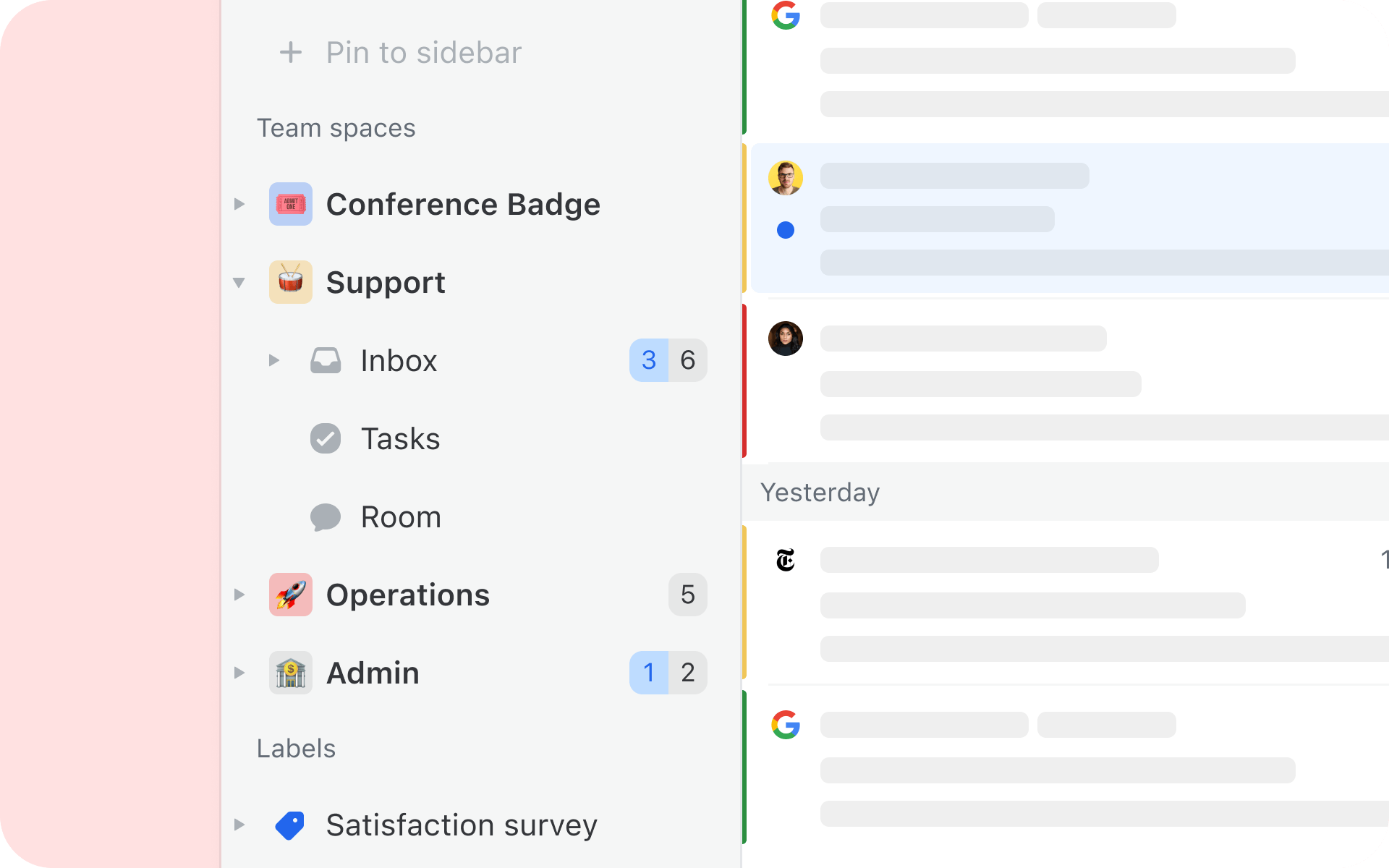
A new way to organize your teams. Every team has now a dedicated space in the sidebar, and every member will see the right elements depending on their role in the team. Quickly access your team’s inbox, Tasks, and Chatroom from the same place.
Native support for WhatsApp Business. No need to add a WhatsApp account via a third-party provider anymore, import directly from Facebook Business Manager.
As always, we'll be regularly shipping improvements and posting them on our changelog. We can't wait to show you what we're cooking up in 2026 already.

June 3, 2022
Email Collaboration: The Complete Guide for Modern Teams
Learn what email collaboration really means, why standard email fails for teams, and 10 practical strategies to improve how your team works together on email.

December 14, 2022
Text vs email vs call: when to use each for customer contact
Text, email, or call? Each has a clear best use case. Here’s how to pick the right channel for every customer interaction, and why mixing them up costs you the response.
November 21, 2025
The best Gmail alternatives for teams in 2026: pros, cons & features
The best Gmail alternatives for teams in 2026, compared. Pros, cons, pricing, and which tools actually solve the shared inbox problem.

October 17, 2023
How to deal with difficult customers (the rude, the angry, and everyone in between)
Difficult customers come in many flavors: angry, rude, demanding, impossible to please. Here’s how to handle every type without losing your mind — practical strategies, scripts, and when to walk away.

November 14, 2023
B2B customer service: what makes it different and how to do it well
B2B customer service isn’t just B2C with longer contracts. The relationships are deeper, the stakes are bigger, and the support operation looks nothing like a retail helpdesk. Here’s what makes it different and what good looks like.

November 1, 2023
How to put the customer first (without letting it eat your business)
A customer-first strategy isn’t about saying yes to every customer. It’s about building a business that anticipates what customers need, listens when they speak, and serves them well, without sacrificing what makes your business work.
December 10, 2020
Missive security and privacy FAQ
Missive is SOC 2 Type II and GDPR compliant. Full FAQ on our security and privacy practices: encryption, AI data handling, SSO, data export, and account deletion.

November 28, 2024
How to Centralize Client Communication for Better Team Productivity
Learn how to centralize client communication and improve team productivity for service businesses using Missive.

November 28, 2024
The 10 best email clients for Gmail (2026), tested by use case
The 10 best email clients for Gmail in 2026, tested by use case: Missive for teams, Superhuman for solo speed, Apple Mail for Mac, Thunderbird for free.
