> For the complete documentation index, see [llms.txt](https://missiveapp.com/docs/llms.txt). Markdown versions of documentation pages are available by appending `.md` to page URLs; this page is available as [Markdown](https://missiveapp.com/docs/core-features/calendar/faq.md).
# Calendar FAQ
Common questions about calendar integration in Missive.
Can I add attachments to an event?
No. Missive shows attachments that were added in Google Calendar or Outlook, with buttons to open them or copy their link, but you can't add new ones from Missive. See [Attachments](/docs/core-features/calendar/events.md#attachments).
Can I color-code events with Google labels or Outlook categories?
Yes. Google calendars have a **Label** field and Microsoft calendars have a **Category** field in the event form. The event takes that color in Missive, and changes sync back to your provider. Outlook events can have multiple categories. See [Google labels and Outlook categories](/docs/core-features/calendar/events.md#google-labels-and-outlook-categories).
Can I connect an iCloud, CalDAV, or ICS calendar?
No. Missive supports Google, Office 365, and Outlook.com calendar accounts.
Can I create Google Meet meetings?
Yes, you can create and edit Google Meet meetings from the Missive calendar, but only on a Google Calendar account.
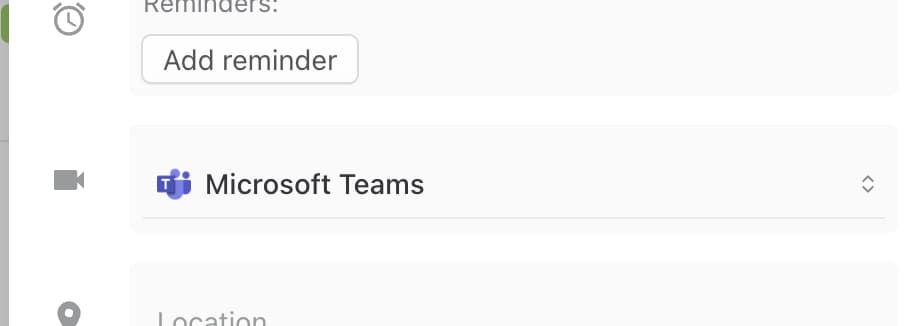
Can I create Microsoft Teams and Skype meetings?
Yes, you can create and edit Microsoft Teams and Skype meetings from the Missive calendar, but only on an Office 365 or Outlook.com calendar account. The options available depend on what your Microsoft account allows.
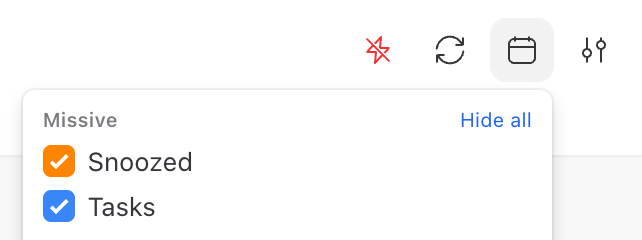
Can I hide the snoozed events from my calendar?
Yes. Uncheck **Snoozed** in the calendar sidebar. You can hide any other calendar the same way. When the calendar sidebar is collapsed, use the **Calendars** button in the calendar header.
Can I schedule an event in a different time zone?
Yes. In the event form, click the time zone next to the time and pick another zone. When the event's zone differs from yours, click the eye button to switch between viewing times in the event's zone and yours. See [Time zone](/docs/core-features/calendar/events.md#time-zone).
Can I save a set of calendars to switch to quickly?
Yes. Create a calendar group from **+ More** > **Calendars** > **Create new calendar group**, then pick the calendars it should show. The group is pinned to your main sidebar. See [Calendar groups](/docs/core-features/calendar/views-and-navigation.md#calendar-groups).
Can I see more than one time zone in the calendar?
Yes. In the day and week layouts, click **+** at the top of the hours column to add a time zone column. You can pick any zone or a teammate's time zone. See [Multiple time zones](/docs/core-features/calendar/views-and-navigation.md#multiple-time-zones).
Can I see when people are free before scheduling?
Yes. Use the **Meet with** field at the top of the calendar sidebar. Add teammates, teams, contacts, or email addresses, and their busy times appear on your calendar. You can also click a teammate's avatar and choose **View availabilities**. See [Meet with](/docs/core-features/calendar/meet-with.md).
Can I show more or fewer hours in the day and week views?
Yes. Press ⌘/Ctrl + + or ⌘/Ctrl + - in the desktop app, or set **Hours visible at once** in **Settings** > **Preferences** > **Calendars**. It's 12 hours by default, from 6 to 24. See [Hours visible at once](/docs/core-features/calendar/views-and-navigation.md#hours-visible-at-once).
Can I show weekends, week numbers, or more days at once?
Yes. Open the layout menu in the calendar header. It has **Show weekend** and **Show week numbers** options, plus **Number of days** to show 2 to 9 days at once. You can also press 2 to 9 while the calendar is focused. See [Views and navigation](/docs/core-features/calendar/views-and-navigation.md).
Can the calendar be loaded in the right sidebar next to emails?
Yes. Click the calendar icon in the right sidebar.
Do you support Office 365 shared mailbox calendars?
Yes. When adding the calendar:
1. Go to **Settings** > **Calendars**, click **Add**, and select **Office 365**.
2. Enter the shared mailbox email address.
3. In the Microsoft sign-in window, select an Office 365 account that has access to that shared mailbox.
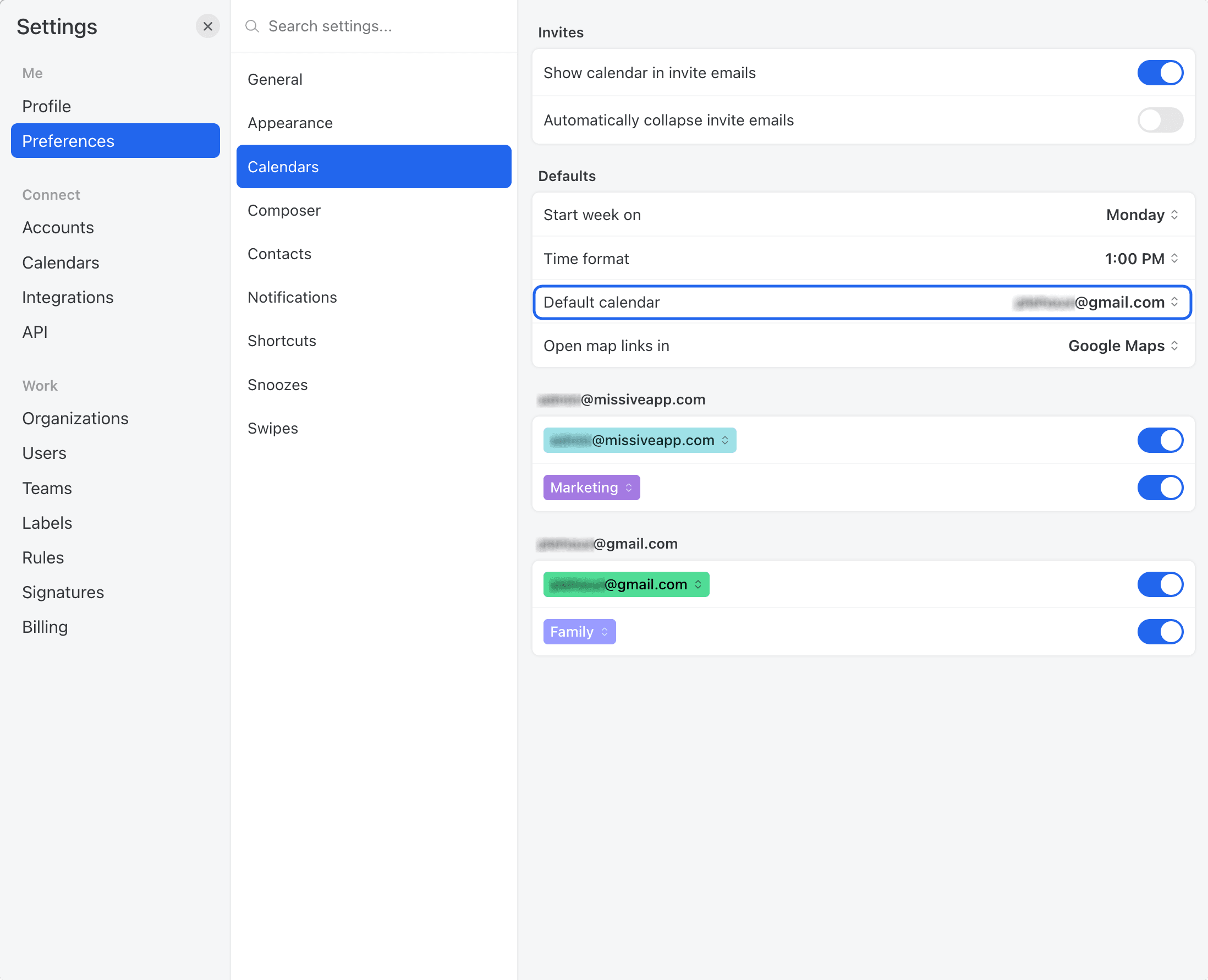
How do I change the default calendar for new events?
Go to **Settings** > **Preferences** > **Calendars** and choose a **Default calendar**.
How do I change the default duration for new events?
Go to **Settings** > **Preferences** > **Calendars** and set **Default meeting time**. New timed events use this duration (30 minutes by default). Options range from 15 minutes to 2 hours, including speedy meeting lengths like 25 and 50 minutes.
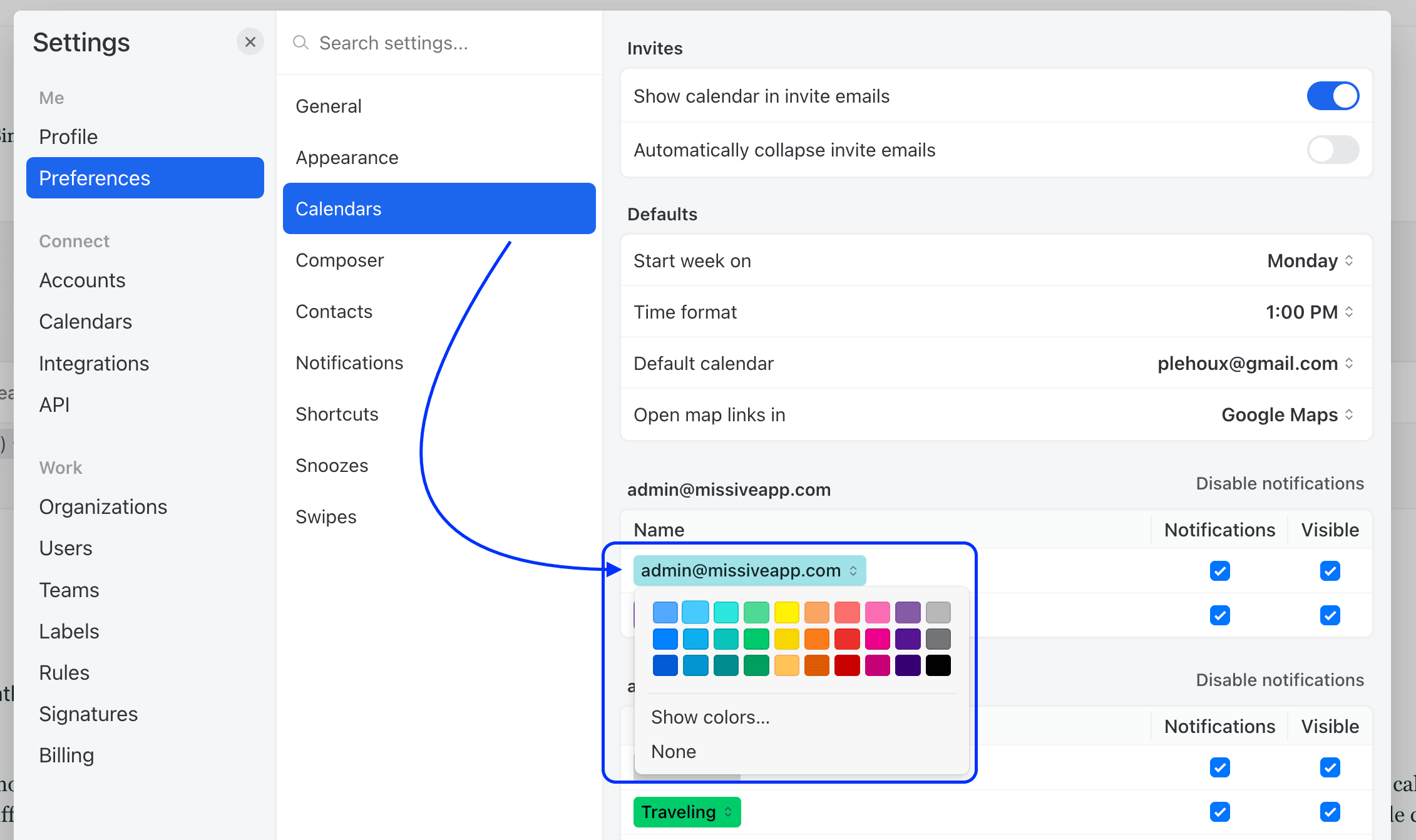
How do I edit a calendar's color?
Go to **Settings** > **Preferences** > **Calendars**, then click the calendar you want to recolor:
Only the account owner and organization admins can recolor a calendar. Everyone else doesn't get the color picker.
Why can't I create focus time?
Focus time is only available on the primary calendar of a Google Workspace account. It's not available on personal Gmail accounts, secondary Google calendars, or Microsoft calendars. When **Focus time** is selected, the calendar list only shows eligible calendars. See [Focus time](/docs/core-features/calendar/events.md#focus-time).
Why can't I edit an event?
You can fully edit events you organized or created. On events you were invited to, you can change your response and your own reminders. Other fields are editable only if the organizer lets guests modify the event. Events on read-only calendars, like holiday calendars, can't be edited.
An event's type (regular event or focus time) can't be changed after it's saved.
Why does someone show "Couldn't check availability" in Meet with?
Missive couldn't get that person's free/busy information. Their calendar may not share it. Missive shows the warning so they don't look free when they might not be.
What are the different colors of snoozed events in the calendar?
The colors come from the team, organization, or conversation color. If a personal conversation has no color, it shows in orange.
Where can I find calendar reminders?
Calendar reminders appear in the **Activity feed**. Click the bell icon at the top of the sidebar to open it. They're also sent as desktop and mobile notifications.
An orange dot on the bell indicates unread reminders, and adds 1 to your app icon badge count regardless of how many there are. To opt out, open the Activity feed settings (the settings icon at the bottom of the panel) and uncheck **Unread** for **Calendar reminders**.
---
# Agent Instructions
This documentation is published with GitBook. GitBook is the documentation platform designed so that both humans and AI agents can read, navigate, and reason over technical content effectively. Learn more at gitbook.com.
## Querying This Documentation
If you need additional information that is not directly available in this page, you can query the documentation by asking a question.
Perform an HTTP GET request on the following URL with the `ask` and `goal` query parameters:
```
GET https://missiveapp.com/docs/core-features/calendar/faq.md?ask=&goal=
```
`ask` is the immediate question: it should be specific, self-contained, and written in natural language.
`goal` is what the user is ultimately trying to achieve, the reason they need the answer. Sharing it helps GitBook give you a better, more relevant answer. A goal is most helpful when it describes the outcome the user wants rather than restating the question. For example, with `ask=how do I create an API token`, a goal like `automate deployments from our CI pipeline` lets GitBook tailor the answer to that use case.
The response will contain a direct answer to the question and relevant excerpts and sources from the documentation.
Use this mechanism when the answer is not explicitly present in the current page, you need clarification or additional context, or you want to retrieve related documentation sections.