> For the complete documentation index, see [llms.txt](https://missiveapp.com/docs/llms.txt). Markdown versions of documentation pages are available by appending `.md` to page URLs; this page is available as [Markdown](https://missiveapp.com/docs/core-features/triage-and-assignment/faq.md).
# Triage FAQ
Common questions about triaging and assigning conversations in Missive.
Can I assign someone to a conversation when I tag them in the chat?
You can create an organization rule to automatically assign a conversation to someone when you tag them in the chat.
To do so, create a rule that triggers on new comments like this one:
How do I prevent conversations from being automatically assigned when someone replies?
Assignment behavior when replying is controlled by your team's **Assignment options**. Go to **Settings** > **Teams**, click **Edit** next to the team, and scroll to the bottom to find **Assignment options**.
{% hint style="info" %}
Assignment options apply to all conversation types in that team. If your team handles both email and SMS, and you only want to change the assignment behavior for SMS, you need to separate them into two distinct teams.
{% endhint %}
Can I auto-assign emails to the sender?
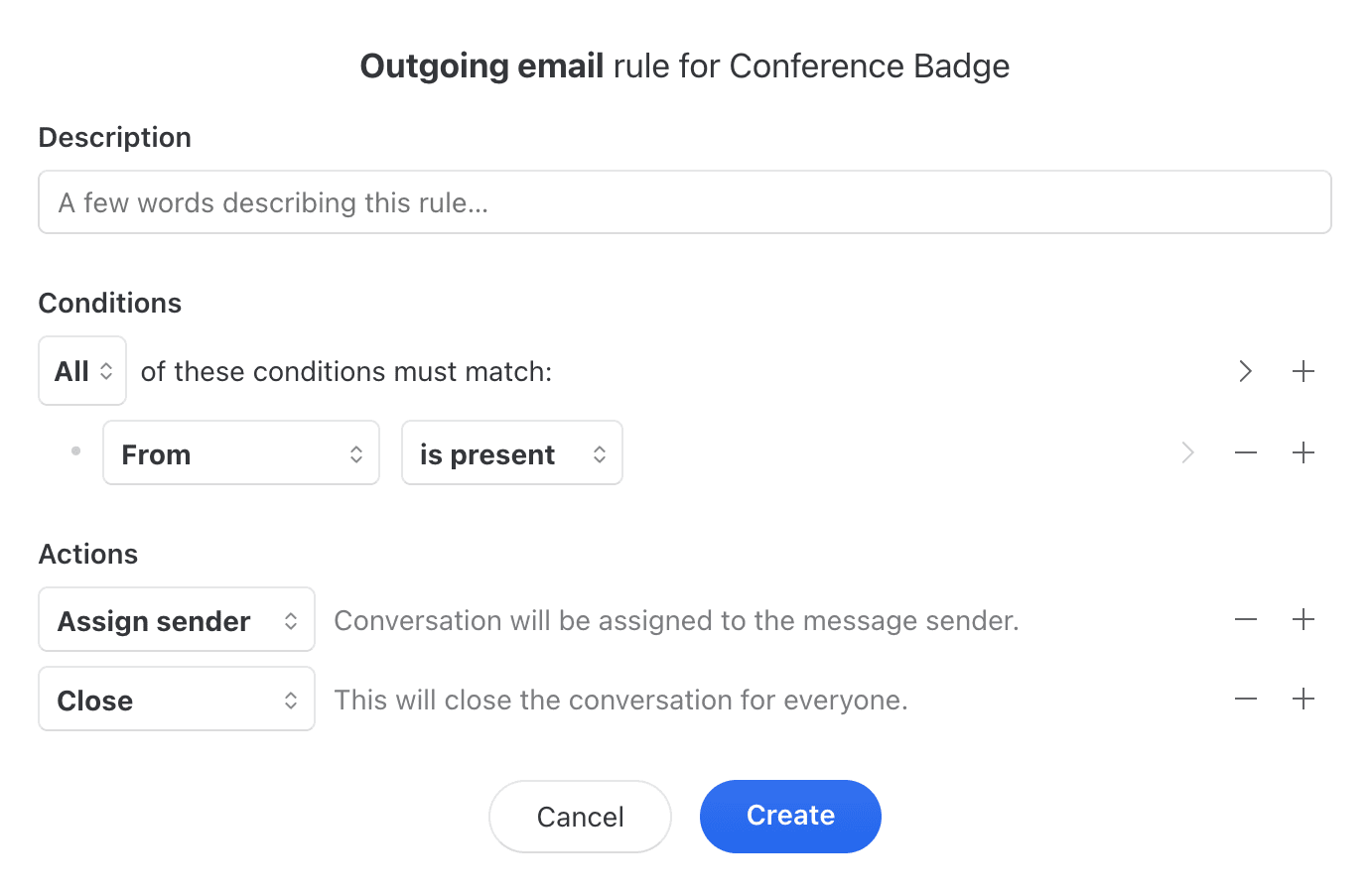
You can create an **Outgoing message** rule to automatically assign the sender to a conversation if it hasn't already been assigned to someone.
To do so, create a rule that triggers on outgoing emails like this one:
You probably want to add the **Close** action too so the conversation is not added back to the sender **Inbox**.
Can conversations be removed from my Inbox when closed by a colleague?
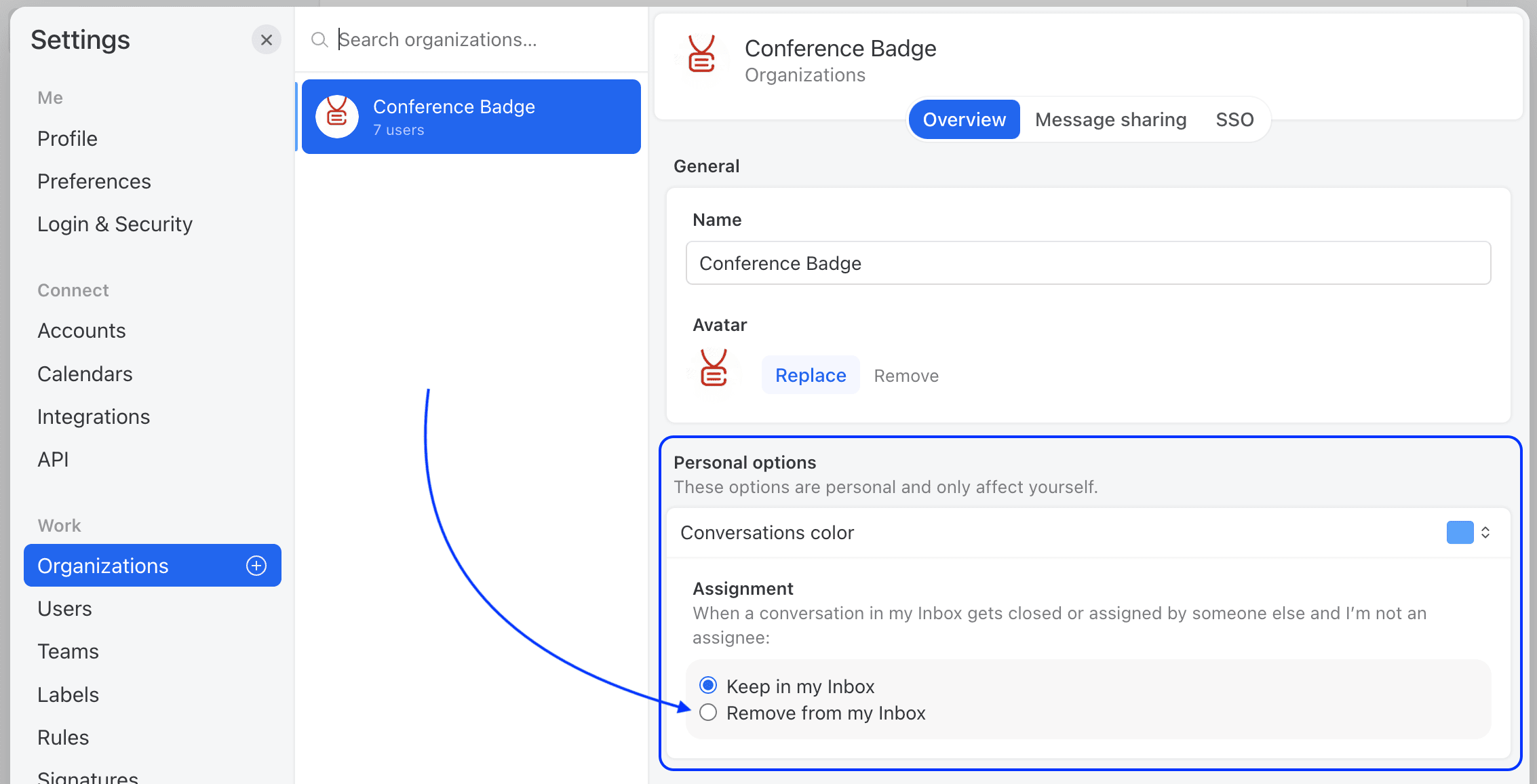
When a user closes, it always removes the conversation from their Inbox. But it does not remove the conversation from the Inbox of other users, at least by default.
There is a personal setting that each user can optionally set so that when a coworker closes a conversation that’s in their Inbox, it is removed from there:
What will the assigned filter show?
When applying the filter Assigned to (Person A) on a search or a mailbox, the results will include both conversations assigned to Person A as well as conversations includind tasks assigned to Person A.
How can I stop receiving email notifications when I'm assigned or mentioned?
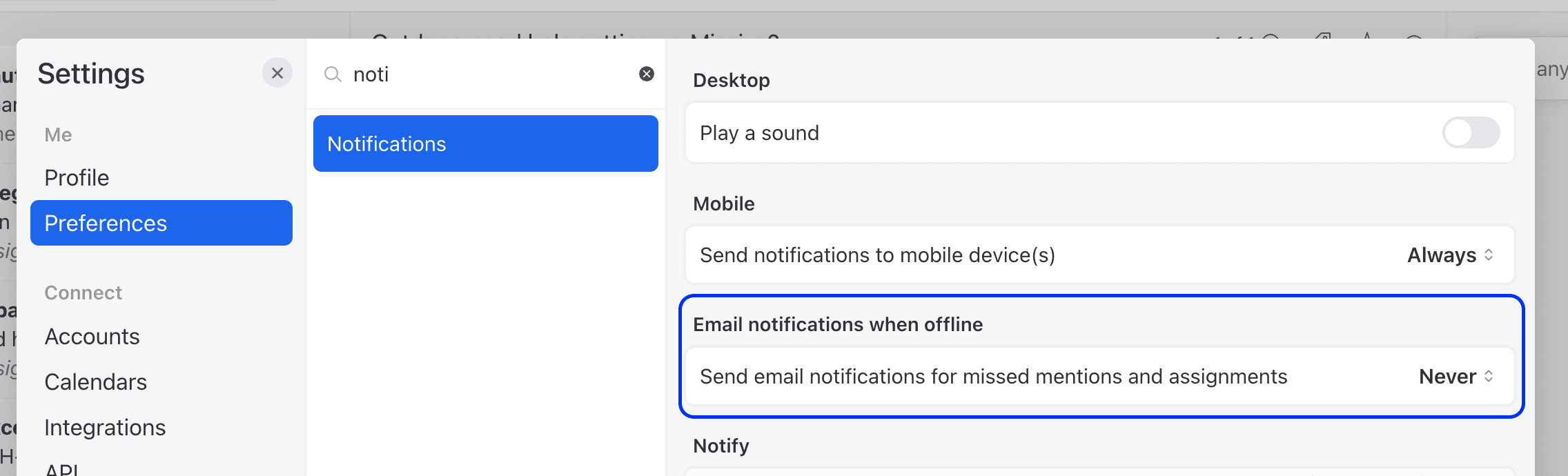
You can control how often Missive sends you email notifications for missed mentions and assignments when you are offline.
Go to **Settings** > **Preferences** > **Notifications** > **Email notifications when offline** and choose your preferred frequency: **Never**, **Once every 15 minutes**, or **Once every hour**.
{% hint style="info" %}
If you clicked an unsubscribe link inside a Missive notification email, it set this option to **Never**. You can re-enable notifications at any time by going back to this setting and selecting a frequency.
{% endhint %}
---
# Agent Instructions
This documentation is published with GitBook. GitBook is the documentation platform designed so that both humans and AI agents can read, navigate, and reason over technical content effectively. Learn more at gitbook.com.
## Querying This Documentation
If you need additional information that is not directly available in this page, you can query the documentation by asking a question.
Perform an HTTP GET request on the following URL with the `ask` and `goal` query parameters:
```
GET https://missiveapp.com/docs/core-features/triage-and-assignment/faq.md?ask=&goal=
```
`ask` is the immediate question: it should be specific, self-contained, and written in natural language.
`goal` is what the user is ultimately trying to achieve, the reason they need the answer. Sharing it helps GitBook give you a better, more relevant answer. A goal is most helpful when it describes the outcome the user wants rather than restating the question. For example, with `ask=how do I create an API token`, a goal like `automate deployments from our CI pipeline` lets GitBook tailor the answer to that use case.
The response will contain a direct answer to the question and relevant excerpts and sources from the documentation.
Use this mechanism when the answer is not explicitly present in the current page, you need clarification or additional context, or you want to retrieve related documentation sections.