> For the complete documentation index, see [llms.txt](https://missiveapp.com/docs/llms.txt). Markdown versions of documentation pages are available by appending `.md` to page URLs; this page is available as [Markdown](https://missiveapp.com/docs/developers/custom-channels/setup.md).
# Setup
Step-by-step guide to set up custom channels: create, receive, and send messages.
{% stepper %}
{% step %}
**Create your channel**
Go to **Settings** > **Accounts** > **Add account** > **Custom** *(Build your own)*. Choose whether the account should be shared or personal - this can be changed later, so we recommend starting with a personal account and sharing it when ready.
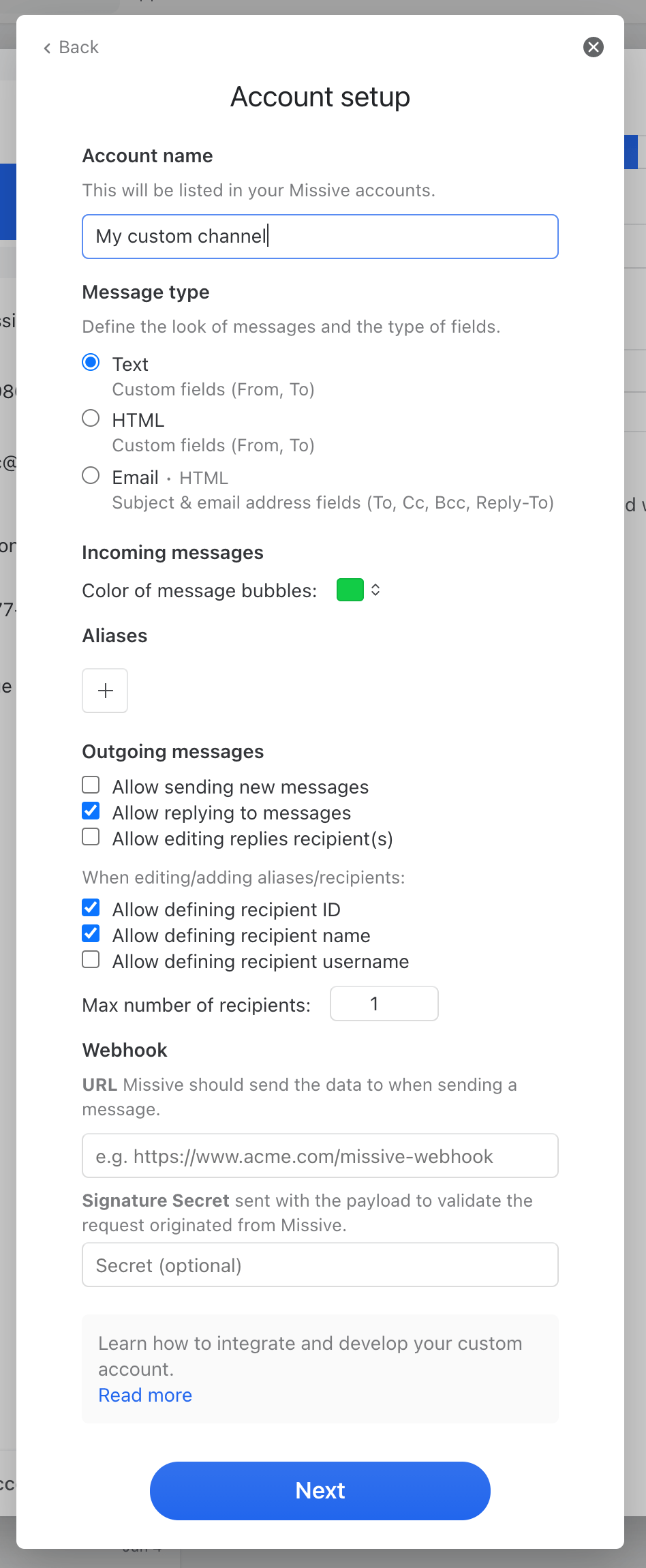
You should now see a configuration screen like this:
Here are details on each of these settings:
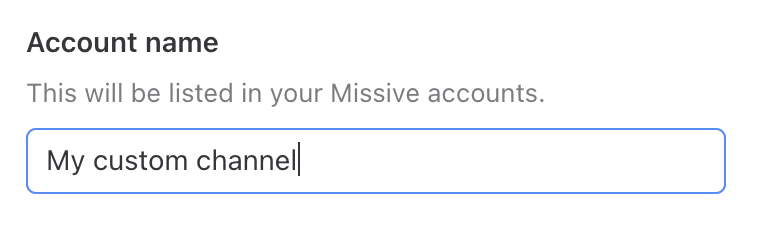
**Account name**
This name is used in your **Accounts** setting to identify the custom channel. It can be changed later on.
**Message type**
Custom channels support three different message types.
Here are the main differences between the three types:
| Functionalities | Text | HTML | Email |
| ----------------------------------------------------------------------------------------- | ---: | ---: | ----: |
| Allow replies (via custom channel webhook)
Fields: From, To
| ✅ | ✅ | |
| Allow replies (via existing email accounts)
Fields: From, To, Cc, Bcc, Reply-To
| | | ✅ |
| Rich-text (HTML) | | ✅ | ✅ |
| Basic text + emojis | ✅ | | |
| Bubble color | ✅ | | |
| Attachments | ✅ | ✅ | ✅ |
Once your custom channel is created, you **cannot update its message type**.
**Outgoing messages**
The following settings apply only to the **Text** or **HTML** message types.
You can define whether Missive allows users to send new messages, reply to existing messages or edit recipients of a reply.
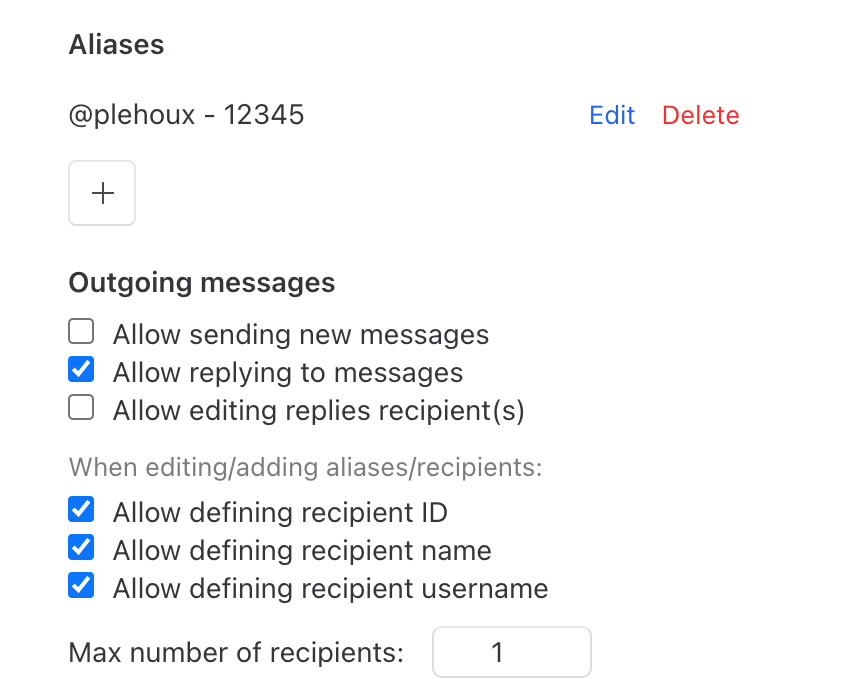
**Aliases**
When you reply to custom channel messages or create new messages, Missive lets you select one of the pre-defined aliases you've defined in this section. An alias can be composed of three keys: `id`, `name` and `username`. Your outgoing webhook may use these in any way. They are all optional, so feel free to uncheck those you won’t use:
* Allow defining recipient ID
* Allow defining recipient name
* Allow defining recipient username
You must also define the maximum number of recipients new messages and replies can have.
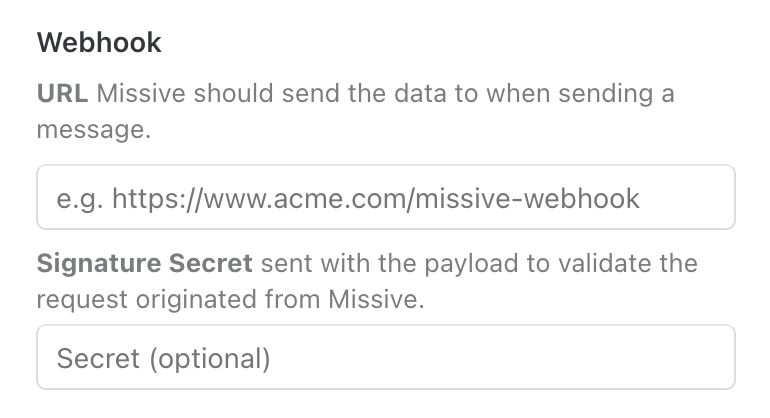
**Webhooks**
Go to the "Send messages" step for details on the webhook options.
{% endstep %}
{% step %}
**Receive messages**
To create incoming messages in your custom channel, you must use the Missive API. Learn how to [get started](/docs/developers/rest-api.md) and how to [create messages](/docs/developers/rest-api/endpoints.md#create-message) in your channel using the `POST /messages` endpoint.
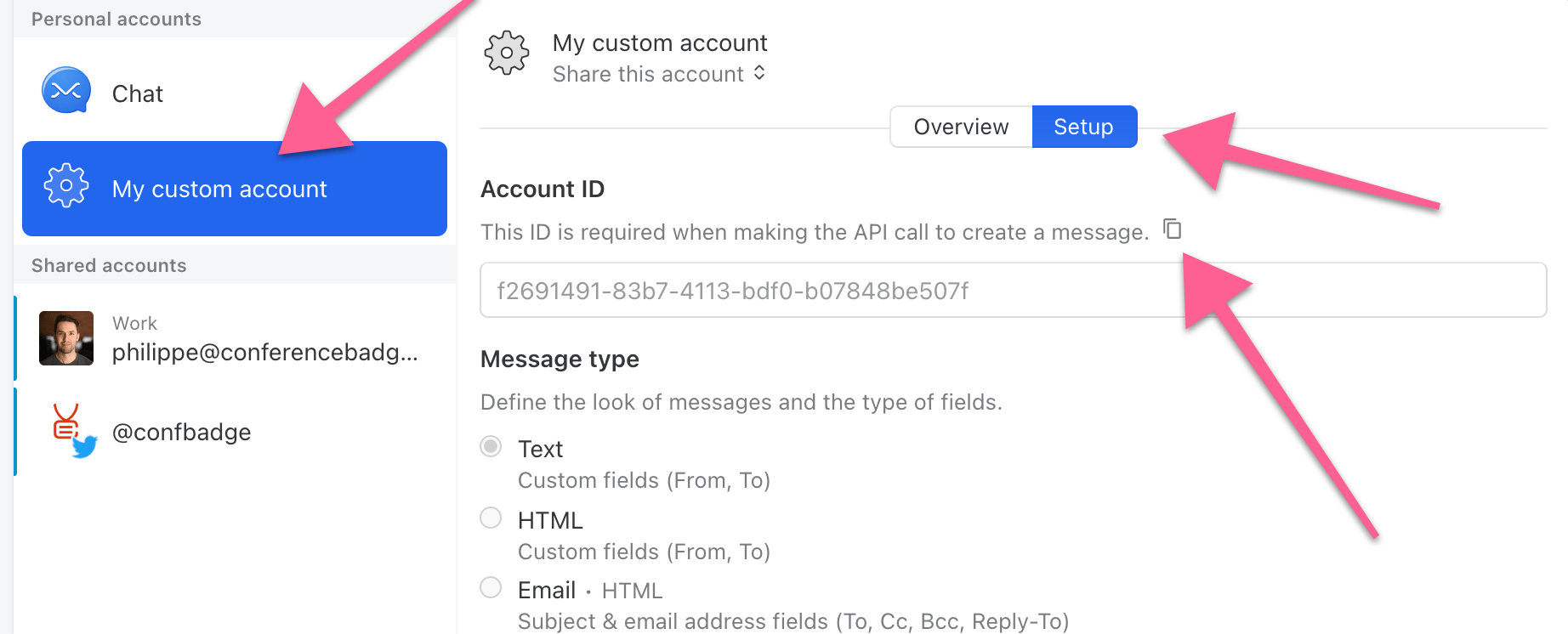
You must pass your channel ID when creating messages. You can find it under **Account ID** once your channel has been created.
{% endstep %}
{% step %}
**Send messages**
To send messages via the custom channel, you must define a webhook URL endpoint. Every time you send a message from Missive, the associated payload will be posted to this endpoint.
The request payload looks like this:
{% code title="webhook payload.json" %}
```json
{
"message": {
"id": "a8ae9822-ec20-4cc7-989f-4ff4bc473cfe",
"preview": "Hi, my name is Phil! How can I help you?",
"type": "custom_text",
"delivered_at": 1623269628,
"updated_at": 1623269628,
"created_at": 1623269608,
"references": [],
"body": "Hi, my name is Phil! How can I help you?",
"from_field": {
"id": null,
"name": "My custom account",
"username": "My custom account"
},
"to_fields": [
{
"id": "12345",
"name": "Philippe Lehoux",
"username": "@plehoux"
}
],
"external_id": null,
"attachments": [],
"author": {
"id": "af577bfa-076f-4ff0-bcc0-9b2d578fc601",
"email": "philippe@conferencebadge.com",
"name": "Philippe Lehoux",
"avatar_url": "https://missive.cdn.com/814942a3-ae65-4da5-b1ab-bd5266336ef4/philippe.png"
}
},
"conversation": {
"id": "15ff3085-4654-488d-a18f-aced2cc7dcc9",
"subject": null,
"latest_message_subject": "Message from Philippe Lehoux",
"organization": null,
"color": null,
"assignees": [],
"users": [
{
"id": "af577bfa-076f-4ff0-bcc0-9b2d578fc601",
"name": "Philippe Lehoux",
"email": "philippe@conferencebadge.com",
"unassigned": false,
"closed": false,
"archived": false,
"trashed": false,
"junked": false,
"assigned": false,
"flagged": false,
"snoozed": false
}
],
"attachments_count": 0,
"messages_count": 2,
"authors": [
{
"name": "My custom account",
"address": null
},
{
"name": "Philippe Lehoux",
"address": null
}
],
"drafts_count": 0,
"send_later_messages_count": 0,
"tasks_count": 0,
"completed_tasks_count": 0,
"web_url": "https://mail.missiveapp.com/#inbox/conversations/15ff3085-4654-488d-a18f-aced2cc7dcc9",
"app_url": "missive://mail.missiveapp.com/#inbox/conversations/15ff3085-4654-488d-a18f-aced2cc7dcc9",
"assignee_names": "",
"assignee_emails": "",
"shared_label_names": "",
"shared_labels": []
}
}
```
{% endcode %}
Your server is responsible for processing this payload as needed, like creating / sending a message via a third-party API of your choice, etc.
**Signature secret (validating webhook requests)**
If a signature secret is defined in your custom channel settings, all webhook requests will include a `X-Hook-Signature` hash signature of the payload. With this signature, you can validate that the request is coming from Missive. To do so, you must compute the signature yourself and compare it to the one provided in the request header.
The signature starts with `sha256=` followed by a HMAC hexdigest. Here's sample code showing how to compute the signature in Ruby:
{% code title="compute signature (Ruby)" %}
```ruby
#
# `secret` is the "Signature secret" set in your custom channel settings.
# `request_body` is the full HTTP request body.
#
computed_signature = 'sha256=' + OpenSSL::HMAC.hexdigest(
OpenSSL::Digest.new('sha256'), secret, request_body
)
```
{% endcode %}
Make sure to assess equality between the header signature and the one you've computed using a method that prevents timing attacks against regular equality operators. In Ruby, you can use secure\_compare:
{% code title="secure compare (Ruby)" %}
```ruby
valid = Rack::Utils.secure_compare(x_hook_signature, computed_signature)
```
{% endcode %}
{% endstep %}
{% endstepper %}
Need more specific answers? [Contact us](/docs/developers/contact.md)
---
# Agent Instructions
This documentation is published with GitBook. GitBook is the documentation platform designed so that both humans and AI agents can read, navigate, and reason over technical content effectively. Learn more at gitbook.com.
## Querying This Documentation
If you need additional information that is not directly available in this page, you can query the documentation dynamically by asking a question.
Perform an HTTP GET request on the current page URL with the `ask` query parameter, and the optional `goal` query parameter:
```
GET https://missiveapp.com/docs/developers/custom-channels/setup.md?ask=&goal=
```
`ask` is the immediate question: it should be specific, self-contained, and written in natural language.
`goal` is optional and describes the broader end goal you are ultimately trying to accomplish on behalf of the user. GitBook uses it to tailor the answer towards what is most useful for that goal.
The response will contain a direct answer to the question and relevant excerpts and sources from the documentation.
Use this mechanism when the answer is not explicitly present in the current page, you need clarification or additional context, or you want to retrieve related documentation sections.