> For the complete documentation index, see [llms.txt](https://missiveapp.com/docs/llms.txt). Markdown versions of documentation pages are available by appending `.md` to page URLs; this page is available as [Markdown](https://missiveapp.com/docs/advanced-features/analytics/reports.md).
# Reports
Generate reports on team activity, response times, and conversation volume.
Missive offers 5 different reports. Basic analytics provide access to the Overview report only, while advanced analytics available to Business plan subscribers offer additional data points and greater granularity to monitor user and team performance.
## Overview report
The overview report provides a high-level view of your organization’s performance. It features multiple data points visualized in one or more charts to give a perfect snapshot. You can also compare similar data points in a larger chart.
## Performance reports
### Users
The Users report is ideal for comparing the performance of your employees. All the users in your organization will be listed in a table view, allowing you to compare their Messages sent, Replies sent, Replied conversations, First reply time, Reply time, and Handle time.
### Teams
The Teams report is perfect for comparing the performance and load of your teams, departments, and functions. All the teams in your organization will be listed in a table view, allowing you to compare their new conversations, messages received, messages sent, replies sent, replied conversations, first reply time, reply time, and handle time.
## Statistics reports
### Accounts
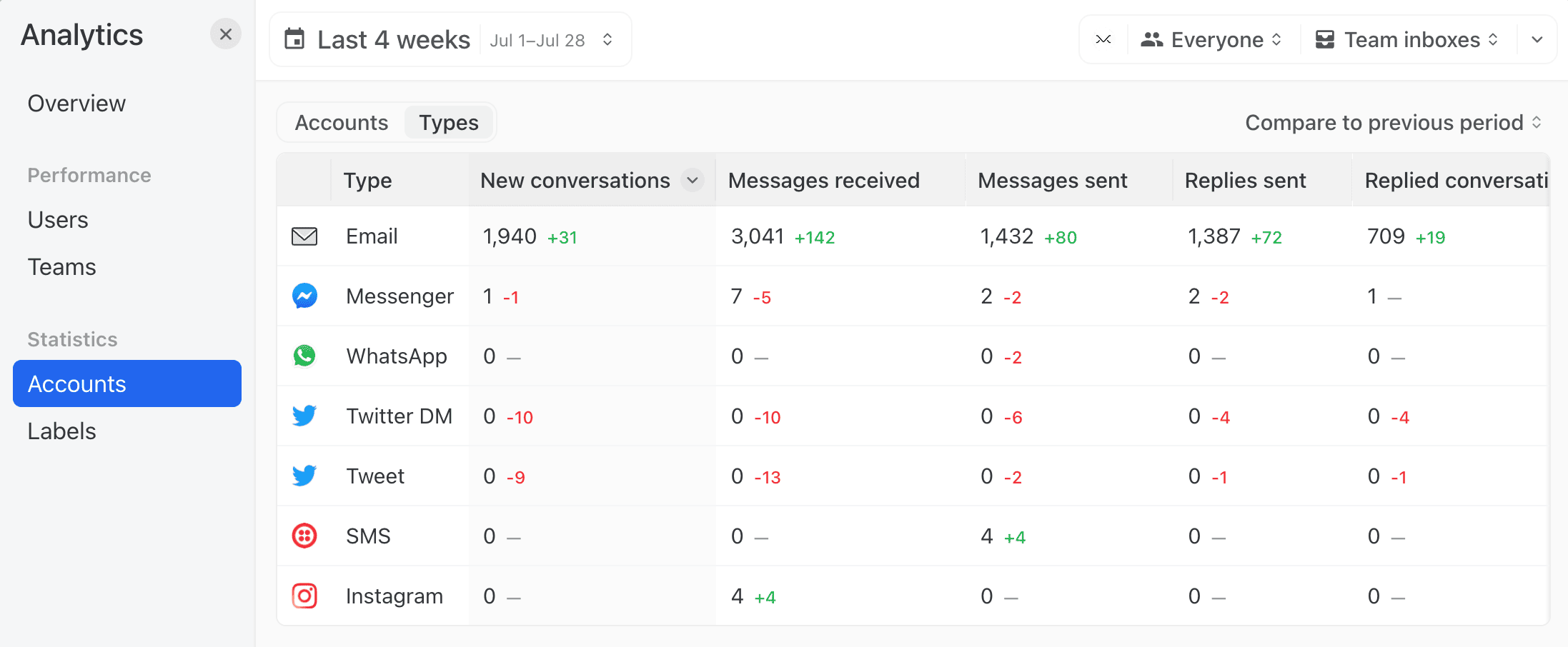
The Accounts report offers two views: by **Accounts** (each account listed individually) or by **Type of accounts** (all accounts merged by type: email, WhatsApp, SMS, etc.).
All the accounts or types will be listed in a table view, allowing for comparison of their New conversations, Messages received, Messages sent, Replies sent, Replied conversations, First reply time, Reply time, and Handle time.
### Labels
All the labels of your organization will be listed in a table view, allowing you to compare various metrics such as: Applied, Removed, Duration, New conversations, Messages received, Messages sent, Replies sent, Replied conversations, First reply time, Reply time, and Handle time.
## Time series charts
In the Users, Teams, Accounts, and Labels tables, you can click any metric value to expand a time series chart for that row. The chart plots the metric over the selected date range and compares it against whichever comparison mode is active — previous period, top row, or average.
Click the metric again to collapse the chart.
---
# Agent Instructions
This documentation is published with GitBook. GitBook is the documentation platform designed so that both humans and AI agents can read, navigate, and reason over technical content effectively. Learn more at gitbook.com.
## Querying This Documentation
If you need additional information that is not directly available in this page, you can query the documentation dynamically by asking a question.
Perform an HTTP GET request on the current page URL with the `ask` query parameter, and the optional `goal` query parameter:
```
GET https://missiveapp.com/docs/advanced-features/analytics/reports.md?ask=&goal=
```
`ask` is the immediate question: it should be specific, self-contained, and written in natural language.
`goal` is optional and describes the broader end goal you are ultimately trying to accomplish on behalf of the user. GitBook uses it to tailor the answer towards what is most useful for that goal.
The response will contain a direct answer to the question and relevant excerpts and sources from the documentation.
Use this mechanism when the answer is not explicitly present in the current page, you need clarification or additional context, or you want to retrieve related documentation sections.