> For the complete documentation index, see [llms.txt](https://missiveapp.com/docs/llms.txt). Markdown versions of documentation pages are available by appending `.md` to page URLs; this page is available as [Markdown](https://missiveapp.com/docs/advanced-features/rules/faq.md).
# Rules FAQ
Common questions about rules and automation in Missive.
How do I replicate "Move to label" with a rule?
Labeling and archiving are two separate things in Missive. When you manually use **Move to label**, you're doing two things at once: applying the label and archiving the conversation from your inbox.
Rules don't have a "Move to" action - they have separate **Add label(s)** and **Archive** actions. To replicate the manual **Move to label** behavior, add both actions to your rule:
1. **Add label(s)** - applies the label
2. **Archive (from Team Inbox)** and/or **Archive** - removes it from the inbox
Using only **Add label(s)** will apply the label but leave the conversation in the inbox.
Why are time-based conditions greyed out?
**Delay** and the **Unreplied/Unassigned and open after** conditions are mutually exclusive - a rule can only use one type.
If your rule already has a **Delay** condition, the **Unreplied and open after** and **Unassigned and open after** options will be greyed out, and vice versa.
To switch to a different type, remove the existing time-based condition first.
See [How Delay differs from Unreplied/Unassigned and open after](/docs/advanced-features/rules/conditions.md#how-delay-differs-from-unreplied-unassigned-and-open-after) for an explanation of how each works.
An error says my rule will never match; what can I do?
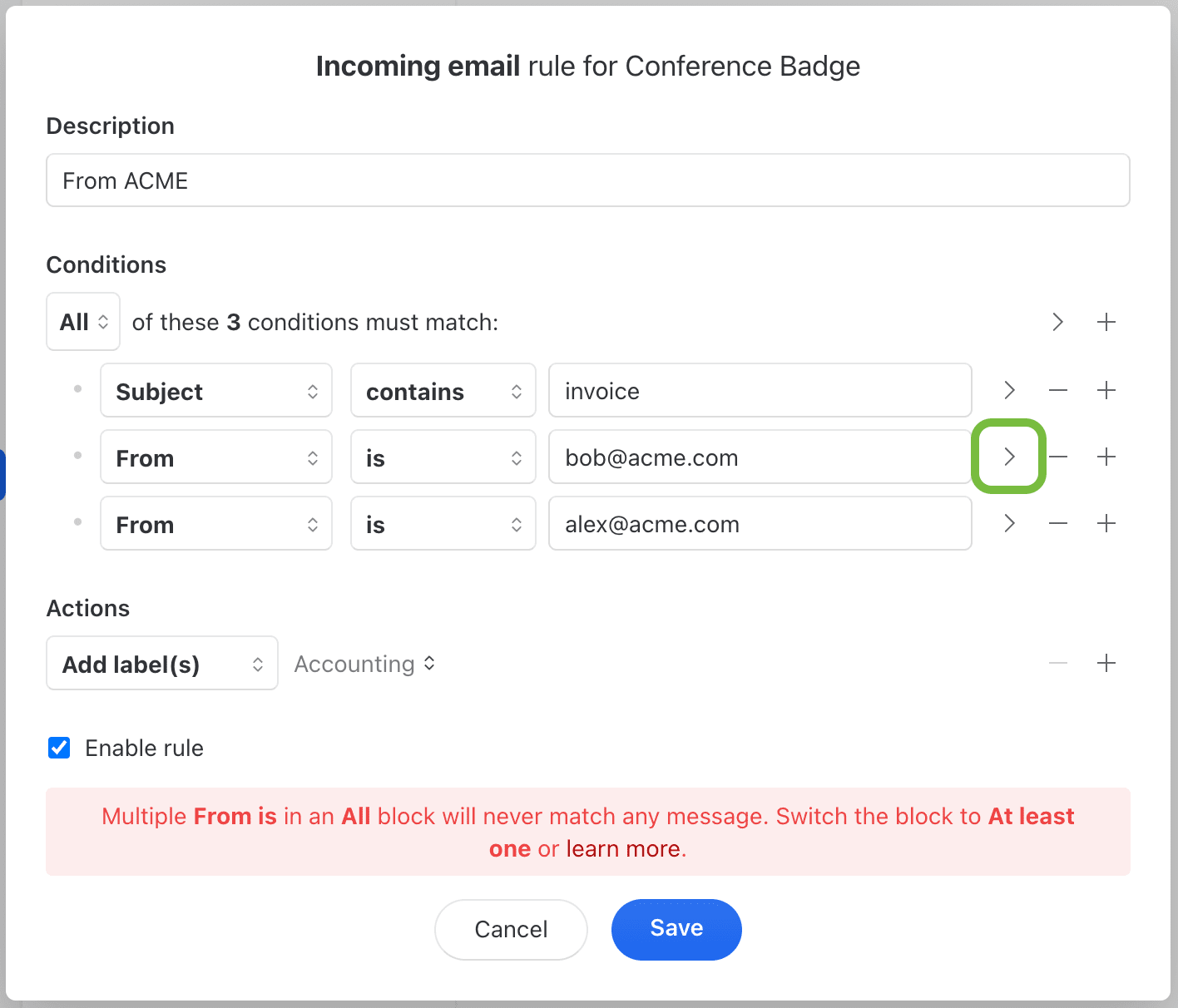
If you see this error when saving your rule…
…it means the conditions will never match any message.
In the image above, it fails because an email can't come from more than one **From** address, and the rule expects **All** conditions to match.
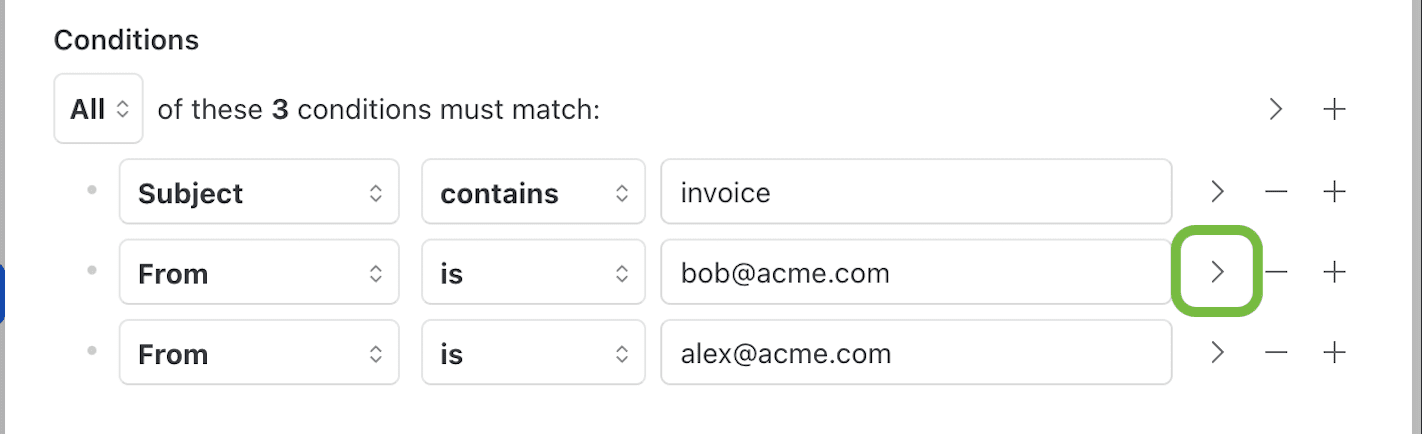
To fix this, nest one of the **From** conditions in a new block by pressing the > arrow:
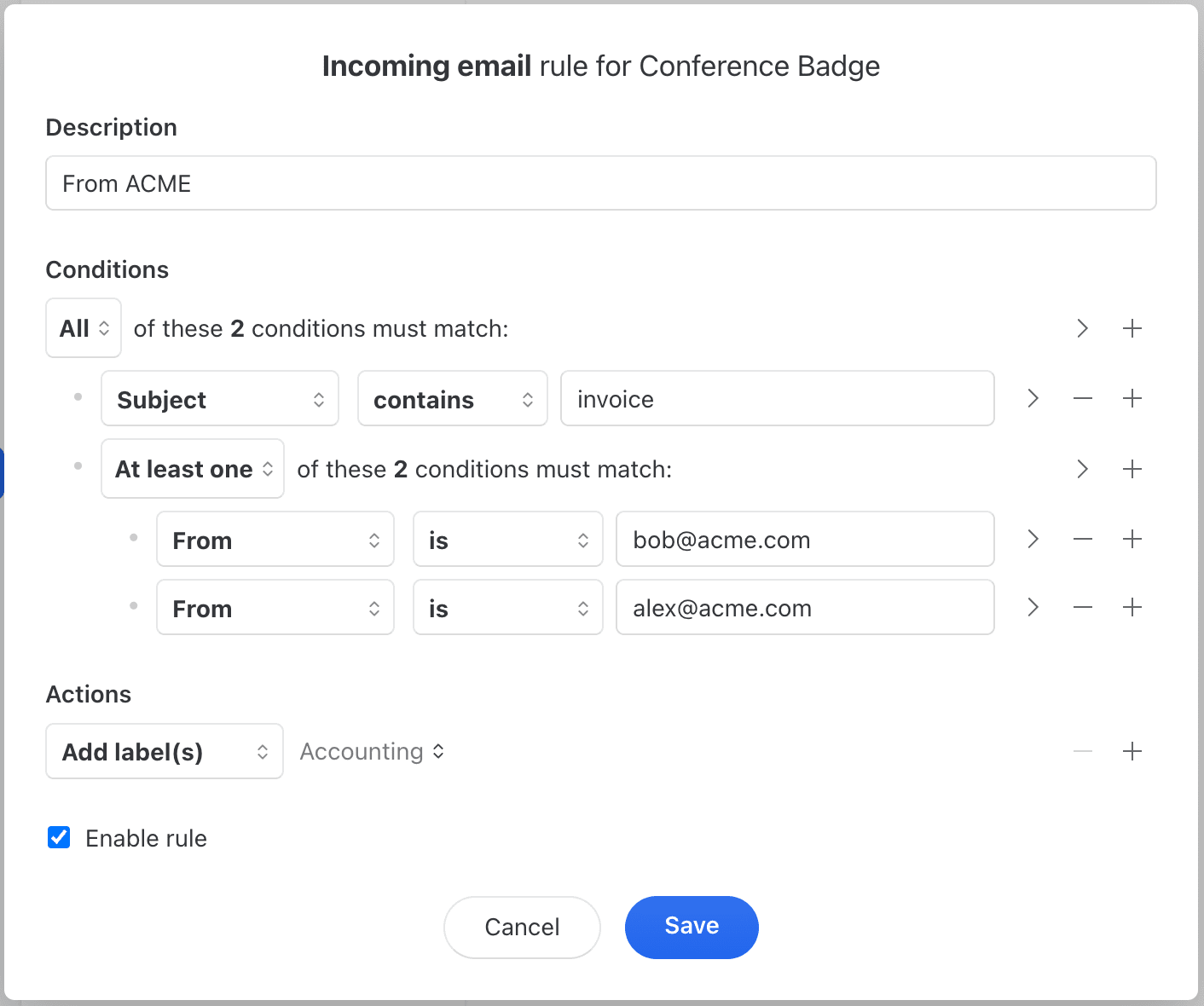
In the new block, switch from *All* to *At least one* condition matched:
See [Complex rules](/docs/advanced-features/rules/examples/complex-rules.md) for more on combining conditions.
How do I copy a rule from personal to organization (or vice versa)?
Click **•••** on the rule, hover over **Duplicate**, and pick the destination - Personal or any organization where you can manage rules. The rule editor opens with a copy in the chosen scope.
For sharing a rule outside Missive (or across accounts), use **Export** instead. Click **•••** > **Export** to download the rule, then click the **Import** button in the bottom-right corner of the rule editor when creating a new rule.
Can I run a rule on existing emails?
No. Rules only run on new incoming messages, outgoing messages, or user actions going forward - they can't be applied retroactively to conversations that already exist.
Once your rule is set up, it handles new emails automatically.
Why is my rule not working?
Most common cause: you created a personal rule when you needed an organization rule (or vice versa).
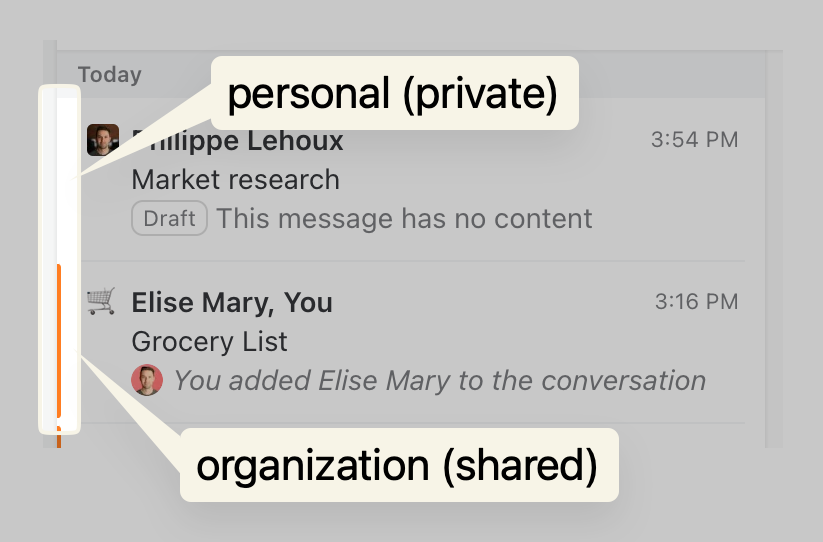
**Personal rules** only trigger on private conversations.
**Organization rules** only trigger on conversations shared with your organization.
If the conversation has a colored banner, it's shared with your organization - you need an organization rule.
Why doesn't my rule trigger on spam emails?
Rules don't run on emails that land in the spam folder unless you explicitly check for spam.
To apply rules to spam emails, add a **Message properties - Spam?** condition to your rule.
Without this condition, Missive skips rule processing for spam to prevent unwanted automation on junk mail.
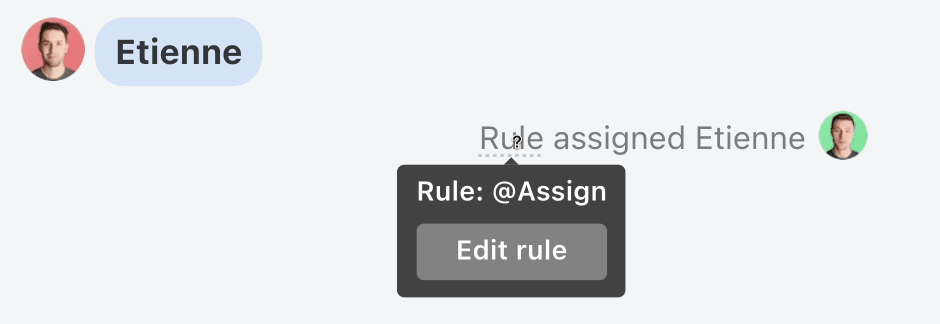
How can I see which rules ran on a conversation?
Hover over the word **Rule** on the conversation event to see the rule name.
If you're an admin or it's your personal rule, click **Edit** to modify it.
Can I see when a rule triggers a webhook?
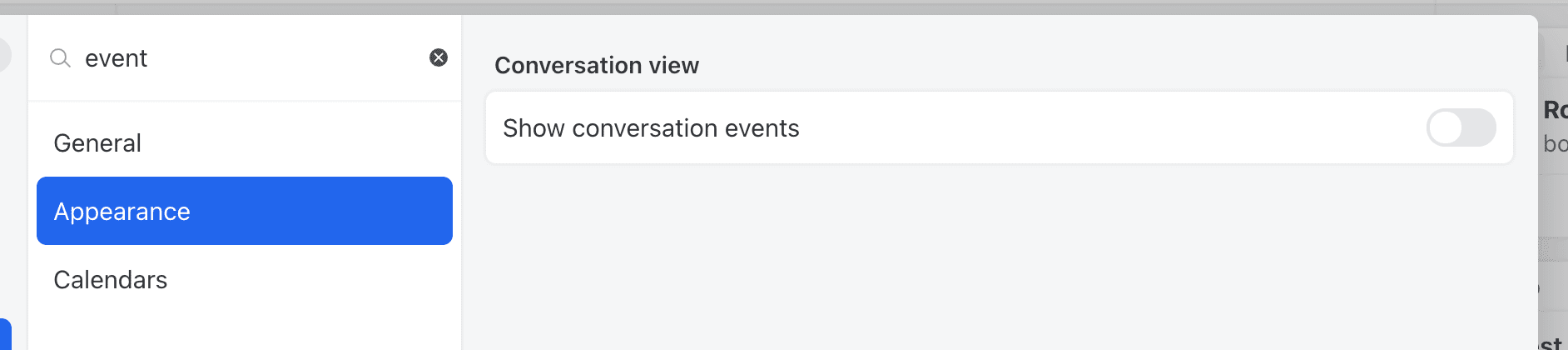
Yes. Go to **Settings** > **Preferences** > **Appearance** and, under **Conversation view**, enable **Show rule webhook events**. (Tip: type "web" in the Settings search bar to jump straight to it.)
Once enabled, an event appears directly in the conversation timeline each time a rule fires a webhook action.
This setting is off by default and only changes visibility - turning it on or off never creates or deletes anything, so you can toggle it whenever you want.
**When to use it:** it's a debugging aid. If a rule's webhook doesn't behave as expected, it's easy to assume the rule never triggered. Enabling this setting confirms that the rule fired and Missive called the webhook. If the event shows up here but the webhook still didn't do its job, the problem is on the receiver's side (a misconfigured endpoint or a server that isn't responding), not with the rule.
Can I hide rule events in conversations?
Go to **Settings** > **Preferences** > **Appearance** and disable conversation events.
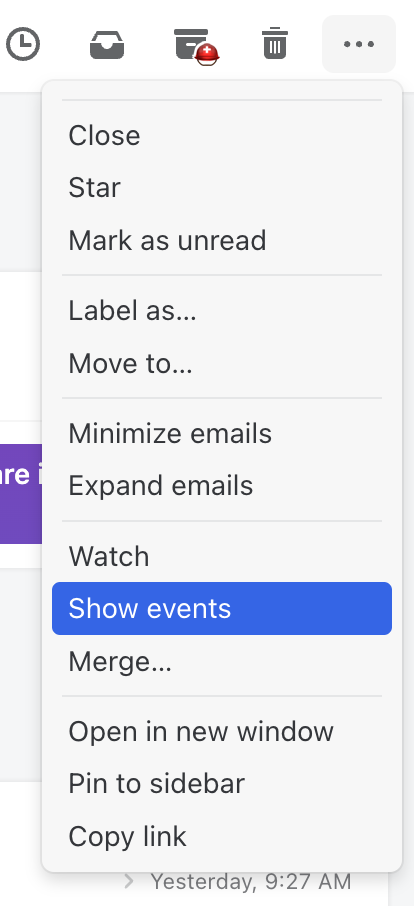
To show events in a specific conversation, select **Show events** from the conversation menu:
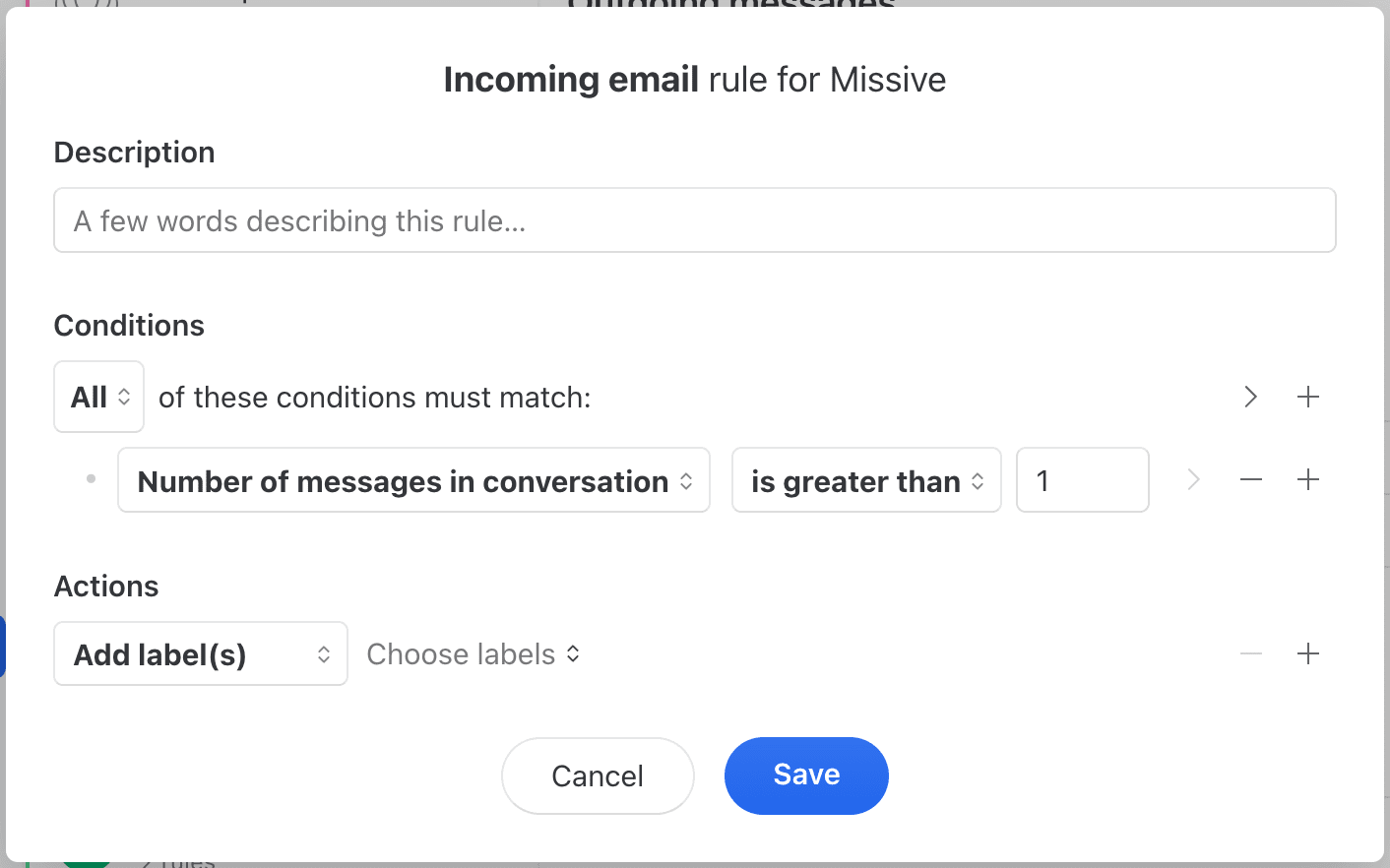
How do I target replies vs new messages?
Two ways:
**Check the message count:**
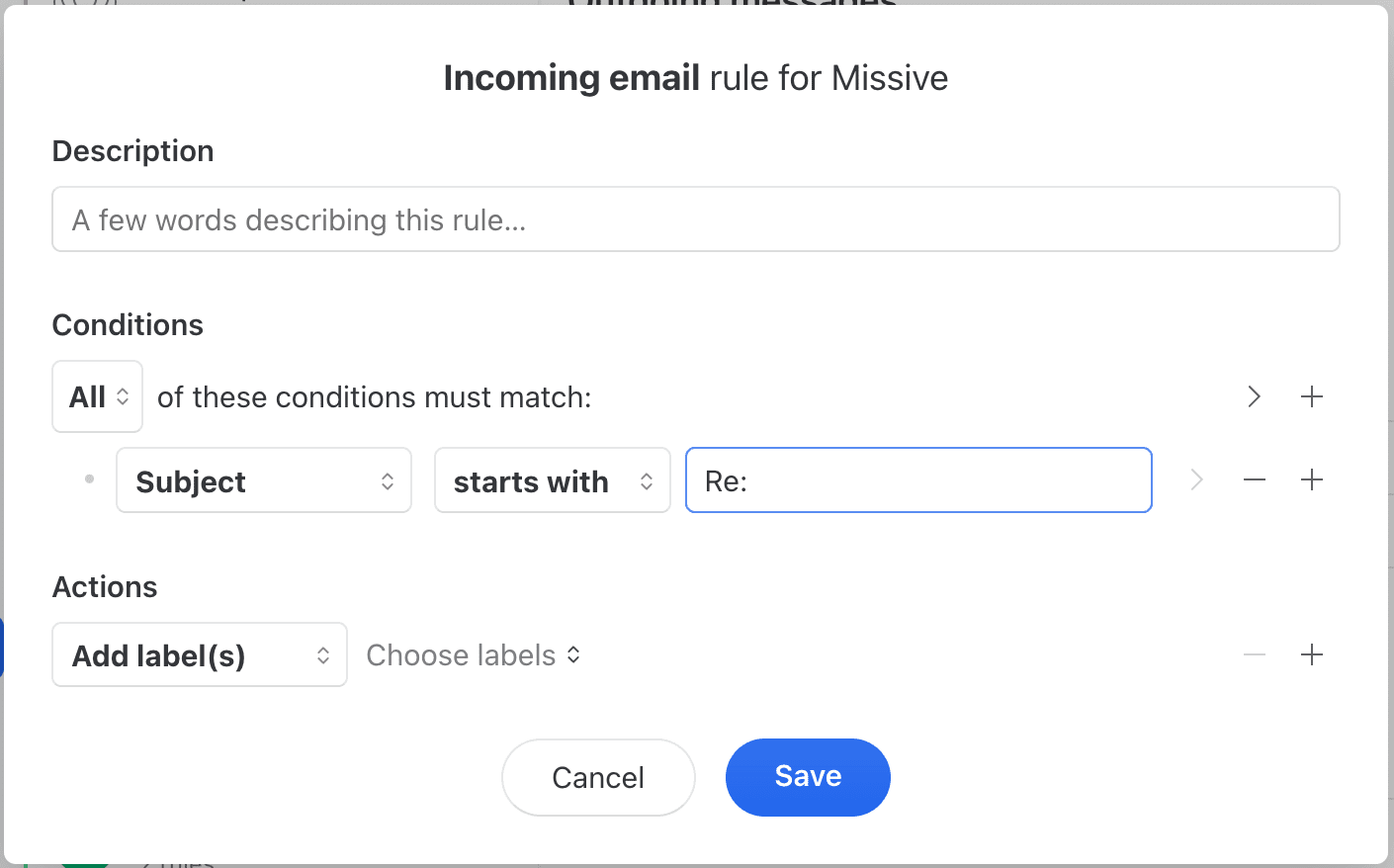
**Check for "Re:" in the subject:**
Add more conditions for other languages (Re:, AW:, SV:, etc.).
What is the limit on rules I can create?
The maximum number of rules you can create is **1,000 personal rules** and **1,000 organization rules** per organization.
Can I try rules on the Starter plan?
Rules require Productive or Business. The 30-day free trial includes rules, but that trial runs before you pick a plan. Once you're on Starter, there's no separate rules trial: upgrade to Productive or Business.
Can I auto follow-up on emails I send?
Yes - create an outgoing email rule with a delay condition and a "Send response" action.
{% embed url="" %}
Can I detect high importance emails from Outlook users?
Yes. Outlook users can mark outgoing emails as "High Importance" using RFC 4021 headers. While Missive doesn't support sending these flags, you can detect them in incoming emails using the **Headers** condition.
Create an incoming email rule with a **Headers** condition and check for either:
* `Importance: high` (standard header)
* `X-Priority: 1` (alternative header)
Then apply actions like adding a label, assigning to someone, or sending a notification.
**Note:** Gmail doesn't support high importance flags. This only works with emails sent from Outlook or other clients that support RFC 4021 priority headers.
Why did my incoming email rule trigger multiple times?
Incoming email rules trigger **once per email account** that receives the message.
When multiple accounts receive the same message (via CC, BCC, or email forwarding), the rule runs separately for each account.
**Actions that produce the same result each time:**
* Adding labels
* Assigning users
* Closing conversations
**Actions that produce different results each time:**
* **Forward** - Sends multiple forwarded messages
**To run the rule only once:**
Add an **Email account** condition to limit the rule to one specific account. This ensures the rule triggers once, regardless of how many accounts receive the message.
Can I chain rules together (use one rule to trigger another)?
No. User action rules only trigger when actual users perform those actions, not when rules perform them.
For example:
* An incoming message rule adds a label → **Does not trigger** a "Label change" user action rule
* An outgoing message rule assigns a user → **Does not trigger** an "Assignee changed" user action rule
* A rule closes a conversation → **Does not trigger** a "Conversation closed" user action rule
Put all your actions in a single rule instead of trying to chain multiple rules together.
Why doesn't my personal rule with a mention condition trigger?
The **Mention** condition on "New comment" rules only works with organization rules, not personal rules.
When you're mentioned in a conversation, it automatically becomes shared with your organization. Personal conversations don't have mentions because mentions only exist in shared conversations.
To use the **Mention** condition, create an organization rule instead.
---
# Agent Instructions
This documentation is published with GitBook. GitBook is the documentation platform designed so that both humans and AI agents can read, navigate, and reason over technical content effectively. Learn more at gitbook.com.
## Querying This Documentation
If you need additional information that is not directly available in this page, you can query the documentation by asking a question.
Perform an HTTP GET request on the following URL with the `ask` and `goal` query parameters:
```
GET https://missiveapp.com/docs/advanced-features/rules/faq.md?ask=&goal=
```
`ask` is the immediate question: it should be specific, self-contained, and written in natural language.
`goal` is what the user is ultimately trying to achieve, the reason they need the answer. Sharing it helps GitBook give you a better, more relevant answer. A goal is most helpful when it describes the outcome the user wants rather than restating the question. For example, with `ask=how do I create an API token`, a goal like `automate deployments from our CI pipeline` lets GitBook tailor the answer to that use case.
The response will contain a direct answer to the question and relevant excerpts and sources from the documentation.
Use this mechanism when the answer is not explicitly present in the current page, you need clarification or additional context, or you want to retrieve related documentation sections.