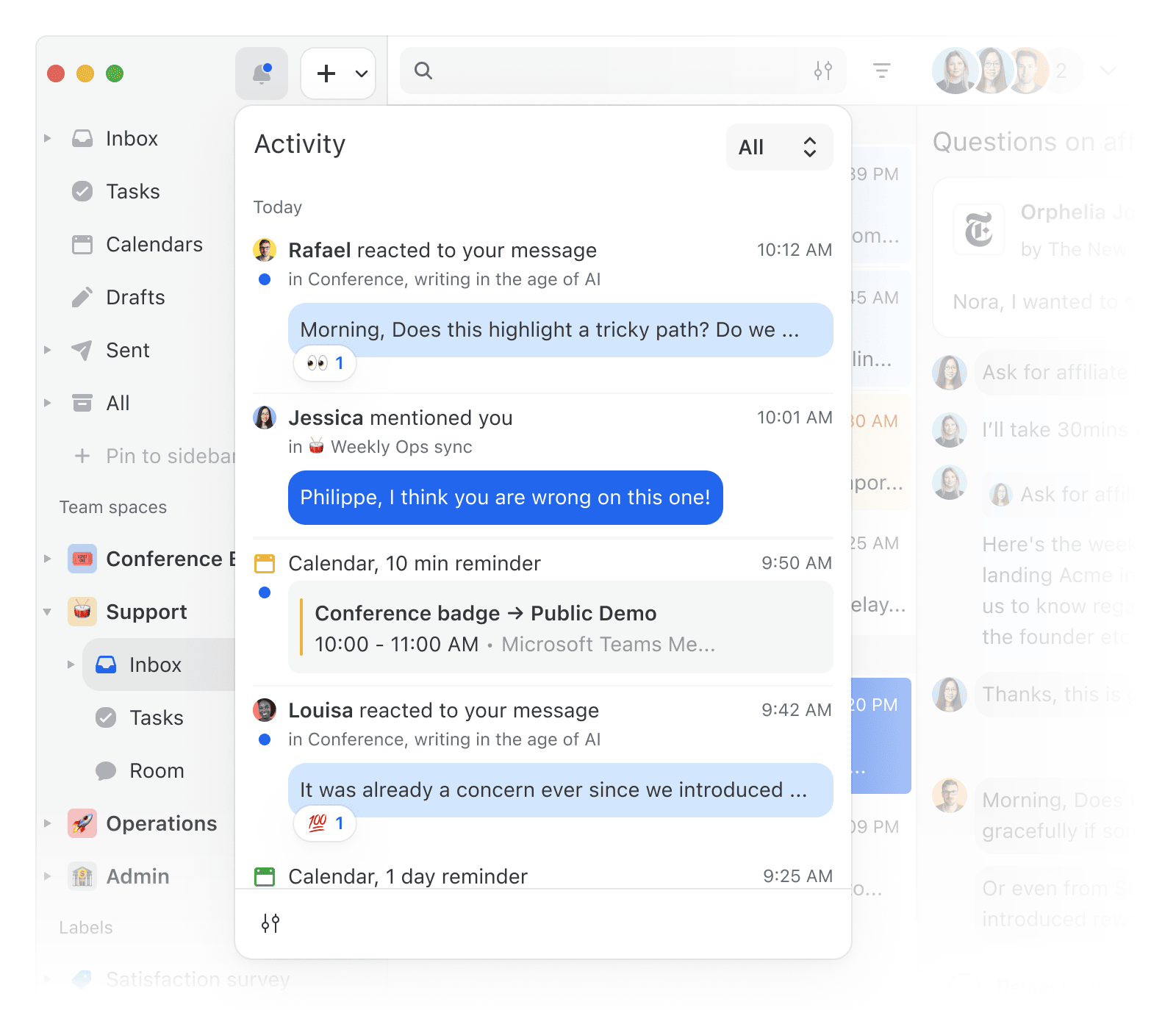
Activity feed
Ever wonder if anyone reacted to your comment, or need to find that conversation where you were mentioned last week? The Activity feed makes it easy. Filter by mentions, reactions, or calendar reminders, scroll back through your history, and jump straight to the exact spot in the conversation. No need to actively monitor it; it's simply there when you need it.
Jump to source
Clicking a quoted comment, task, activity, or email reference now scrolls directly to that exact moment in the conversation, rather than dropping you at the bottom.
AI assistant can now analyze your inbox
The assistant can fetch and analyze conversations from your inbox, team inboxes, and labels. Reference them using the @ mention picker in the assistant input. Here are a few example prompts:
- Summarize my @Inbox and tell me what needs my attention
- Prioritize the conversations in @Support team inbox by urgency
- Analyze how our team is handling conversations in @Billing label this week
ClickUp integration for Missive AI
Missive AI can now connect to ClickUp via MCP, letting you interact with your ClickUp tasks and projects directly from the assistant. Combine it with mailbox context for powerful workflows like:
- Find overdue tasks in ClickUp related to conversations in my @Support label
OpenAI EU data residency support
If your organization requires data to stay in Europe, you can now point your OpenAI integration to a regional endpoint. Set the API Base URL to OpenAI's EU infrastructure in the integration settings, and your AI requests will never leave the EU.
- Your avatar and the settings menu have been moved to the lower-left sidebar, leaving more room to display your OOO status.
- Clear status from the command bar. Quickly remove your current status by searching "Clear status" in the command bar.
- AI assistant responses now look much better, with refined styling for headings, code blocks, block quotes, and inline code.
- AI-powered conversation searches are significantly faster and use fewer tokens, especially for organizations with many connected accounts.
- Fixed the "Reply with AI" button missing from the composer when replying to a conversation.
- Fixed AI floating toolbar overlapping the native context menu when right-clicking selected text in the composer.
- Fixed custom integrations rendering on Android
- Fixed sub-mailbox icons appearing misaligned in the sidebar context menu.
- Fixed signatures using the user avatar instead of the contact avatar when a contact avatar was available.
- Fixed AI assistant sessions being unexpectedly cleared when submitting a message, causing typed input to be lost.
- Unpinning a conversation no longer scrolls the sidebar back to the top, making it easier to unpin multiple conversations in a row.