If you're evaluating Spark Mail, the first thing worth saying out loud: it's a really good email client. Smart Inbox, Spark +AI, calendar, native iOS and Mac feel, and a free tier that genuinely covers a solo user. For one person managing personal email, $0 to $8.25/user/month gets you most of what Spark does well.
The trouble is what happens when "one person" turns into "a team coordinating on shared addresses." Spark added team features over the years, but the design center is still personal email with collaboration layered on top. That's the friction point teams in our customer base bump into when they shortlist Spark and Missive together.
This piece walks through where the two products actually diverge, with real verbatims from teams that ran trials of both. We'll go deep on Missive specifically since it's the alternative we know best.
Spark vs. Missive at a glance
Spark Mail is a cross-platform email client by Readdle, built around a Smart Inbox that auto-categorizes incoming messages. Spark +AI handles drafting, summarization, and reply assistance. Shared inboxes, shared drafts, internal comments, and assignments are available on the Pro tier. It supports Gmail, Microsoft 365, iCloud, Yahoo, and any IMAP provider, and ships native apps for Mac, Windows, iOS, and Android.
Missive is a full email client built around team collaboration. Shared inboxes, threaded internal chat inside conversations, multi-assignee tasks, and rules for routing work across teammates are core, not bolted on. It connects to every email provider plus SMS, WhatsApp, live chat, and social DMs in the same workspace.
The architectural distinction shows up where work gets coordinated: Spark optimizes a single user's inbox experience and adds team features as an extension. Missive treats shared inboxes as the primary unit of work.
Email provider support
Both products work with Gmail, Microsoft 365, IMAP providers, iCloud, and Yahoo. Provider support isn't a meaningful differentiator here, with one nuance worth flagging.
Spark's Shared Inboxes feature has historically been Gmail-first; third-party reviews note this as a constraint for teams on Microsoft 365 or other providers. If your team is mixed-provider and needs shared mailbox functionality on the Outlook side, verify current Spark support directly before committing. Missive's shared inboxes work uniformly across every supported provider.
Channels: email-only vs. multichannel
Spark Mail is email-only. SMS, WhatsApp, live chat, social DMs, all live in another tool.
Missive consolidates email plus:
- Live chat on your website
- SMS via Twilio, SignalWire, Dialpad, or Quo
- Social: Facebook Messenger, Instagram
- Custom channels via the API

If a customer emails you Monday and texts you Wednesday, both threads land in the same workspace, and your team can pick up the second message with full context from the first.
Pricing
Spark and Missive land at different points in the price-per-user spectrum.
Missive pricing
Missive offers three paid tiers, all annual (monthly billing is roughly 20% higher). Every new team starts with a 30-day free trial that includes Productive features:
- Starter, $14/user/month: up to 5 users, unlimited history, shared inboxes.
- Productive, $24/user/month: up to 50 users, integrations, rules, API access, AI Assistant.
- Business, $36/user/month: unlimited users, advanced analytics, SAML SSO, IP restriction.
30-day free trial with Productive features, up to 25 users. No credit card required.
Spark Mail pricing
Spark recently restructured into Free, Plus, Pro, and Enterprise:
- Free, $0: Smart Inbox, unlimited email accounts, smart notifications, calendar, essential team collaboration.
- Plus, $8.25/user/month annual ($10/month monthly): Spark +AI, AI Assistant with 1 month of email history, 40 AI Meeting Notes, custom templates, productivity integrations.
- Pro, $16.58/user/month annual ($20/month monthly): unlimited shared inboxes, advanced team collaboration, unlimited AI Meeting Notes, full email history, HubSpot integration, read statuses. Workflows, Auto-Drafts, and Auto-Labels are listed as "coming soon."
- Enterprise: custom pricing for security controls, dedicated success manager, productivity coaching.
7-day free trial of Plus and Pro, no credit card required for the free plan.
The math: for a 10-person team on annual billing, Spark Pro runs $1,990/year and Missive Productive runs $2,880/year. Spark wins on raw per-user pricing for individuals and small teams. The interesting question isn't which is cheaper, it's whether you need the feature depth that comes at the higher price point. Multichannel, full automation rules, deeper integrations, and a more complete shared-inbox model are where Missive Productive earns the difference.
Shared inboxes and assignment
This is where the two products diverge most sharply.
Spark’s free and Plus tiers don’t include shared inboxes. Readdle’s own documentation puts collaboration on Pro, so unlocking shared inboxes and assignments means the Pro tier at $16.58/user/month annual ($20 monthly).
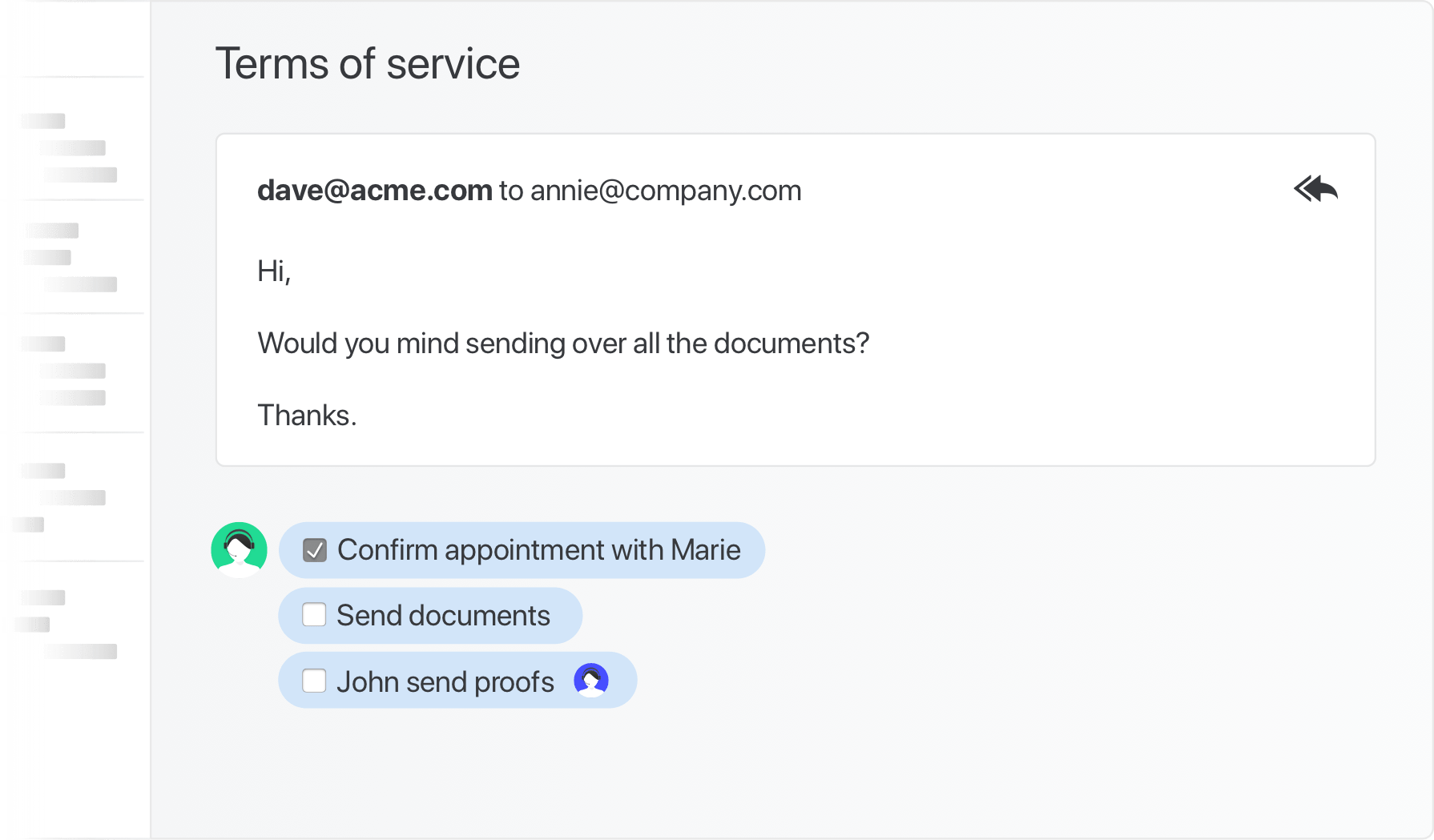
Missive's shared inboxes are available starting on the Starter plan ($14/user/month) for teams up to 5, and on every paid tier above that. The model is also different: Missive uses dedicated Team Inboxes with assignment flows, collision detection, and threaded internal chat inside every conversation. Two user types let you keep a wide team in the loop without flooding everyone with notifications.
Read more about the Team Inbox flow and how it changes shared-inbox workflows in practice.
Rules and automation
Spark's pricing page lists Workflows, Auto-Drafts, and Auto-Labels as "coming soon" on Pro. Today, Spark's automation primitives are limited to Smart Inbox categorization and a few inbox actions. There isn't a rules engine for routing email by content, assigning to teammates by sender, or running SLA programs.
Missive supports up to 1,000 personal rules plus 1,000 organization rules per organization on the Productive and Business plans. Rules can fire on incoming messages, outgoing messages, or user actions (new comment, label applied, conversation assigned, conversation closed):
- Auto-label conversations by content, sender, or thread state
- Route emails to teammates based on the email content
- Run an SLA program with time-based escalation
- Snooze after-hours emails until business hours
- Notify a Slack channel when a labeled conversation arrives

Once Spark ships Workflows, this comparison may need a refresh. As of this writing, automation is on Spark's roadmap, not in the product.
AI features
Both products ship AI, with different design centers.
Spark +AI sits inside Spark and covers writing assistance (drafting, translating, summarizing), an AI Assistant with email history search, and AI Meeting Notes. Spark learns your writing style over time. Spark +AI is gated behind Plus and Pro plans with monthly credit quotas; teams hitting the quota purchase add-ons or wait for the monthly refill.
Missive's AI covers the same individual workflows (drafting, summarizing, tone adjustment, translation) and goes further with AI rules, automation that uses plain-language prompts to triage, label, route, and reply. An example: detect whether an inbound email is a buying or selling inquiry, label it accordingly, assign the right teammate, create follow-up tasks with due dates, and post a summary in chat.
Spark's AI is well-built for the individual workflow it targets. Missive's AI is broader, with first-class integration into team workflows.
Designed for teams
Spark added team features over time: shared drafts, private comments, link sharing, shared inboxes (Pro only), assignments, and shared templates. The features work for small teams doing light email collaboration on top of personal inboxes.
Missive treats internal chat as a first-class layer inside each conversation. The discussion about an email lives next to the email itself, threaded. Multi-assignee tasks attach to conversations, with due dates and subtasks. The unit of work for a Missive team is "this conversation needs an assignee, an internal discussion, and a clear next action," and the product is designed around that.
Concretely: if a partner emails about renegotiating contract terms and you need legal and finance to weigh in before replying, in Missive you chat about it inside the email thread, assign tasks for the work the renegotiation triggers, and reply once the team has aligned, all without leaving the conversation. Read more about the internal chat feature.
Calendar
Spark ships a built-in calendar with Google, Outlook, and Microsoft 365 support, plus Zoom, Meet, and Teams for meetings. Spark also added AI Meeting Notes for transcribing and summarizing calls.
Missive ships a built-in calendar that supports Google Calendar and Microsoft 365, with team-shareable events and entire calendar accounts. Calendar lives in the same workspace as your inboxes, and you can convert an email thread into a meeting invite with the recipients pre-populated, a small detail that comes up in real workflows surprisingly often. The rebuilt calendar also handles team scheduling: with Meet with, type a teammate, team, or contact into the sidebar and their availability appears over your own, create the event and they’re added as guests, and extra time zone columns show up automatically when teammates are in different zones. Focus time (on Google Workspace calendars) and custom recurrence are built in too.
Integrations
Spark integrates with HubSpot natively (Pro tier) and supports productivity integrations with Reminders, Todoist, Notion, Trello, Asana, OneDrive, Dropbox, Box, Google Drive. Salesforce and Pipedrive support are listed as coming soon.
Missive offers native integrations with Salesforce, HubSpot, Pipedrive, Asana, Trello, Aircall, Dropbox, Shopify, Todoist, and many more. Native means seeing CRM records, deals, contacts, and tasks alongside email, and creating them from inside Missive, not a Zapier bridge. You can also build custom integrations using the JavaScript API, working on desktop, mobile, and web.

What teams choosing between Spark and Missive tell us
This is the most useful section if you're shortlisting both products. The teams in our customer base who ran serious trials of Spark and Missive consistently land on the same observation: Spark is a great email client that's been good enough for personal use to make them want it to work for the team, but the team workflow gaps eventually surface.
The trial that almost worked. Kason at i-SOLIDS, a 3D printing manufacturer, shortlisted Superhuman, Spark, Missive, and one other for a month-long trial. He went deeper on Spark than the others. "I found myself during some of these trials, Spark is one of them, where I loved it. 95% of it was fine. And then once or twice a day, I'd have to open Outlook just to do one thing." The specific friction was missing functionality his team had relied on in Outlook, calendar conversion from email threads being the example he kept hitting. "In Spark, that doesn't exist. So, I've got an email thread with 10 people on it, and they say they want to have a meeting. I have to literally take a screenshot of who's in the meeting, open a new window with the meeting request, and then copy all those emails over." Spark told him calendar improvements were on the way: "that's actually something they were trying to convince me not to leave but I was like it's not ready yet."
Comparing email clients via ChatGPT. Shiran at Nicholson Events used ChatGPT to generate a constraint-driven shortlist when looking for a new email client. Sparkmail and Canary made the list; both got hands-on trials with the free tier before commitment. The verdict on Spark: it had the polish but lacked the team-collaboration features his three-person team needed once they brought on a virtual assistant. Missive's assignment flow and inline conversation chat were the difference.
The pattern. Spark's strength is being a great email client, full stop. The teams who shortlist it and pick something else are usually teams whose work has shifted from "I process my own email" to "we coordinate on shared addresses together." That shift exposes the limits of an individual-first design with team features bolted on.
Is Missive the right Spark alternative for you?
Quick gut check:
- If you're a solo professional or a 1-3 person team that mostly needs personal email features: Spark Free or Plus ($8.25/mo annual) is hard to beat on price, and the product is genuinely good for that use case. Missive isn't trying to win that comparison.
- If you run a shared inbox or coordinate email with teammates: Missive is built for that workflow from day one; Spark's team features are an extension of a personal product, and shared inboxes require Pro tier.
- If your team handles email plus SMS, WhatsApp, live chat, social DMs, or other channels: Missive consolidates these in one workspace. Spark is email-only.
- If you need rules-based automation today: Missive ships a full rules engine. Spark's Workflows are listed as "coming soon."
- If you want to test shared inboxes before paying: Spark’s free plan doesn’t include them and neither does Plus, so you would need Pro at $16.58/user/month annual to try the thing you are evaluating. Missive’s 30-day trial includes shared inboxes from day one, for up to 25 people, with no credit card.
Try Missive for free. 30-day trial with Productive features, no credit card required.
Frequently asked questions
What is Spark Mail?
Spark Mail is a cross-platform email client made by Readdle, built around a Smart Inbox that auto-categorizes incoming messages into Personal, Notifications, and Newsletters. It supports any IMAP provider plus Gmail, Outlook, iCloud, and Yahoo. Originally focused on individual users, Spark added team features in later versions, including shared drafts, internal comments, and shared inboxes on the Pro tier.
What's the main difference between Spark Mail and Missive?
Spark Mail is a consumer-leaning email client that added team features on top. Missive is a team email client from day one. Spark's design center is the individual user processing their personal inbox faster; Missive's is multiple people handling the same inbox together. Both work cross-platform, both support multi-provider, but the team features are core to Missive and bolted onto Spark.
Is Missive cheaper than Spark Mail?
For individuals, Spark is cheaper: Plus is $8.25/user/month annual versus Missive Starter at $14/user/month. For teams that need shared inboxes, Spark Pro is $16.58/user/month annual versus Missive Productive at $24/user/month.
The price difference reflects what each tool is for: Spark is consumer-focused with team features, Missive is team-focused with deeper automation, multichannel, and integrations. If you're a solo professional, Spark's pricing fits. If you're a team that needs real collaboration, Missive's $24/user/month tier (rules, integrations, API, multichannel) is in a different category.
What does Spark Mail have that Missive doesn't?
Spark's strengths are in personal inbox optimization, native platform feel, and a few quality-of-life features that come from being a consumer app first. For someone using email primarily for personal use, those add up.
- Smart Inbox auto-categorization. Personal, Notifications, Newsletters tabs that learn over time. Missive uses rules and labels for similar outcomes but no automatic categorization.
- Gatekeeper. Blocks emails from unknown senders until you allow them. Missive doesn't ship a sender-allowlist feature.
- Native platform polish. Spark feels like a native Mac/iOS app, with platform-specific gestures and design. Missive is more functional than design-led.
- AI Meeting Notes. Spark transcribes and summarizes meetings as a built-in feature. Missive doesn't ship a meeting transcription feature.
- Cheaper individual pricing. If you're a solo user, Spark Plus at $8.25/month annual is hard to beat.
Why do teams switch from Spark Mail to Missive?
The pattern is teams trying to use Spark's team features and finding them shallow. Spark was built for individual email; team features were added later and feel like an extension of a personal product, not a redesign for collaboration.
- Real shared inboxes at every paid tier. Missive ships shared inboxes starting on the Starter plan; Spark requires Pro ($16.58/user/month) for unlimited shared inboxes.
- Rules and automation today. Missive includes a rules engine that automates triage, routing, and escalation across email and other channels. Spark's Workflows are listed as "coming soon."
- Multichannel. Email, SMS, WhatsApp, live chat, Facebook Messenger, and Instagram all unified in Missive. Spark is email-only.
- Threaded internal chat inside conversations. Missive threads team comments inside the email itself. Spark has private comments, but the experience is closer to attached notes than a real conversation thread.
Does Spark Mail work for teams?
Sort of. Spark added team features (shared drafts, comments, shared inboxes on Pro, shared templates) starting with version 2 and continued in version 3. They work for small teams (3-5 people) doing light email collaboration on top of personal inboxes. For real shared-inbox workflows where multiple people manage support@ or sales@ as their primary work, Missive's team-first design fits better.
Does Spark Mail have a free plan?
Yes. Spark's free plan covers core email features (Smart Inbox, unified inbox, snooze, send later, calendar) with usage caps on AI features. Paid plans unlock unlimited AI, shared inboxes (Pro), and team features.
Missive has no free plan. Every new team gets a 30-day trial with shared inboxes and the full Productive feature set, for up to 25 users.
Does Spark Mail have AI?
Yes. Spark +AI covers AI writing, summarization, reply assistance, and AI Meeting Notes, with a learned writing-style feature that adapts to your tone over time. AI is gated to Plus and Pro plans with monthly usage quotas.
Missive includes similar AI features (drafting, summarization, AI rules) without per-user usage caps on most plans, plus deeper integration into team workflows through AI rules that can triage, route, and reply automatically based on plain-language prompts.
Is Spark Mail good for shared inboxes?
Spark Pro ($16.58/user/month annual) ships unlimited shared inboxes with shared drafts, comments, and assignments. For teams whose work centers on shared addresses, it works. The underlying model is still consumer email with team features attached, so the team workflow depth (assignment flows, rules-based routing, threaded internal chat inside emails, real-time collaborative drafts) is shallower than what Missive ships.
Worth noting: Spark Pro's per-user pricing ($16.58 annual) is below Missive Productive ($24). If shared inboxes plus light collaboration is the entire requirement, Spark Pro is a viable option. If multichannel, full automation, deeper integrations, or real shared-inbox workflows matter, the Missive value at $24 lands the comparison.
Check out how Missive compares to Front, Missive compares to Superhuman, Missive compares to Gmelius, and Missive compares to Shortwave.
If Spark gets an update and this article becomes outdated, email us and we will update it.