Gmelius is a Gmail-native collaboration tool. It lives inside Gmail as a Chrome extension and adds shared inboxes, Kanban boards, AI assistants, email sequences, and automation to Google Workspace. For Gmail-only teams that want to stay inside Gmail, it's a tight fit.
Missive is a different shape: a standalone email client that connects to Gmail, Microsoft 365, and any IMAP provider, with team collaboration built in from the foundation. Same shared-inbox use case, different architecture.
This piece walks through where the two products diverge and which one matches which job. We'll go deep on Missive specifically since it's the alternative we know best, and the option teams in our customer base most often pick when they outgrow a Gmail-only collaboration layer.
Missive vs. Gmelius at a glance
Gmelius is a Chrome extension that augments Gmail with team collaboration. Shared inboxes, shared Gmail labels, Kanban boards, an AI executive assistant called Meli, email sequences, and rule-based automation, all rendered inside the Gmail UI. Every team member must be on Gmail or Google Workspace; nothing else connects.
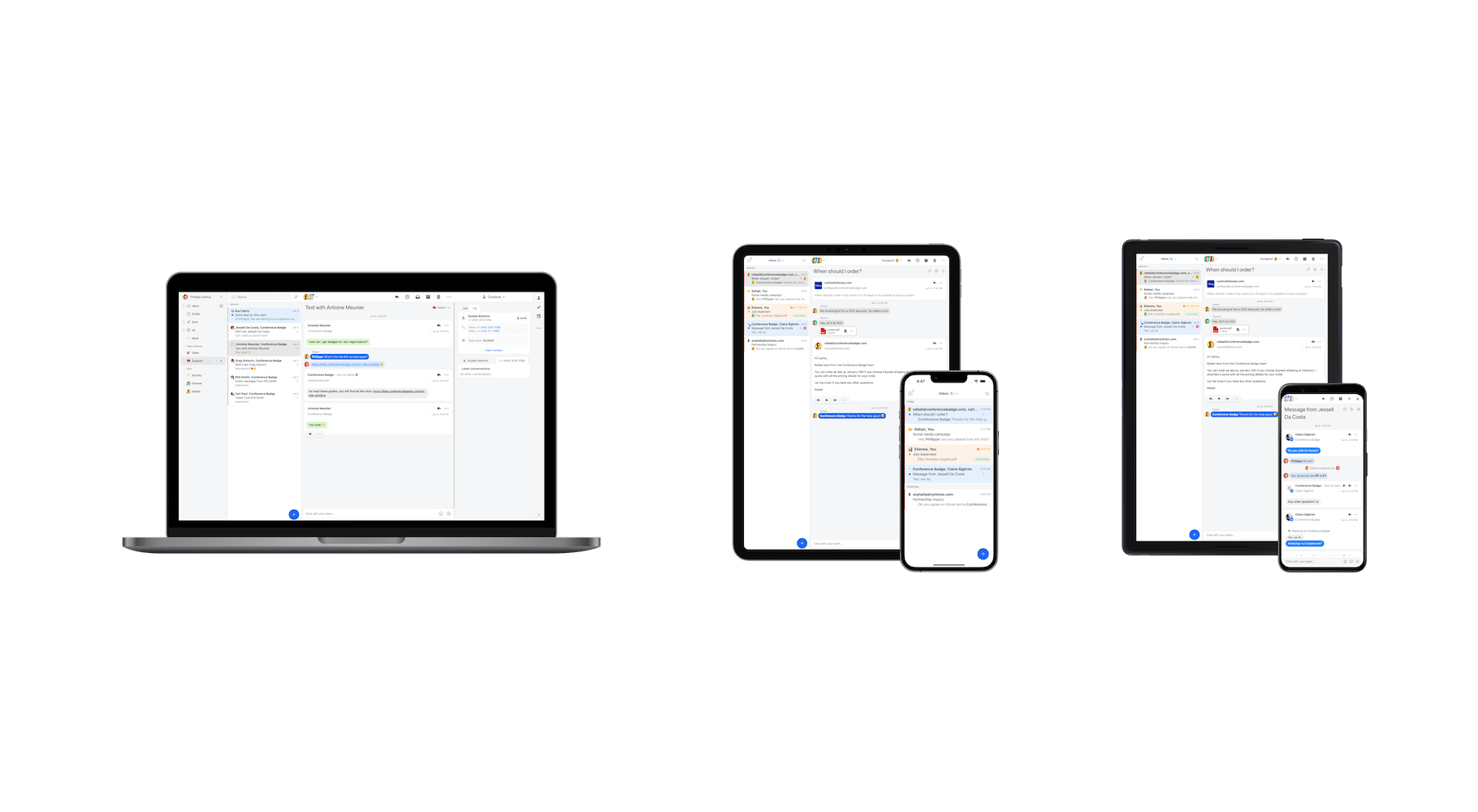
Missive is a full standalone email client (Mac, Windows, iOS, Android, web) with collaboration built in. It connects to Gmail, Microsoft 365, IMAP providers, plus SMS, WhatsApp, live chat, and social DMs in the same workspace. Shared inboxes, threaded internal chat inside conversations, multi-assignee tasks, and rules for routing work across teammates are core, not bolted on.
Both ship the standard collaboration primitives: shared inboxes, assignment, snooze, scheduling, internal comments, canned responses, shared labels. The architecture and provider scope is where they diverge.
Email provider support
This is the deciding factor for most teams.
Gmelius is Gmail-only. Every user must be on a Gmail or Google Workspace account. Outlook, Microsoft 365, IMAP, custom mail servers, all unsupported. If a single teammate uses a different provider, Gmelius can't accommodate them.
Missive supports every email provider. Gmail, Google Workspace, Microsoft 365, Outlook, Yahoo, custom IMAP/SMTP, all in the same workspace. Mixed-provider teams (legal on Outlook, support on Gmail, contractors on a custom domain) can collaborate on the same shared inboxes without anyone migrating.
For teams whose workflows have outgrown a single-provider environment, this is usually where the Gmelius evaluation ends.
Standalone client vs. Chrome extension
Gmelius runs primarily as a browser extension inside Gmail. Mobile apps for iOS and Android exist as companions, but the desktop experience depends on Chrome (with limited support for Brave, Edge, and Opera). Firefox isn't supported. Close Chrome and you lose Gmelius.
Missive is a native app on Mac and Windows, a full web app, and dedicated iOS and Android apps with feature parity. It connects to Gmail through OAuth and syncs bidirectionally without sitting on top of Gmail's UI. That difference matters for two reasons:
- Browser independence. Missive doesn't depend on a specific browser staying open. Teams that move between Chrome, Safari, Firefox, or Linux work the same way everywhere.
- Performance. A full client has more headroom than an extension layered on top of Gmail's interface. Reviewer complaints about Gmelius load times appear consistently in third-party reviews; that's not a problem inherent to a standalone client.
Channels: email-first vs. multichannel
Both products support email plus WhatsApp. The breadth from there diverges sharply.
Gmelius added a bi-directional WhatsApp integration, but otherwise stays focused on email. SMS, live chat, Facebook Messenger, and Instagram aren't supported.
Missive consolidates email plus:
- Live chat on your website
- SMS via Twilio, SignalWire, Dialpad, or Quo
- Social: Facebook Messenger, Instagram
- Custom channels via the API

For teams that handle email plus phone-based channels (SMS) or web-based channels (live chat, social DMs), Missive's multichannel scope is meaningfully wider.
Pricing
Missive pricing
Missive offers three paid tiers, all annual (monthly billing is roughly 20% higher). Every new team starts with a 30-day free trial that includes Productive features:
- Starter, $14/user/month: up to 5 users, unlimited history, shared inboxes.
- Productive, $24/user/month: up to 50 users, integrations, rules, API access, AI Assistant.
- Business, $36/user/month: unlimited users, advanced analytics, SAML SSO, IP restriction.
30-day free trial with Productive features, up to 25 users. No credit card required.
Gmelius pricing
Gmelius has three paid tiers plus an Enterprise option, with annual billing significantly cheaper than monthly:
- Meli, $19/user/month: AI assistant, AI sorting, AI draft replies. Capped at 5 users. No rule executions, so no automation.
- Growth, $25/user/month: shared inboxes, automation rules (10,000/month), Kanban boards, sequences, integrations. Up to 50 users.
- Pro, $40/user/month: unlimited users, 100,000 conversations and rule executions per month, Salesforce and HubSpot integrations, custom roles.
- Enterprise, $45+/seat/month: custom roles, advanced controls.
No free plan. 7-day trial of the Growth tier. All members of a team must be on the same plan; you can't mix Meli and Growth users.
Pricing comparison:
| Missive | Gmelius | |||||
|---|---|---|---|---|---|---|
| Plan | Starter | Productive | Business | Meli | Growth | Pro |
| Price (annual) | $14/mo | $24/mo | $36/mo | $19/mo | $25/mo | $40/mo |
| User cap | 5 | 50 | Unlimited | 5 | 50 | Unlimited |
| Free trial | 30 days, no card | 7 days, Growth tier only | ||||
| Rules / automation | - | ✓ | ✓ | - | ✓ | ✓ |
| Integrations | - | ✓ | ✓ | - | ✓ | ✓ |
| API access | - | ✓ | ✓ | - | ✓ | ✓ |
Quick math for a 10-person team on annual billing: Missive Productive runs $2,880/year. Gmelius Growth (the equivalent collaboration tier) runs $3,000/year. The per-seat numbers are close at the entry tier; the structural differences (trial length, monthly billing premium on Gmelius, plan-locked teams) shape the total cost more than the headline rate.
Rules and automation
Both products support rules. The shape of the automation is different.
Gmelius rules live inside Gmail. They can route incoming email to shared inboxes, apply Gmail labels, assign conversations to teammates, and trigger sequences. Rule executions are capped per plan: 10,000/month on Growth, 100,000/month on Pro. The Meli plan has no rule executions at all.
Missive rules support up to 1,000 personal rules plus 1,000 organization rules per organization on the Productive and Business plans. Rules can fire on incoming messages, outgoing messages, or user actions (new comment, label applied, conversation assigned, conversation closed). No conversation count caps.
Examples of what teams build with Missive rules:
- Auto-label conversations by content, sender, or thread state
- Route emails to teammates based on the email content
- Run an SLA program with time-based escalation
- Snooze after-hours emails until business hours
- Notify a Slack channel when a labeled conversation arrives
AI features
Both products ship AI assistants, with different design centers.
Gmelius's AI is called Meli. It drafts replies in your tone, sorts inbound mail by priority, schedules meetings from email content, and dispatches conversations across shared inboxes. Meli sits inside Gmail and is the headline feature of the entry-tier Meli plan ($19/user/month, capped at 5 users).
Missive's AI covers individual workflows (drafting, summarizing, tone adjustment, translation) and goes further with AI rules, automation that uses plain-language prompts to triage, label, route, and reply. An example: detect whether an inbound email is a buying or selling inquiry, label it accordingly, assign the right teammate, create follow-up tasks with due dates, and post a summary in chat.
Missive's AI Assistant is included on Productive and Business; Meli is the focus of Gmelius's cheapest plan but doesn't include rule-based automation. The full automation surface in Gmelius requires Growth or Pro.
Designed for teams
Both products are built around shared inboxes, but the team-collaboration depth shows up differently.
Gmelius keeps the team conversation primarily in Gmail. Comments, assignments, and status are layered into the existing Gmail interface. For teams who want to stay inside Gmail, that's the value proposition.
Missive treats internal chat as a first-class layer inside each conversation. The discussion about an email lives next to the email itself, threaded. Multi-assignee tasks attach to conversations, with due dates and subtasks. Two user types let you keep a wide team in the loop without flooding everyone with notifications.
Concretely: if a partner emails about renegotiating contract terms and you need legal and finance to weigh in before replying, in Missive you chat about it inside the email thread, assign tasks for the work the renegotiation triggers, and reply once the team has aligned, all without leaving the conversation. Read more about the internal chat feature and how it changes shared-inbox workflows.
Calendar
Gmelius integrates with Google Calendar and adds meeting scheduling primitives inside Gmail. Workspace customers benefit from the tight Gmail integration.
Missive ships a built-in calendar that supports both Google Calendar and Microsoft 365. Events and entire calendar accounts are shareable with teammates, and the calendar lives in the same workspace as your inboxes. The rebuilt calendar also handles team scheduling: type a teammate, team, or contact into the sidebar and their availability appears over your own, create the event and they’re added as guests, and extra time zone columns show up automatically when teammates are in different zones. Focus time and custom recurrence are built in too.
Integrations
Gmelius integrates with Google Workspace, Slack, Trello, Zapier, Google Groups, Google Calendar, Google Meet, Zoom, and Loom. CRM integrations with Salesforce and HubSpot are available on the Pro tier.
Missive offers native integrations with Salesforce, HubSpot, Pipedrive, Asana, Trello, Aircall, Dropbox, Shopify, Todoist, and many more. Native means seeing CRM records, deals, contacts, and tasks alongside email, and creating them from inside Missive, not a Zapier bridge. You can also build custom integrations using the JavaScript API, working on desktop, mobile, and web alike.
What teams choosing between Gmelius and Missive tell us
Direct Gmelius-to-Missive switches are less common in our research conversations than the patterns that drive teams away from Gmail-only collaboration tools generally. Those patterns show up consistently.
Mixed providers are the most common dealbreaker. Bud at a private aviation charter company runs Missive group inboxes for sales and operations, but team members keep their personal Outlook accounts separate. Some pull their personal Outlook into Missive; others keep it standalone. That mixed setup, common at small businesses with email histories that predate Google Workspace, is exactly the configuration Gmelius can't accommodate. Gmelius requires every user on a Gmail or Google Workspace account, no exceptions.
Some teams aren't on Gmail at all. The IT lead at LaFlamme Electric, an electrical contractor, walked us through their evaluation: they run Apple Mail with their own internal mail server, deliberately. "Gmail wasn't an alternative. We had our own mail server internally. Most companies don't." They evaluated other team-inbox tools but ruled out anything that required specific mail hosting. A Gmail-only product would have been the first cut.
Multi-organization workflows reveal what Gmail-only really means. André at Tabaibo runs Missive across roughly 60 people spread between vacation rental management, accounting, a sports club, and the holding company that owns them all. Each entity has its own VAT number and email accounts. "If I had different emails, just imagine I had to log into Gmail on all of the companies, my god, it would be worthless." The moment your work spans multiple organizations or entities, a Gmail extension stops being a tool you can use everywhere.
Even Gmail-first teams sometimes pick a standalone client. David at Trama, an international trademark services firm, had a fragmented setup: legal team on Gmail, support on Intercom, neither side seeing the other's conversations. He picked Missive specifically because it integrated with Gmail without forcing his team off Gmail or onto a Chrome extension. "I didn't want to get rid of the email communication we already had." Missive runs as a standalone client that connects to Gmail through OAuth, so the legal team kept their Gmail history while the support team ditched Intercom. A Chrome extension that lives inside Gmail wasn't the shape of the solution they wanted.
The pattern: Gmelius's tightest constraint is also its core design choice. If your team is fully on Gmail and plans to stay, Gmelius is built for that situation. If you have any provider mix, multiple organizations, or a preference for a standalone app, the Gmail-only architecture stops being a feature.
Is Missive the right Gmelius alternative for you?
Quick gut check:
- If your team is 100% on Gmail and plans to stay there: Gmelius is purpose-built for that situation. Missive works on Gmail too, but the standalone-client shape isn't the smaller cognitive switch.
- If anyone on the team is on Outlook, Microsoft 365, or a custom IMAP setup: Gmelius can't help them. Missive supports every provider in the same workspace.
- If you handle email plus SMS, live chat, social DMs, or other channels: Missive consolidates these in one workspace. Gmelius is email-plus-WhatsApp.
- If your team prefers a standalone desktop or mobile client over a browser extension: Missive is built for that; Gmelius depends on Chrome staying open.
- If you want real time to evaluate: Missive’s trial runs 30 days and you can bring up to 25 people into it. Gmelius gives you 7 days, on the Growth tier only.
Try Missive for free. 30-day trial with Productive features, no credit card required.
Frequently asked questions
What is Gmelius?
Gmelius is a Gmail-native collaboration tool that adds shared inboxes, shared labels, Kanban boards, email sequences, and automation to Google Workspace. It runs as a Chrome extension layered on top of Gmail's interface, similar to Hiver. Teams use it to handle group inboxes (support@, sales@) without leaving Gmail.
What's the main difference between Gmelius and Missive?
Gmelius lives inside Gmail. Missive is a standalone email client. Gmelius adds shared inboxes and Kanban boards as a Chrome extension on top of Google's interface; Missive is a full app (desktop, mobile, web) that connects to Gmail, Microsoft 365, and any IMAP provider. The fundamental architectural difference: Gmelius extends Gmail, Missive replaces it.
If your team is fully committed to Gmail and wants tools that fit inside it, Gmelius is a natural fit. If you have anyone on Outlook, IMAP, or want a standalone client, Missive is the practical choice.
Is Missive cheaper than Gmelius?
At most price points, yes. Missive's paid plans run from $14/user/month (Starter) to $36/user/month (Business) on annual billing. Gmelius runs from $19/user/month (Meli, capped at 5 users) to $40/user/month (Pro), with the Growth plan at $25/user/month for up to 50 users.
The structural difference matters more than the per-seat number. Missive gives you 30 days with the full Productive feature set and no credit card. Gmelius gives you 7 days, on the Growth tier only, and every member of your team has to be on the same plan.
Does Gmelius work with Outlook or Microsoft 365?
No. Gmelius is Gmail-only and runs exclusively as a Google Workspace extension. Every team member must be on Gmail or Google Workspace; Outlook, Microsoft 365, and IMAP accounts can't connect.
This is the most common reason teams choose Missive instead. Missive supports Gmail, Microsoft 365, and any IMAP provider, so coworkers on different providers can work in the same shared inbox. Useful for agencies managing multi-provider clients, or teams that have grown into a mixed environment.
Does Gmelius have a free plan?
No, only a 7-day free trial on the Growth plan. The cheapest paid tier is Meli at $19/user/month annual, capped at 5 users. Missive doesn’t have one either. Every new team gets a 30-day trial with Productive features, up to 25 users, no credit card.
What does Gmelius have that Missive doesn't?
Gmelius is Gmail-native, which is both its biggest limitation and its biggest selling point. For teams committed to staying inside Gmail, it ships a few features Missive doesn't try to replicate.
- Kanban boards inside Gmail. Gmelius lets you turn emails into task cards on Trello-like boards directly in the Gmail UI. Missive has tasks, but no Kanban view.
- Email sequences for outreach. Built-in drip campaigns and follow-up automation aimed at sales teams. Missive doesn't ship a sequence builder.
- Native Gmail interface. If your team genuinely doesn't want to learn a new app, Gmelius is the smaller cognitive switch.
Why do teams switch from Gmelius to Missive?
The pattern is almost always provider expansion. Teams start on Gmelius when everyone is on Gmail, then hit a wall as they scale.
- Outgrowing Gmail-only. Hiring someone on Outlook, acquiring a company on Microsoft 365, or onboarding contractors on a different provider means Gmelius can't help them.
- Wanting a standalone email client. Living inside Chrome with extensions feels fragile as teams scale past 5 to 10 people. Missive's desktop and mobile apps don't depend on a browser tab staying open.
- Built-in team chat. Missive threads internal comments inside email conversations, so the side-conversation about an email lives next to the email itself instead of in Slack.
- Multichannel. Missive handles email, SMS, WhatsApp, live chat, Facebook Messenger, and Instagram in one workspace. Gmelius added WhatsApp recently but still doesn't ship SMS, live chat, or social DMs.
Is Gmelius a Chrome extension?
Yes. Gmelius runs primarily as a browser extension inside Gmail. It also has mobile apps for iOS and Android, but those are companion apps to the Gmail-based experience. Close Chrome on desktop and you lose Gmelius access.
Missive is a full standalone email client with native desktop apps for Mac and Windows, mobile apps for iOS and Android, and a web app. It connects to Gmail through proper OAuth and syncs bidirectionally; it's not a layer on top of Gmail's interface.
Does Gmelius have a Kanban board?
Yes. Gmelius's Kanban board view is one of its most popular features for teams that want to manage emails as task cards. Missive doesn't have a Kanban view.
Missive does have task management with assignment, due dates, and subtasks, plus rules-based automation that can route emails by content. Different shape: Gmelius gives you a visual board, Missive gives you a structured task list inside the inbox.
Check out how Missive compares to Front, Missive compares to Superhuman, Missive compares to Spark, and Missive compares to Helpwise.
If Gmelius gets an update and this article becomes outdated, email us and we will update it.
