A brand new calendar, now with teammate availability
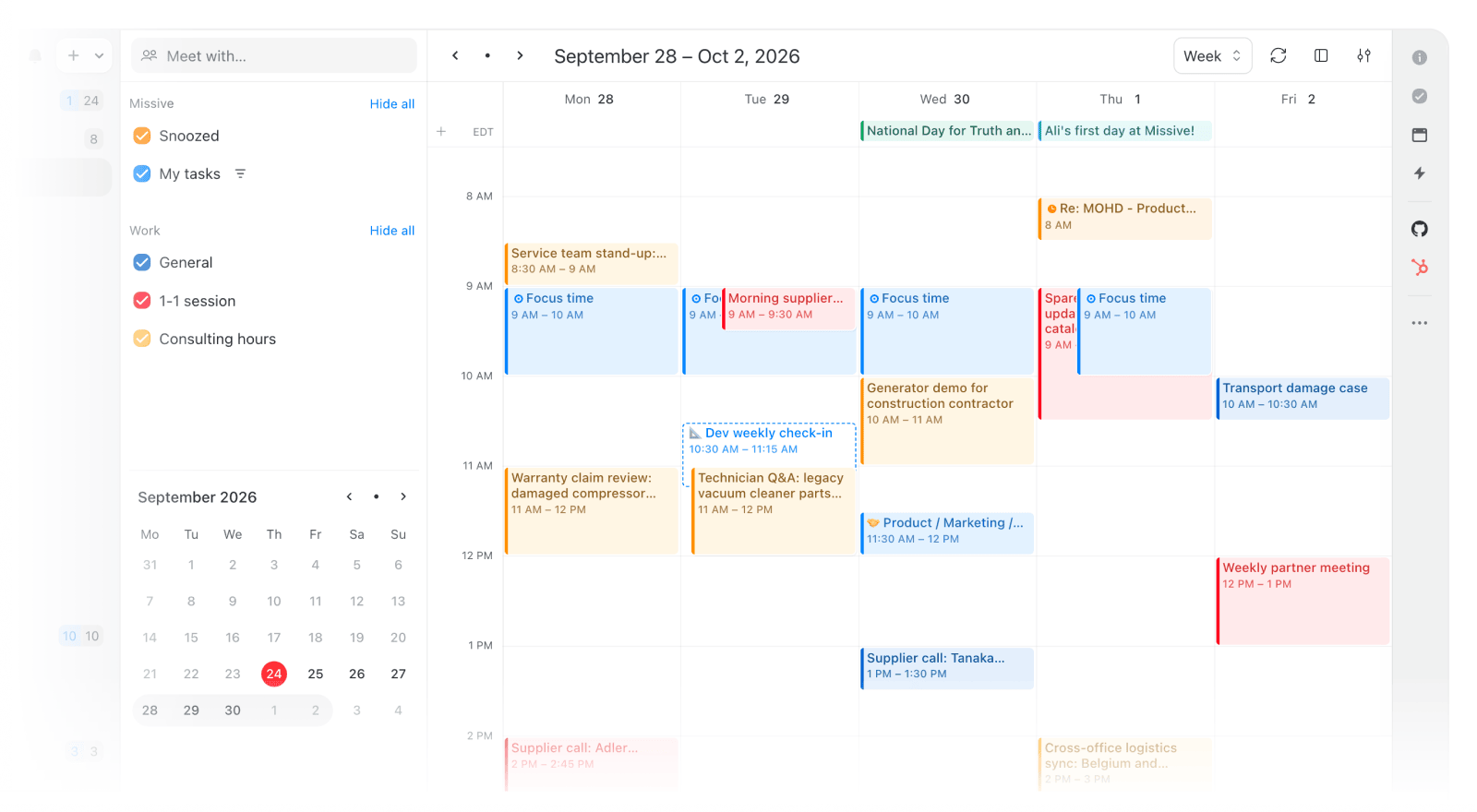
The calendar experience has been fully rebuilt, with everything you've been asking for.
- Meet with:
Type a teammate, team, or contact into the calendar sidebar and their availability appears automatically. Hit create and they're added as guests, named after everyone in it. - Multiple time zones:
No more mental math. Extra time zone columns appear when teammates are in different zones, and each event can show its own time zone too. - More control over events:
Focus time, custom recurrence, Google event labels, Microsoft categories, attachments, and preferences for default reminders. - Additional display options:
Choose how many days to display at once and how many hours are visible per day. Plus toggles to show/hide weekends, declined events, and week numbers.
Pin anything in a conversation
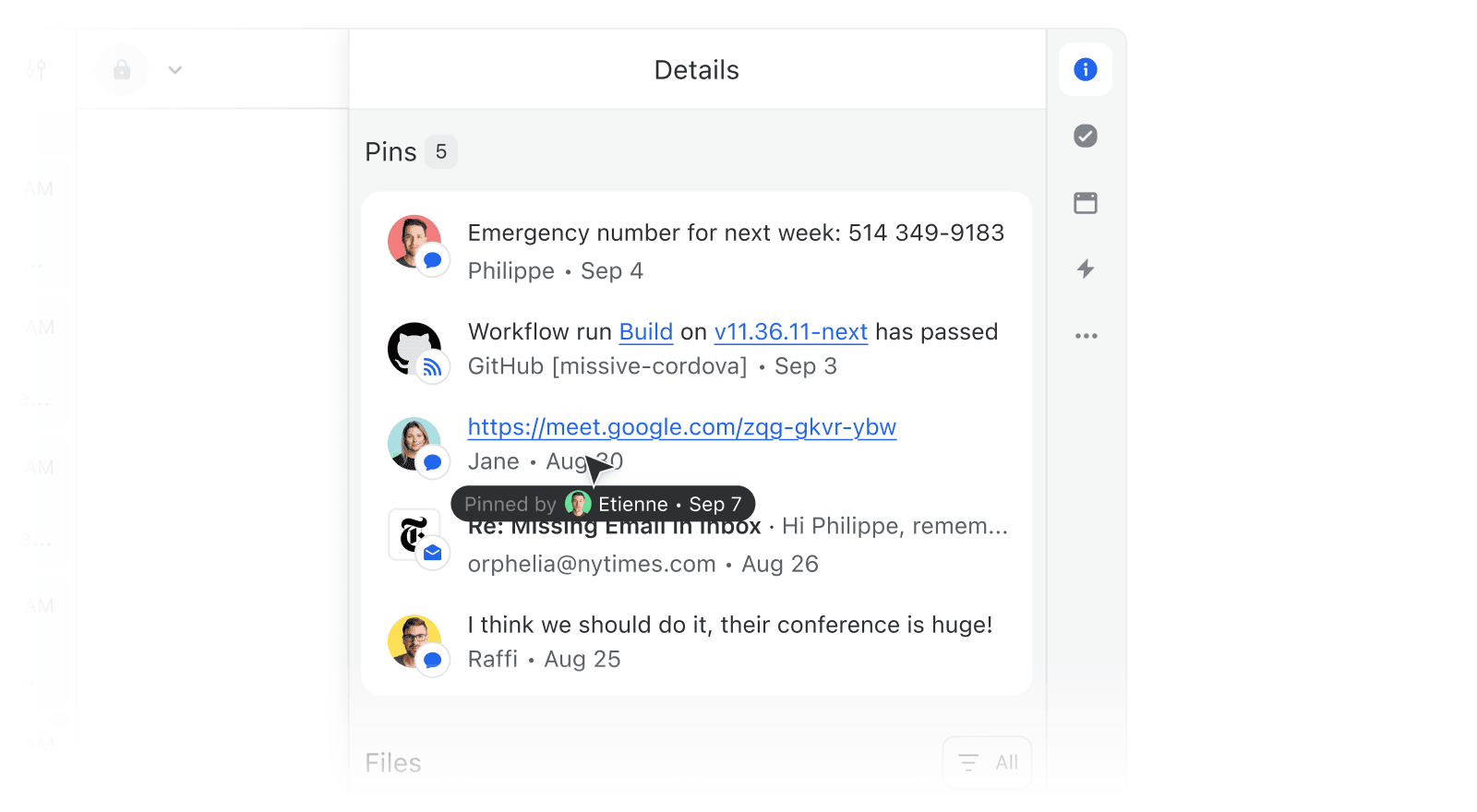
That link buried 200 messages deep, the decision made in a comment last week, the address everyone keeps asking for. Pin anything and it stays one click away for everyone in the conversation, in a dedicated Pins section of the Details sidebar.
Dark mode, rebuilt
Dark mode has been completely overhauled. Every surface, edge, and shadow now follows a consistent system. Light mode got the same consistency pass.
Mailbox filters survive a reload
Filters you set on a mailbox now stay in place after reloading or restarting the app, instead of resetting every time.
MCP server now available on trial
The MCP server can now be enabled when your largest organization is on Productive or above, or on a trial.
OAuth scopes for custom MCP servers
Custom MCP servers now have a Scopes field under advanced settings, for providers that require scopes in the OAuth flow.
- AI actions like "Improve writing" no longer replace links or mentions with "[link removed]".
- The inline AI assistant no longer closes when you switch to another window or tab.
- Setting a custom follow-up reminder date in the composer no longer drops the "Discard snooze when someone replies" option.
- Send and snooze shortcut now follows the same settings as the Snooze menu.
- Long drafts no longer leave empty space below the composer.