An AI email assistant that actually knows your business
Missive’s AI works inside your inbox. It reads threads and attachments, checks calendars, and drafts replies you approve, with full context.
6500+ companies rely on Missive every day


Missive’s AI works inside your inbox. It reads threads and attachments, checks calendars, and drafts replies you approve, with full context.
6500+ companies rely on Missive every day
They can write a decent email, if you feed them every piece of context yourself. What if the AI could go get the context on its own? What if it can truly be of assistance?
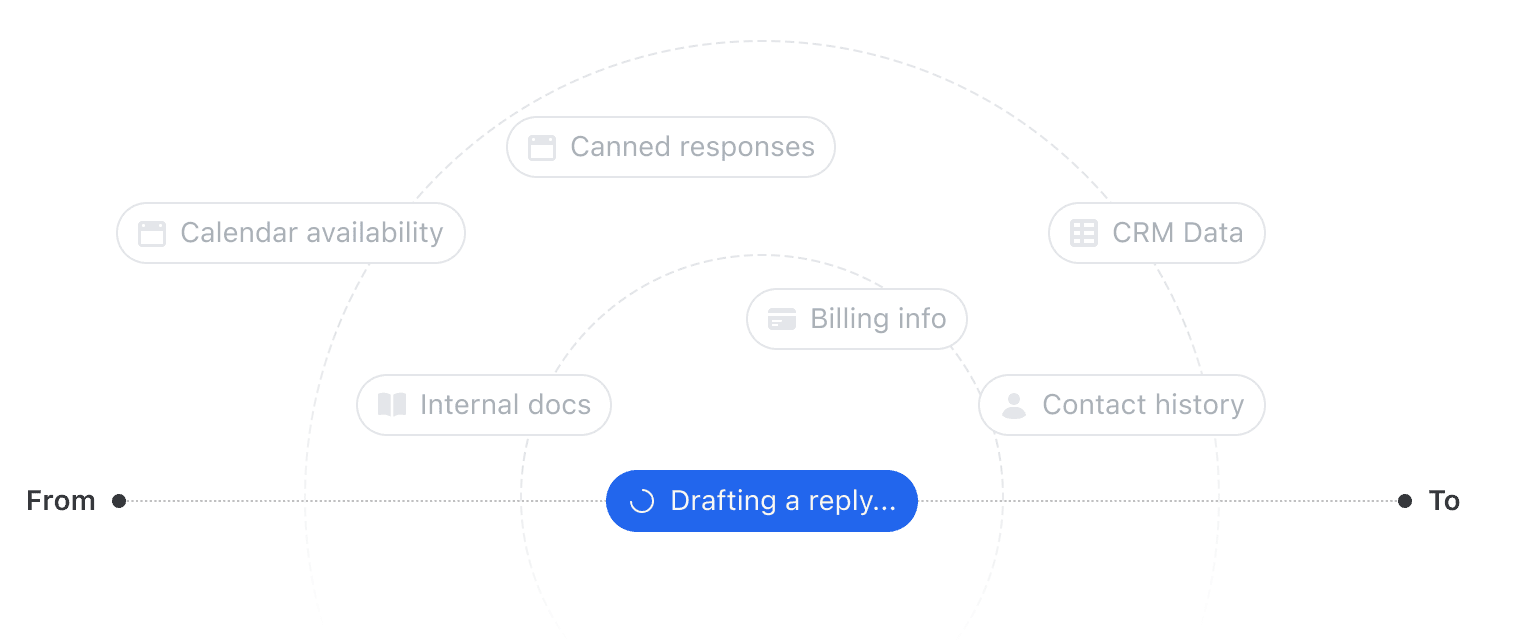
Not another chatbot, a true assistant that saves time.
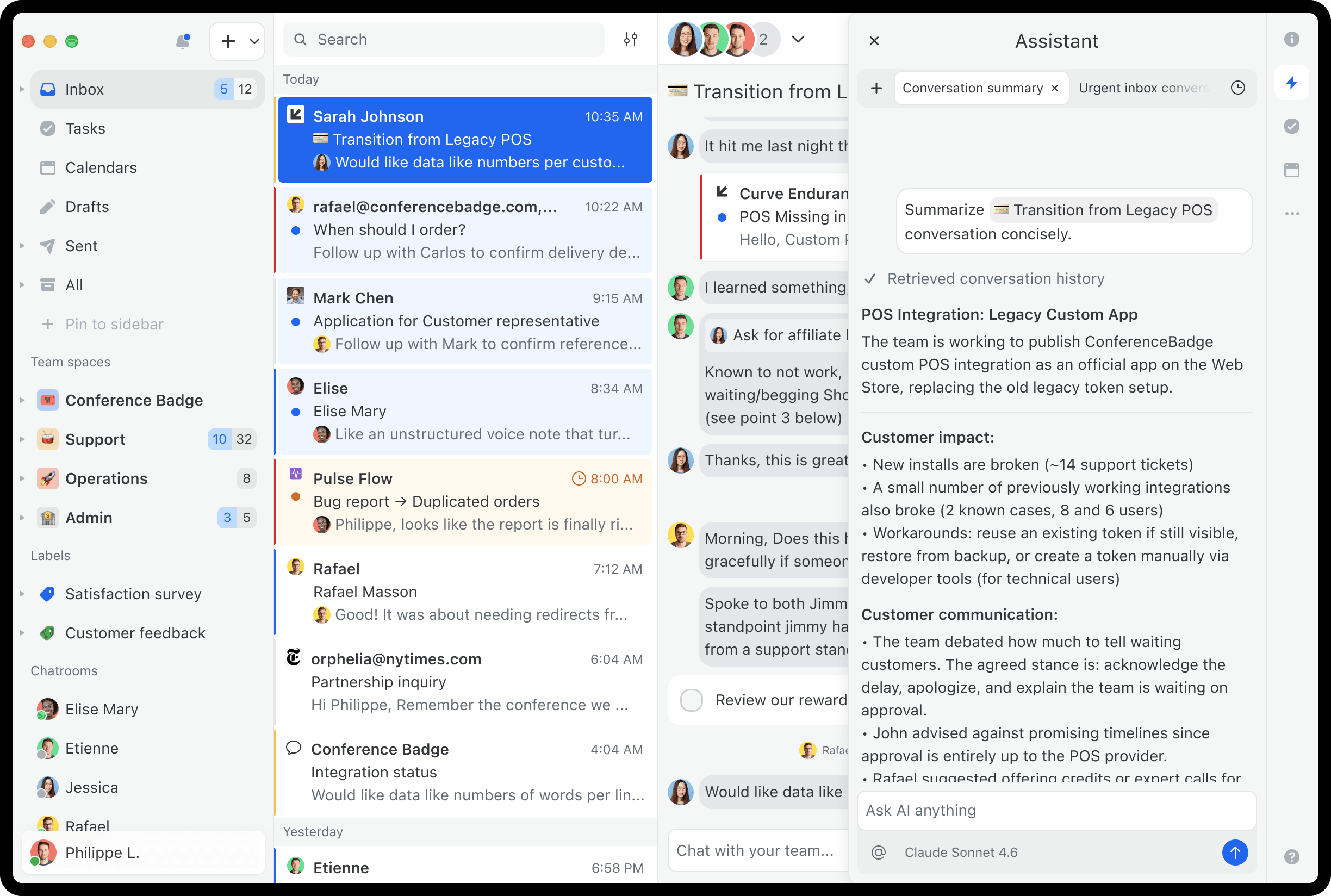
The teammate looped in mid-thread
You're added to a 47-email conversation. Click summarize to get the full picture in seconds.
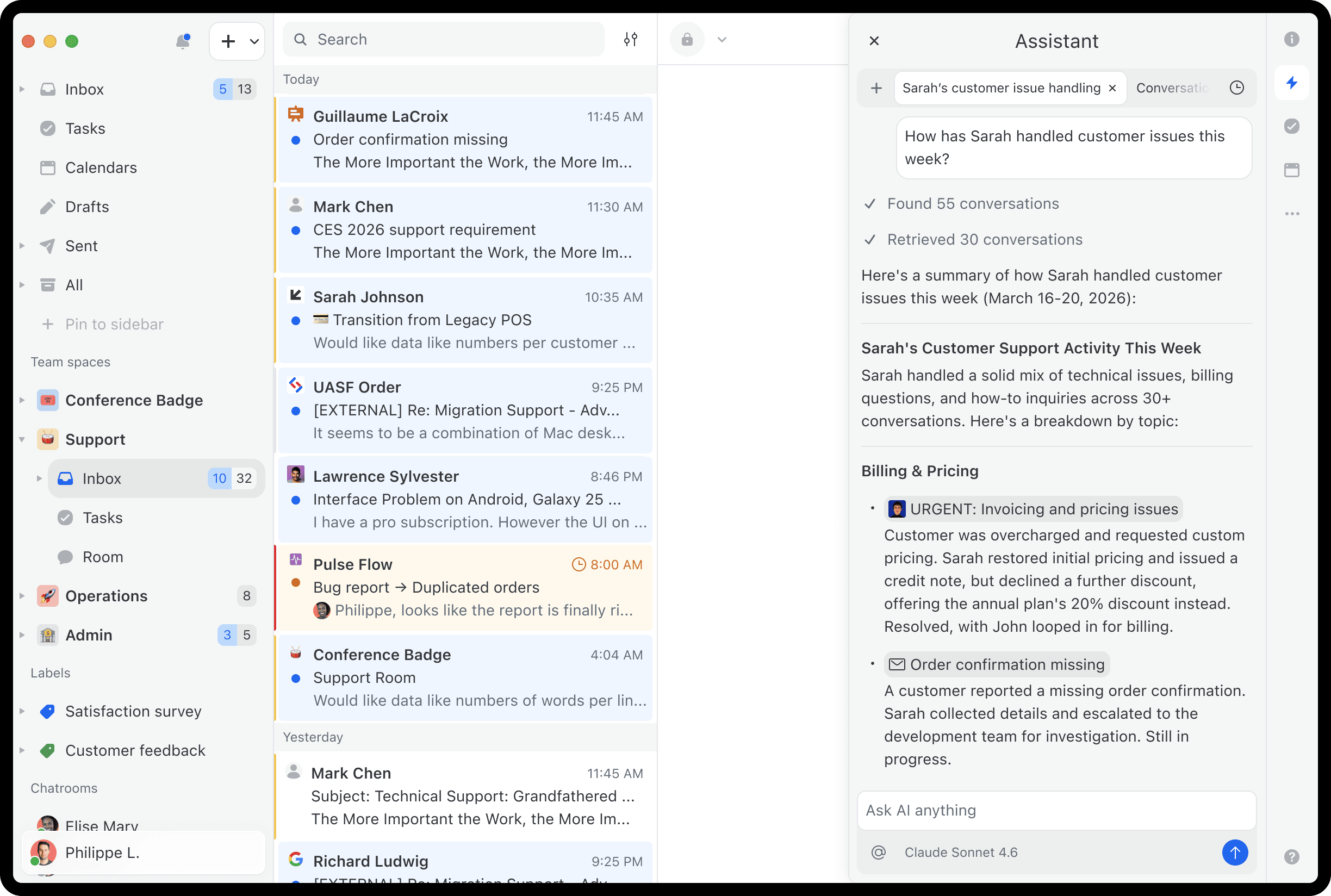
The support lead checking on the team
Ask "how has Sarah handled customer issues this week?" and get a summary in one question.
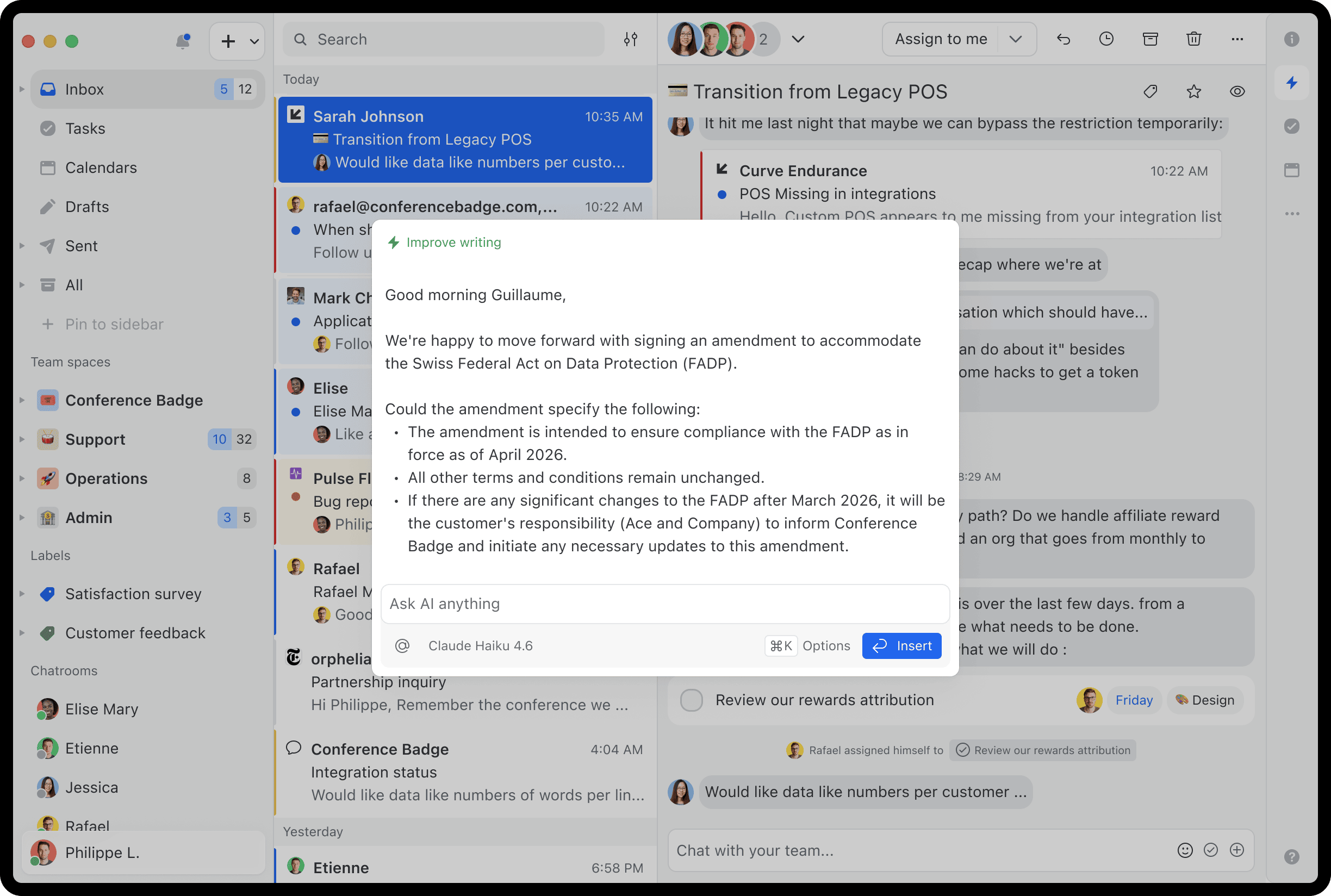
Say no to generic AI replies.
Set org-wide tone and style instructions. Every AI draft follows them, from you or a new hire on day one.
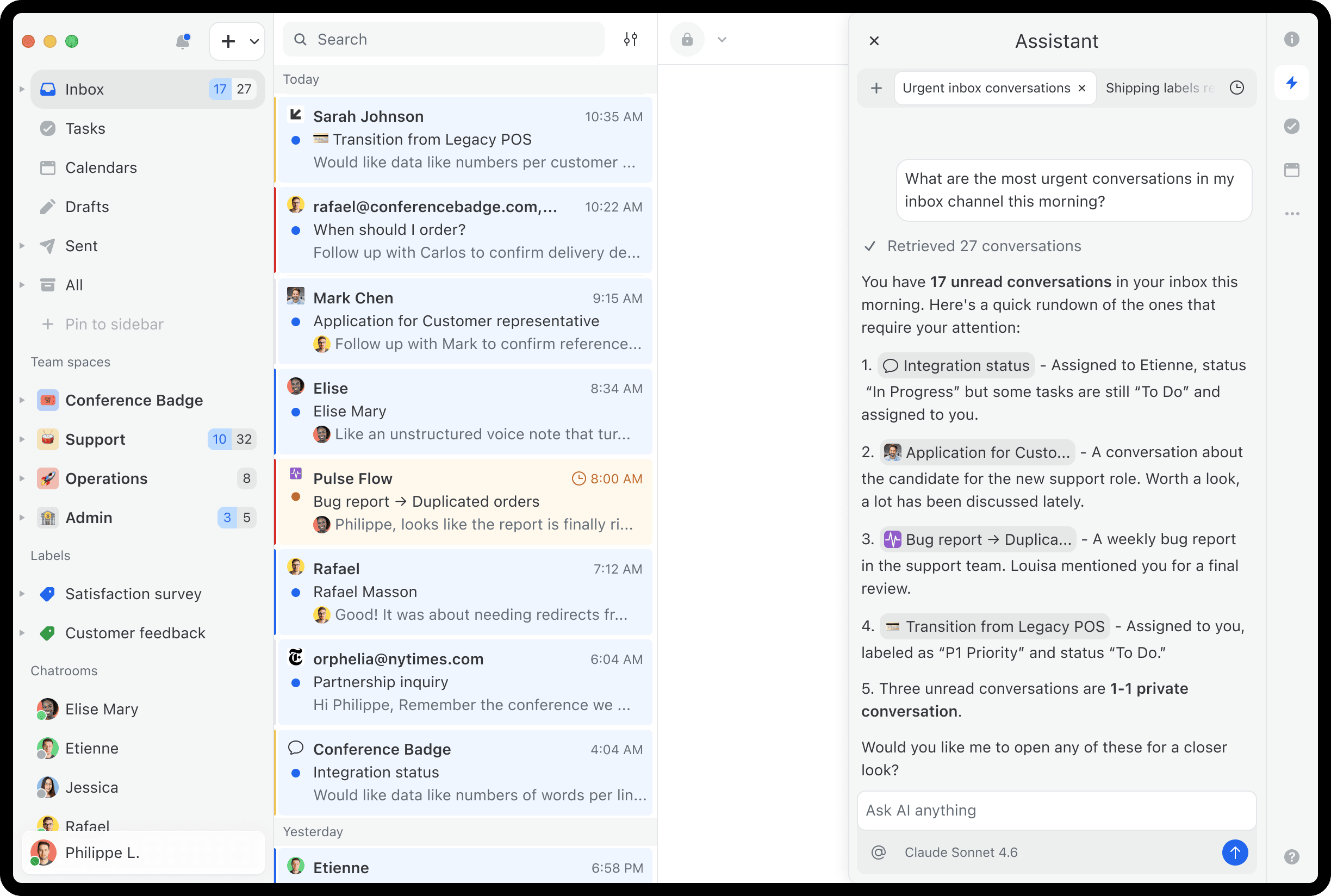
The ops team triaging incoming requests
"What's most urgent in my inbox?" and the assistant surfaces conversations that deserve your attention.
The teammate looped in mid-thread
You're added to a 47-email conversation. Click summarize to get the full picture in seconds.
The support lead checking on the team
Ask "how has Sarah handled customer issues this week?" and get a summary in one question.
Say no to generic AI replies.
Set org-wide tone and style instructions. Every AI draft follows them, from you or a new hire on day one.
The ops team triaging incoming requests
"What's most urgent in my inbox?" and the assistant surfaces conversations that deserve your attention.
Search your emails
Ask “what did we quote this client in January?” The assistant finds it, even if it’s buried in an attachment.
Check your calendar
Need to suggest meeting times? The assistant reads your calendar, checks for conflicts, and proposes meeting times.
Draft replies in your team's voice
Set your tone and style once. Every AI draft follows them on email, SMS and WhatsApp. Nothing is sent until you approve.
Use what your team already built
Look up a contact, find the right canned response, or label conversations straight from the sidebar.
Automate with AI rules
AI rules read each email and act on it. Is there a deadline? Create a task. Is the customer upset? Alert a manager.
Connect the Missive MCP server
Already living in Claude or ChatGPT? Add Missive and work your team’s inbox from there. No AI credits needed.

Charles Hudson
·
Managing Partner at Precursor Ventures
Precursor Ventures

Your tools, inside Missive
Ask the assistant to look up a customer's billing history in Stripe, create a Linear issue from a bug report, or pull context from a Notion doc. It all happens in the sidebar, in the same conversation.
Missive MCP server: bring your inbox to your AI
Ask Claude or ChatGPT to “go through last quarter’s customer conversations and turn the top feature requests into a report.” Unlock years of customer knowledge sitting in your inbox.
Use Missive AI credits or bring your own API key. OpenAI, Anthropic, and Google supported.
Your choice of provider
Use prepaid Missive AI credits for instant setup, or connect your own API key and pay your provider directly. You decide.
Your data stays yours
Every AI request is routed through your chosen provider. Missive doesn't train on your emails, ever.
Opt out completely
If you don't connect any AI provider, AI features simply don't appear. There's nothing to disable.


