Blog →
10 best AI tools for small businesses in 2026
Blog →

by
Eva Tang
January 22, 2026
· Updated on
August 19, 2026
The best AI tools for small businesses in 2026 are Missive, Jasper, Microsoft 365 Copilot, CloudTalk, Dialpad, Freshdesk, Aissist.io, HeyGen, Grammarly, and HubSpot. Together they cover the work that eats a small team's week: customer communication, marketing content, phone calls, support tickets, video, everyday writing, and CRM. This guide breaks down what each one does best, with verified 2026 pricing for every tool.
Running a small business often feels like you're wearing a dozen hats at once. You're the CEO, marketer, customer support lead, and maybe even the janitor. It's a constant juggle to keep up, especially when you see larger companies with what seems like unlimited resources.
This is where artificial intelligence can step in. It is not some futuristic, complex tech anymore. Using AI is more like hiring a practical sidekick that helps level the playing field. Today's AI technology is affordable, easy to use, and can fit right into your daily work without requiring a computer science degree.
In this post, we'll walk you through a handpicked list of AI tools that can actually help your small business save time, cut costs, and improve your customer communication.
What do we mean by "AI tools"? For most small businesses, it's software that can handle tasks that normally need a person. Think about writing emails, summarizing long conversation threads, transcribing calls, or setting repetitive workflows to run on their own.
Most of these tools run on what's called Generative AI (GenAI) and Large Language Models (LLMs). This is the technology that allows them to create new content, understand plain English, and provide useful replies.
The advantages are straightforward. Using AI tools can make your team more efficient by handling the tedious work, improve customer service with quick responses, help you get past writer's block, and pull valuable information from your daily business conversations.
We didn't just pull these names out of a hat. To make this list genuinely useful, we measured each tool against a few criteria that are crucial for small business owners.
Here's a quick overview of the top AI tools we'll be covering. Each one targets a different core need for a growing small business, from communication to content creation.
Prices reflect annual billing unless noted. Monthly billing typically runs 15-25% higher. Verified July 2026; spot-check current tiers before buying.
| Tool | Primary use case | Key AI feature | Starting price |
|---|---|---|---|
| Missive | Team communication across email, social, and SMS | AI drafts, summaries, translations, and AI rules | $14/user/mo, 30-day free trial |
| Jasper | On-brand marketing content at scale | Brand voice and content automation | $59/seat/mo |
| Microsoft 365 Copilot | Businesses on Microsoft 365 | AI assistant inside Word, Excel, Outlook, and Teams | $21/user/mo (add-on, under 300 users) |
| CloudTalk | AI-powered business calling and 24/7 phone coverage | AI voice agents and AI Conversation Intelligence | $25/user/mo |
| Dialpad | Phone-heavy sales and support teams | Real-time call transcription and AI Live Coach Cards | $15/user/mo |
| Freshdesk | Dedicated support teams automating tickets | Freddy AI Agent and Copilot | $19/agent/mo |
| Aissist.io | AI support agent layered on your existing help desk | Multi-agent AI that resolves conversations end-to-end | Free (3,000 interactions/mo), then $0.12/interaction |
| HeyGen | Video creation and localization | AI video translation with voice cloning and lip-sync | Free (3 videos/mo), then $24/mo |
| Grammarly | Writing assistance everywhere | Real-time grammar, tone, and AI rewriting | Free (100 AI prompts/mo), then $12/member/mo |
| HubSpot | All-in-one CRM across departments | AI-powered CRM, chatbots, and content generation | Free tools, then $15/seat/mo |
Alright, let's get into the details. Here's a closer look at what makes each of these AI tools a great pick for small businesses.
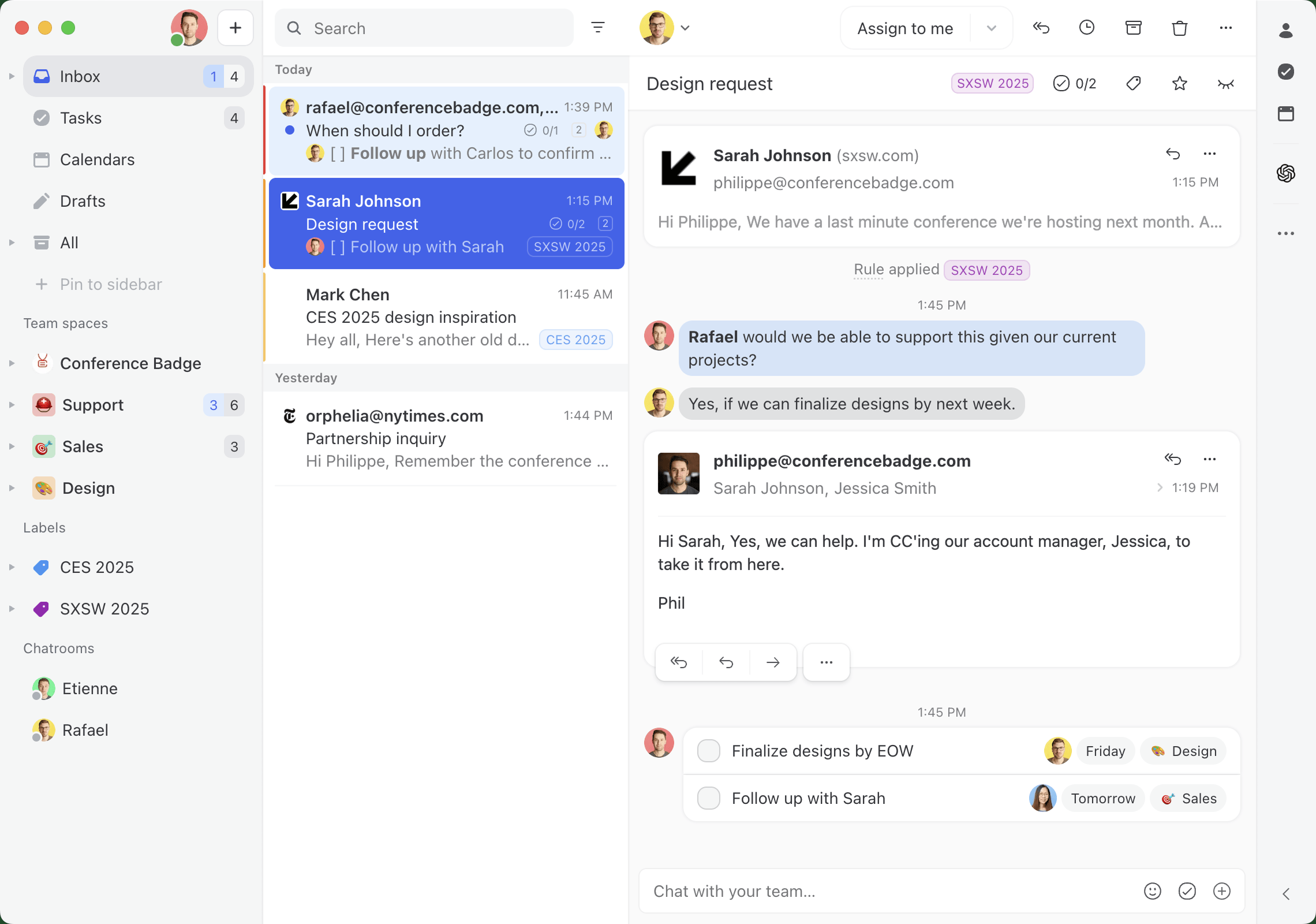
Missive is a collaborative communication platform that brings all your customer and internal messages into one unified inbox view. It's designed to manage everything from email, SMS, WhatsApp, Instagram, Messenger, and live chat in a single place. This means your team can work together on replies behind the scenes without messy email forwards or CC chains. The platform is designed for a conversational experience, contrasting with traditional ticketing systems.
Why it's on the list: Missive's AI features are built right into your team's daily workflow, which makes them very practical. You can generate instant AI drafts for quick replies, get summaries of long conversation threads in seconds, translate messages on the fly, and even build powerful AI rules. For instance, you can set up a rule that automatically detects an angry customer's email and assigns it to a senior team member for immediate attention.
Pros and cons: Missive's biggest strength is its all-in-one, multi-channel workspace that prevents important messages from getting lost. The collaboration features, like chatting internally on an email thread or co-authoring a reply in real-time, are a huge help for teams. Its AI-powered rules are incredibly flexible, allowing you to personalize the AI workflows to your specific business, and AI runs on Missive credits or your own OpenAI, Anthropic, or Google API key, so there's no per-agent AI upcharge. Missive is very powerful for collaboration, but a solo founder might find it has more features than they need right at the start.
Pricing (annual billing):
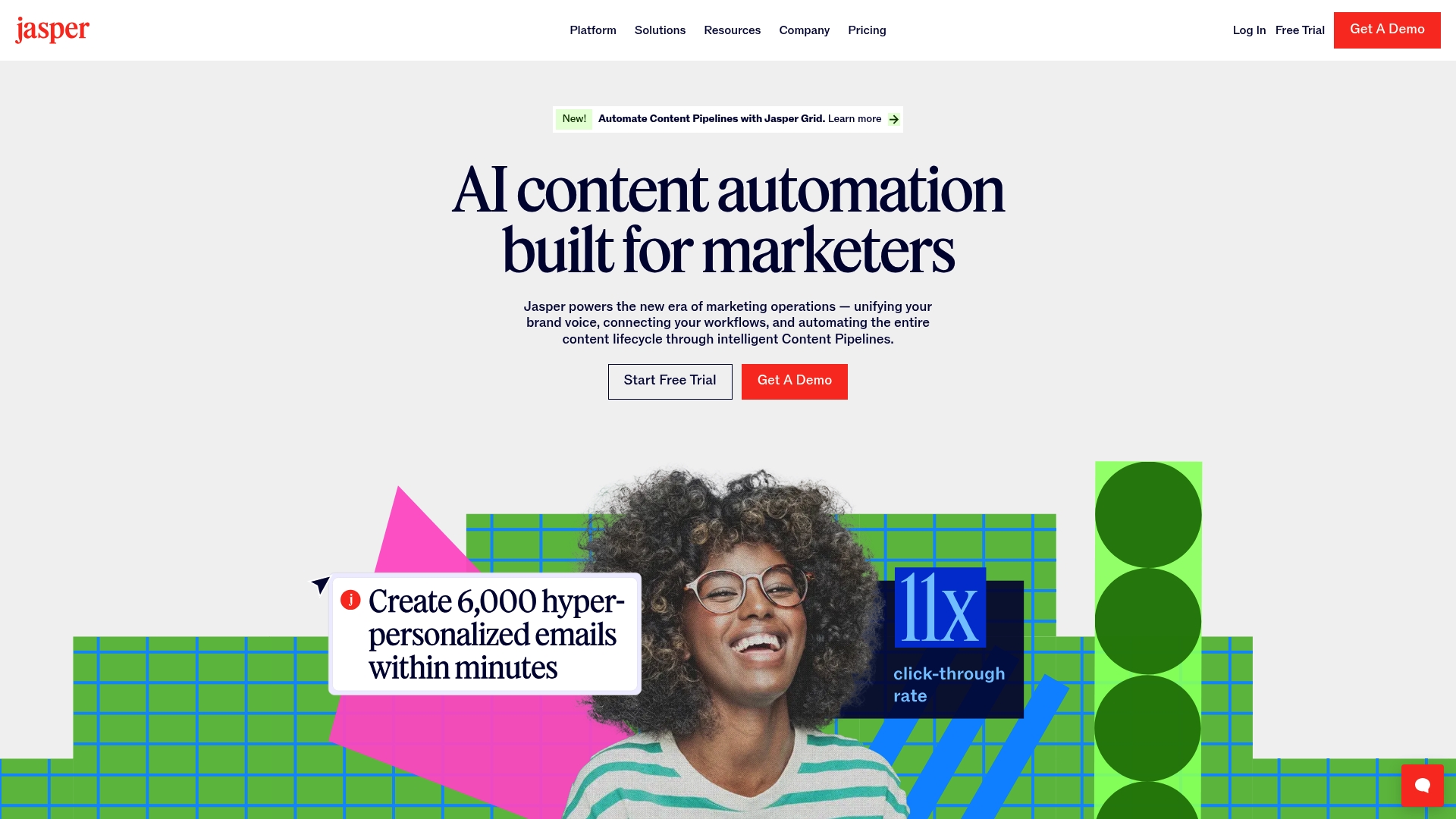
Jasper is an AI content automation platform built with marketing teams in mind. It helps you whip up high-quality marketing copy, blog posts, and social media updates. Its standout feature is "Jasper IQ," which learns your brand voice, style guide, and product details to make sure everything it creates sounds consistently like your brand.
Why it's on the list: Jasper has been a leader in the AI writing space for a while, and it's a good fit for small marketing teams trying to produce a lot of content without hiring more writers. Its intelligent Content Pipelines can automate the entire process, from brainstorming an idea to getting it published.
Pros and cons: Jasper is great for creating first drafts and getting past writer's block. It has a ton of templates for different formats, which is very helpful. The AI's output always needs a human eye for fact-checking and fine-tuning. The Pro plan also covers a single seat, so a second user means talking to sales about the custom Business plan. And while Jasper is useful for creating content, you'll need a different tool to manage the customer conversations that result from it.
Pricing (annual billing):

Microsoft 365 Copilot brings AI help directly into the Office apps your business probably already uses, like Word, Excel, PowerPoint, and Outlook. It's powered by an artificial intelligence layer called Work IQ, which gets to know you, your job, and your company to offer up tailored assistance.
Why it's on the list: For any business that relies heavily on the Microsoft suite, this tool is a natural fit. Its deep integration means there's almost no learning curve. You can ask it to draft an email in Outlook, create a presentation from a document in PowerPoint, or analyze data in Excel, all using natural language. Pricing also got friendlier for small teams: Microsoft permanently cut the small-business rate from $30 to $21 per user per month in late 2025.
Pros and cons: The smooth integration is its biggest advantage, making it easy to be more productive in apps you already know. The downside is that it's an add-on, so you first need a qualifying Microsoft 365 Business plan, which pushes the total cost up. Also, its collaboration features are spread out across different apps, which can feel disconnected compared to a single, unified communication hub.
Pricing (annual billing):
CloudTalk is an AI-powered business calling platform that covers the channel most AI tools on this list don't touch: live phone calls. It combines a cloud phone system with local numbers in 160+ countries, AI voice agents that answer inbound calls on their own, and AI Conversation Intelligence that transcribes, summarizes, and analyzes every conversation.
Why it's on the list: For a small and mid-sized business, missed calls are missed revenue, and hiring someone to cover phones around the clock rarely makes financial sense. CloudTalk's AI voice agents answer 24/7, resolve routine questions, qualify leads, book meetings, and route complex calls to a human. Every call is transcribed and logged automatically into tools like HubSpot, Salesforce, or Pipedrive, so nobody spends their evening typing up call notes.
Pros and cons: CloudTalk's biggest strength is giving a small team enterprise-style phone coverage without extra headcount, and the AI voice agents can be deployed standalone or with the full phone system. Call quality and international numbering are strong for businesses serving customers across markets. Like Dialpad below, though, it's focused on voice, so email and social channels need a separate tool. And watch the AI math here too: the AI voice agents are priced separately from the per-user plans, either as a monthly package or per minute, so model your expected call volume before committing.
Pricing (annual billing):
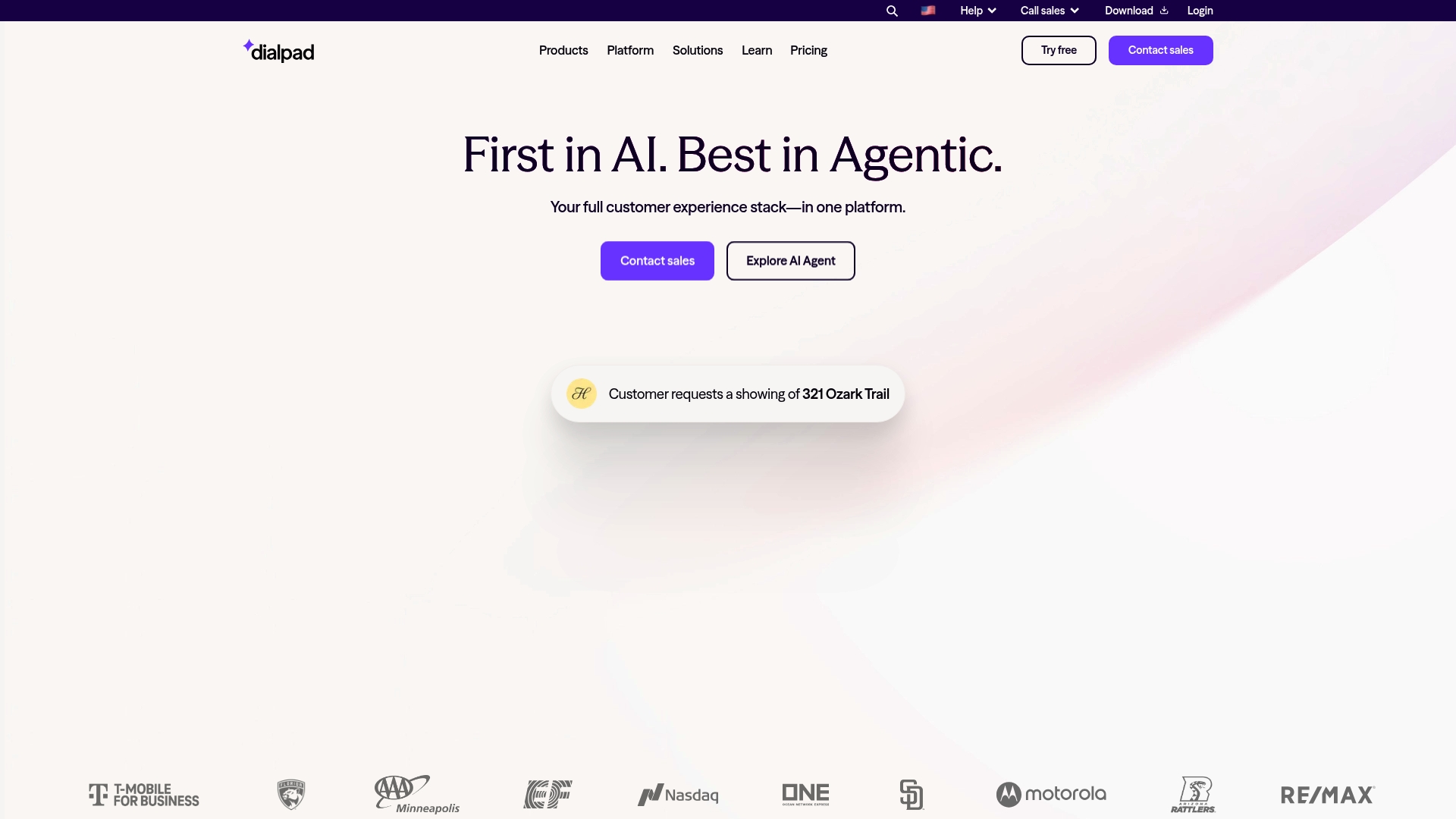
Dialpad is an AI-powered platform for voice communications: calls, messages, and meetings. Its AI features are what make it stand out. It offers real-time voice transcription during calls, creates post-call summaries with clear action items, and even gives agents live coaching with "AI Live Coach Cards" that pop up with helpful tips while they're on a call.
Why it's on the list: Dialpad is a great tool for sales and support teams who spend most of their day on the phone. It gives them live insights to improve their performance on the spot and automates note-taking with post-call summaries, freeing them up to focus on the conversation.
Pros and cons: The real-time voice intelligence is a huge plus for any team that relies heavily on phone calls, and the AI analytics help managers spot trends without digging through call logs. However, Dialpad's main strengths are in voice and video. If your team also handles a lot of email, SMS, and social media messages, you might find you still need another tool to bring all those text-based channels together.
Pricing (annual billing):

Freshdesk is customer service software that comes with an AI chatbot named Freddy. The Freddy AI Agent can handle complex and repetitive customer questions on its own, across different channels. Meanwhile, the Freddy AI Copilot acts as a sidekick for human agents, helping with conversation summaries, reply suggestions, and the ability to analyze sentiment.
Why it's on the list: This is a specialized chatbot that can help a small business offer 24/7 support and automate the most common questions. Freshworks states it can resolve up to 80% of queries, which is a big help if you're trying to scale customer service without hiring a lot of people.
Pros and cons: Freshdesk is excellent for managing support tickets and building out a self-service knowledge base, with its AI chatbot helping to answer common questions before they even reach an agent. Its ticketing-based system offers a structured approach to customer support, which differs from the conversational model of an inbox-style tool. Watch the AI math, though: Freddy AI Copilot is a $29/agent/month add-on, and AI Agent sessions cost $49 per 100 once the included allowance runs out. It's also heavily focused on external customer support rather than broader team collaboration or internal comms.
Pricing (annual billing):
Aissist.io is an AI support agent that layers on top of the help desk or inbox you already run, including Zendesk, Intercom, Freshdesk, Front, and Gorgias, rather than replacing it. Its multi-agent system reads incoming conversations across email, chat, WhatsApp, SMS, and social media, then works them end-to-end: answering the customer, tagging and summarizing, updating your other systems, and escalating to a human when it gets stuck.
Why it's on the list: Most small businesses can't staff support around the clock, and most AI chatbots just deflect with FAQ answers. Aissist is built to resolve conversations instead. The company reports an 83% average automation rate and a 4.8/5 CSAT on automated support (vendor-published numbers, so pilot on your own conversations first). There's no migration involved either: you keep your current help desk and plug the AI in on top, with a self-serve setup the vendor says takes about 10 minutes.
Pros and cons: The big draw for a small team is paying for outcomes instead of seats: there are no per-user fees, and the free tier covers 3,000 AI interactions a month, enough to test it on real volume before spending anything. It also handles 65+ languages and multimedia like images and voice notes that trip up simpler bots. On the flip side, it's an automation layer rather than a standalone help desk, so you still need an inbox or ticketing tool underneath it. And the AI math needs a close look here too: pay-as-you-go pricing is per interaction, meaning each AI message rather than each conversation, so one resolved conversation typically costs a few interactions. Model your real volume before committing.
Pricing:
HeyGen is an AI video translator that helps businesses translate and localize video content for global audiences without re-recording. Its AI video translator allows you to convert a single video into multiple languages while preserving voice tone, timing, and natural lip-sync, making international content distribution much more efficient.
Why it's on the list: HeyGen stands out for its ability to turn one piece of video content into many localized versions quickly. Instead of managing multiple production workflows, teams can scale their content across markets using AI-powered translation and dubbing.
Pros and cons: The biggest advantage is how much time and cost it saves compared to traditional dubbing or reshooting. The voice cloning and lip-sync features make translated videos feel natural and engaging. However, results depend on the quality of the original video, and advanced features like lip-synced translation consume premium credits that are capped by plan (the Creator plan's 200 monthly credits cover roughly 10 minutes of premium avatar video).
Pricing:

Grammarly is an AI-powered writing assistant that offers smart suggestions on grammar, clarity, tone, and style to make your writing better. Its newer generative AI features can help you rewrite sentences, and it has specialized AI agents like a "Paraphraser" and "Proofreader" to help with specific writing tasks.
Why it's on the list: It's a simple, essential tool that helps everyone on your team to write more clearly and professionally, whether they're crafting an email, a marketing post, or a project update. It works across thousands of different apps and websites, so it's always there when you need it.
Pros and cons: Grammarly's main strength is its simplicity and the fact that it can be used almost anywhere. It improves your writing. While its generative AI features are handy for rewriting and brainstorming, it's not built for creating long-form content from scratch. It also doesn't help with managing team communication workflows, like assigning tasks or collaborating on a customer response.
Pricing (annual billing):
HubSpot Customer Platform is an AI-powered tool suite that packs marketing, customer service, and sales features into a unified platform. HubSpot's AI tools are designed to automate routine tasks across departments, including data analysis, prospect outreach, resolving simple customer inquiries, and personalizing marketing messages.
Why it's on the list: HubSpot Customer Platform's AI tools can be deployed across your entire organization. Its Smart CRM helps sales teams automatically enrich data records with information from calls, emails, and the web. Marketing teams can set up email campaigns using that data, while customer service teams can deploy chatbots so service reps have more room to deal with complex inquiries.
Pros and cons: HubSpot is highly versatile, and its multi-functional AI toolset can significantly boost productivity across day-to-day tasks. The platform also benefits from a large library of integrations and learning resources. However, HubSpot can be tricky to scale: there are large pricing gaps between plans, and onboarding fees are required for Professional and Enterprise tiers. Its customer service features are also less specialized than dedicated support platforms.
Pricing (annual billing):
When you're starting to use AI, it can be a daunting task. Here are a few simple tips to help you pick the right tool for your business.
It depends on your biggest bottleneck. If customer communication eats your day, Missive builds AI drafts, summaries, and routing rules into a shared inbox. For marketing content, Jasper leads. For support ticket automation, Freshdesk's Freddy AI is the specialist pick. Most small businesses get the biggest return by fixing their most painful workflow first rather than adopting several tools at once.
Several tools on this list have genuinely useful free tiers, though Missive is no longer one of them: Grammarly's free plan includes 100 AI prompts a month, HeyGen offers 3 free videos a month, Aissist.io includes 3,000 AI interactions a month, and HubSpot's free tools cover basic CRM, marketing, and service. General-purpose assistants like ChatGPT, Claude, and Gemini also have free tiers that handle brainstorming, drafting, and research.
Most business AI tools on this list run $12 to $59 per user per month on annual billing. The bigger variable is how the AI itself is metered: per-agent add-ons (Freshdesk's $29/agent Copilot), per-session packs ($49 per 100 Freddy AI sessions), per-interaction pricing (Aissist's $0.12 per AI message), or Missive's model, where you bring your own AI provider key or draw from shared Missive AI credits, usually pennies per action.
Yes. Adopting any new technology can be intimidating, but AI is getting more user friendly every day. With a common dialogue-focused interface and natural language usage, you can often just tell these AI tools what you're trying to do and they can provide insights into how to achieve it. Sometimes the AI can even handle the setup work for you.
Pick one repetitive, time-consuming task, like triaging the inbox, drafting first replies, or writing social posts, and pilot one tool against it for two weeks using a free trial. Measure the hours saved, then expand. Starting with a single workflow beats rolling out five tools at once, which usually overwhelms a small team.
AI is no longer a luxury just for big corporations. For small businesses, it's a useful partner that can help you improve productivity, put tedious work on autopilot, and deliver the kind of customer experience that builds loyalty.
The right tool can analyze and unlock valuable insights and give your team the breathing room to focus on what really matters: growing the business and building great relationships with your customers.
And the best place to start is by getting the foundation of your business in order: your communication.
Ready to see how AI can simplify your team's communication? Try Missive for free and bring all your conversations into one collaborative, intelligent inbox.

April 19, 2022
How to add notes and comments to emails in Gmail
Gmail doesn’t have a native notes feature, but there are five workarounds. Here’s how to add notes to emails in Gmail, plus a better option for teams.
.png)
January 12, 2023
Team email management: how high-functioning teams actually run email together
Team email management means handling email together in one workspace: shared inbox, assignment, comments, rules. See how it works and how to choose a tool.

December 19, 2022
Improve Your Small Business Customer Service with 14 Tips
14 actionable customer service tips for small businesses—from centralizing communication and using canned responses to collaborating as a team—plus the tools that make it all manageable.

January 31, 2024
Customer experience optimization: a practical guide for growing teams
Customer experience optimization isn’t a one-time project. It’s the ongoing work of making every touchpoint a little better. Here’s how to actually do it — no jargon, no fluff, just what works.

May 14, 2025
8 ways to use AI in your email inbox in 2026
Eight practical ways to use AI in your inbox in 2026: auto-categorize, route, escalate, draft, summarize, schedule meetings, and pull past context.

May 18, 2022
ClickUp Email vs. Missive
A detailed comparison of ClickUp Email vs. Missive—from inbox organization and templates to automation, multi-channel support, and pricing—so you can decide which tool fits your team.

May 4, 2023
Top 10 Customer Service Email Software Solutions
Compare the top 10 customer service email software solutions—including Missive, Zendesk, Help Scout, Front, and more—with features, pricing, and guidance on choosing the right tool for your team.

November 29, 2024
17 Affordable Intercom Alternatives for 2026
The best affordable Intercom alternatives for 2026 are Missive, Zendesk, Help Scout, Freshdesk, and Crisp—all offering shared inboxes, live chat, and team collaboration at a fraction of Intercom's price.

March 13, 2024
7 auto-reply email templates (with examples for every situation)
Seven ready-to-use auto-reply email templates for out-of-office, support, job applications, and more, plus setup steps for Missive, Gmail, and Outlook.
