> For the complete documentation index, see [llms.txt](https://missiveapp.com/docs/llms.txt). Markdown versions of documentation pages are available by appending `.md` to page URLs; this page is available as [Markdown](https://missiveapp.com/docs/core-features/connected-accounts/other-channels/live-chat/faq.md).
# Live Chat FAQ
Common questions about live chat integration with Missive.
Can I send live chat email follow-up?
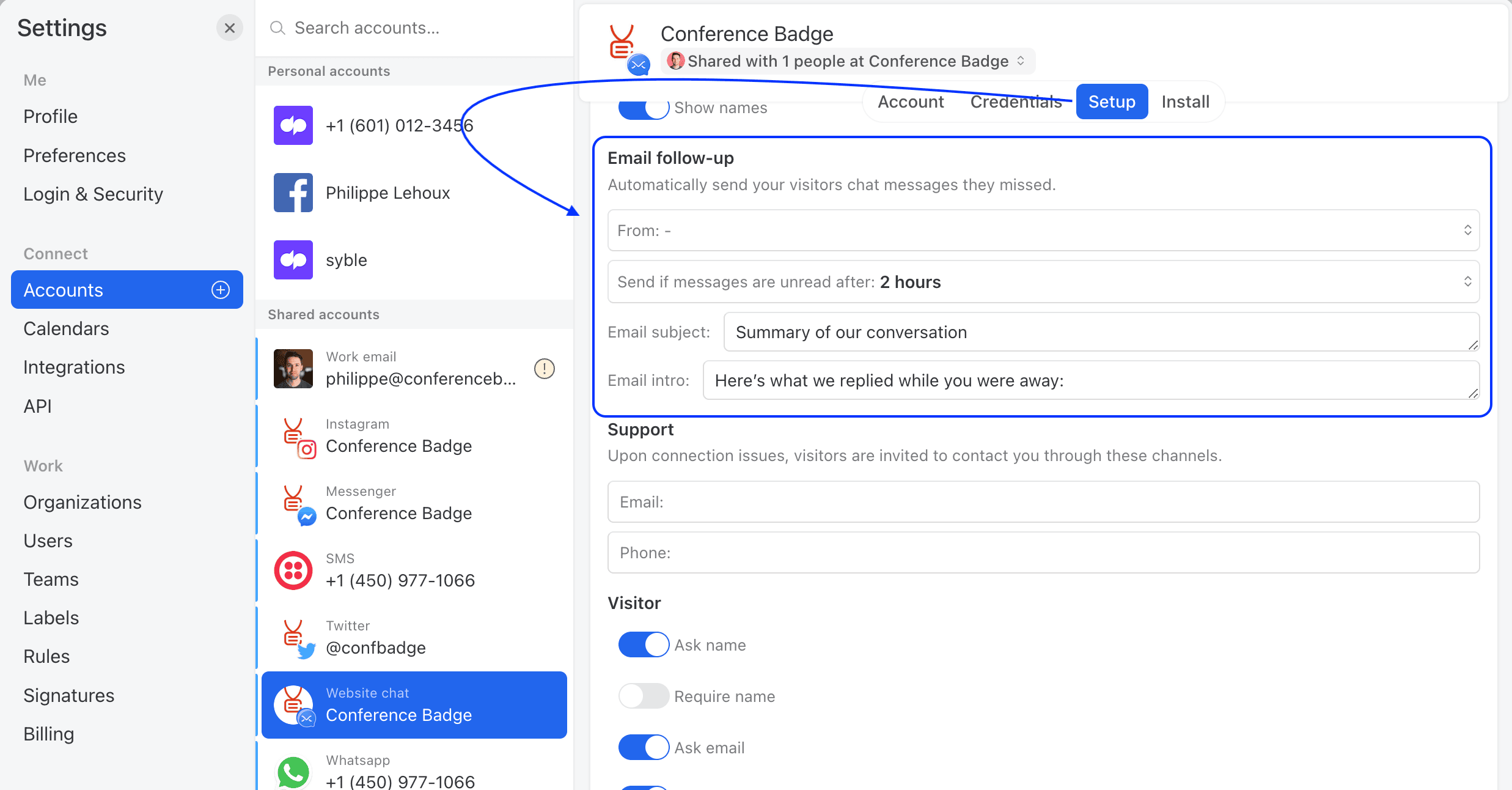
Missive Live Chat can be set to send an automatic email follow-up so you can be sure your customers always get their answers. When configured, anytime an answer is unread after a set amount of time, a summary of the conversation will be sent to the visitor's email address.
**To enable email follow-up in the live chat, follow the steps:**
1. Go to **Settings** > **Accounts**, then select the live chat account.
2. Select the **Setup** tab
3. Open the Configure menu
4. Configure the Email follow-up section
Can the live chat be in multiple languages?
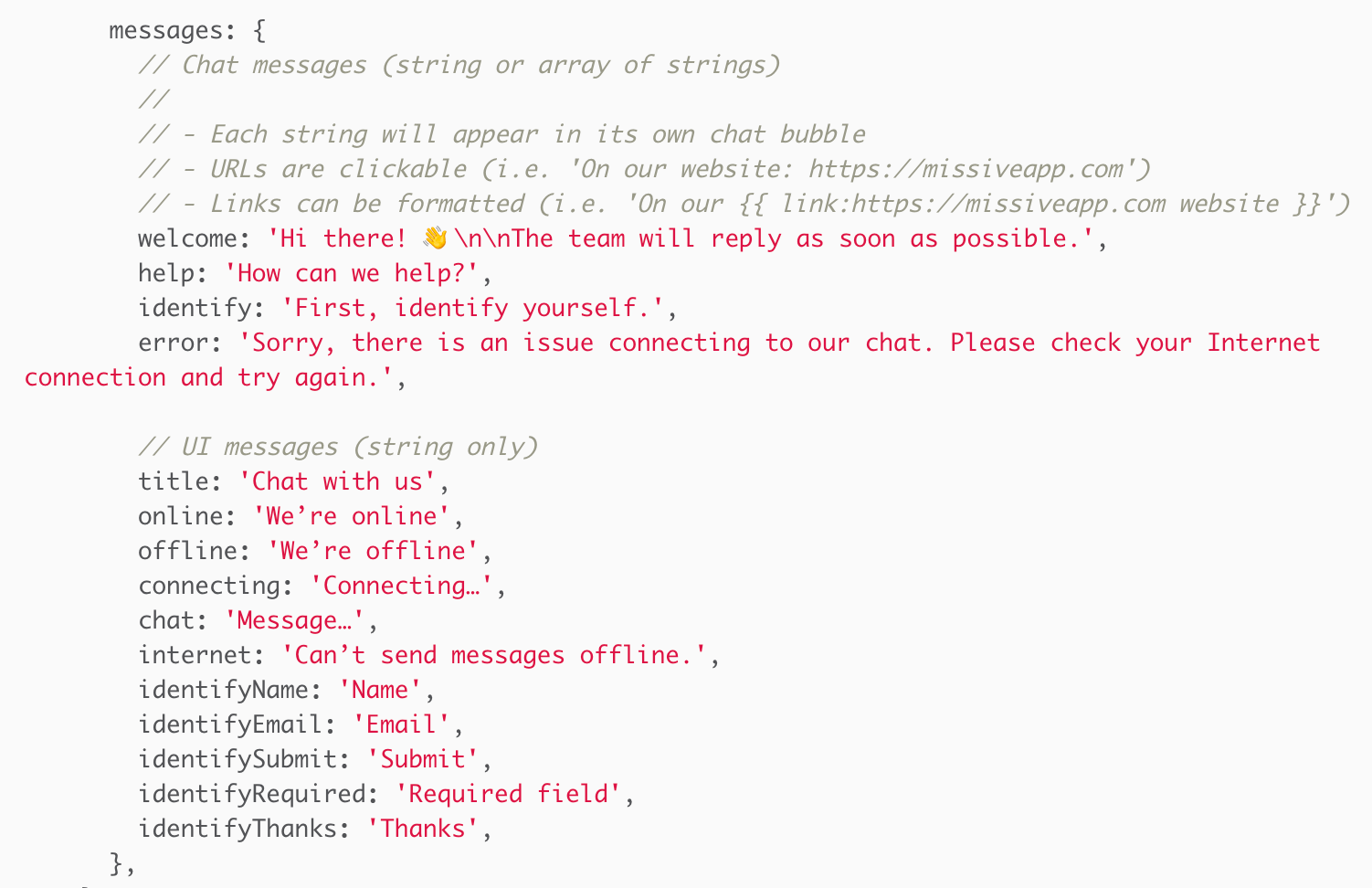
Yes, this is possible using Javascript. Everything you can customize in your live chat settings (in Missive) you can also customize via JavaScript when initiating your widget. See the [setup guide](/docs/core-features/connected-accounts/other-channels/live-chat/setup.md) for configuration options.
The text strings to translate are under the **messages** property:
Can the live chat be translated into another language?
Yes, this is possible; you can translate the chat texts in the live chat account settings:
**Accounts > Live Chat account > Setup > Configure**
How can I change the location of the live chat bubble on my website?
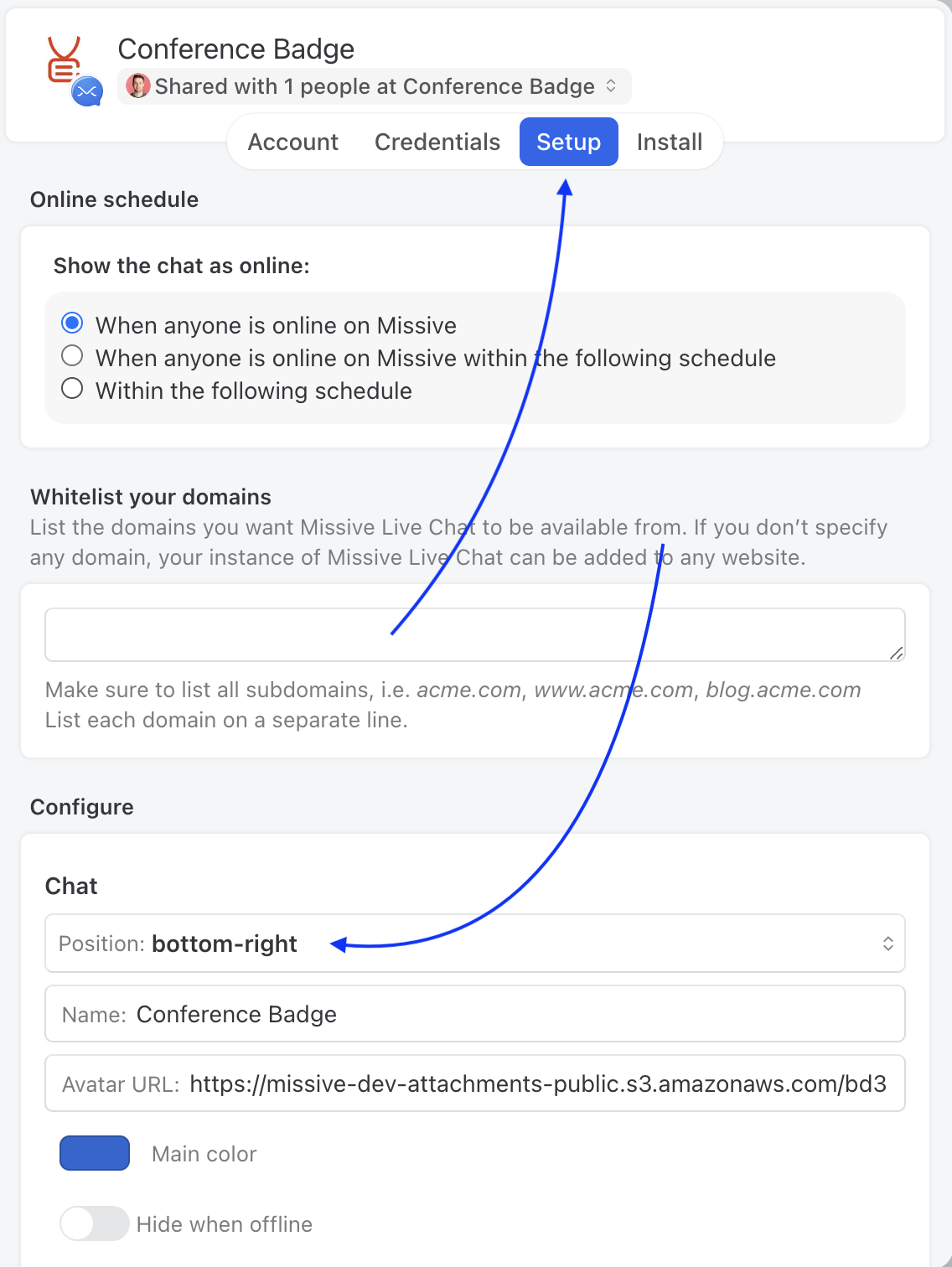
Here are the steps to change the live chat position on your website:
1. Go to **Settings** > **Accounts**, select the live chat account.
2. Select the **Setup** tab
3. Click the **Configure** option
4. Change the position option
How can I fix if the live chat is not loading and throws an error?
You probably need to add `https://webchat.missiveapp.com` to your allowed domains in your policy header or CSP headers.
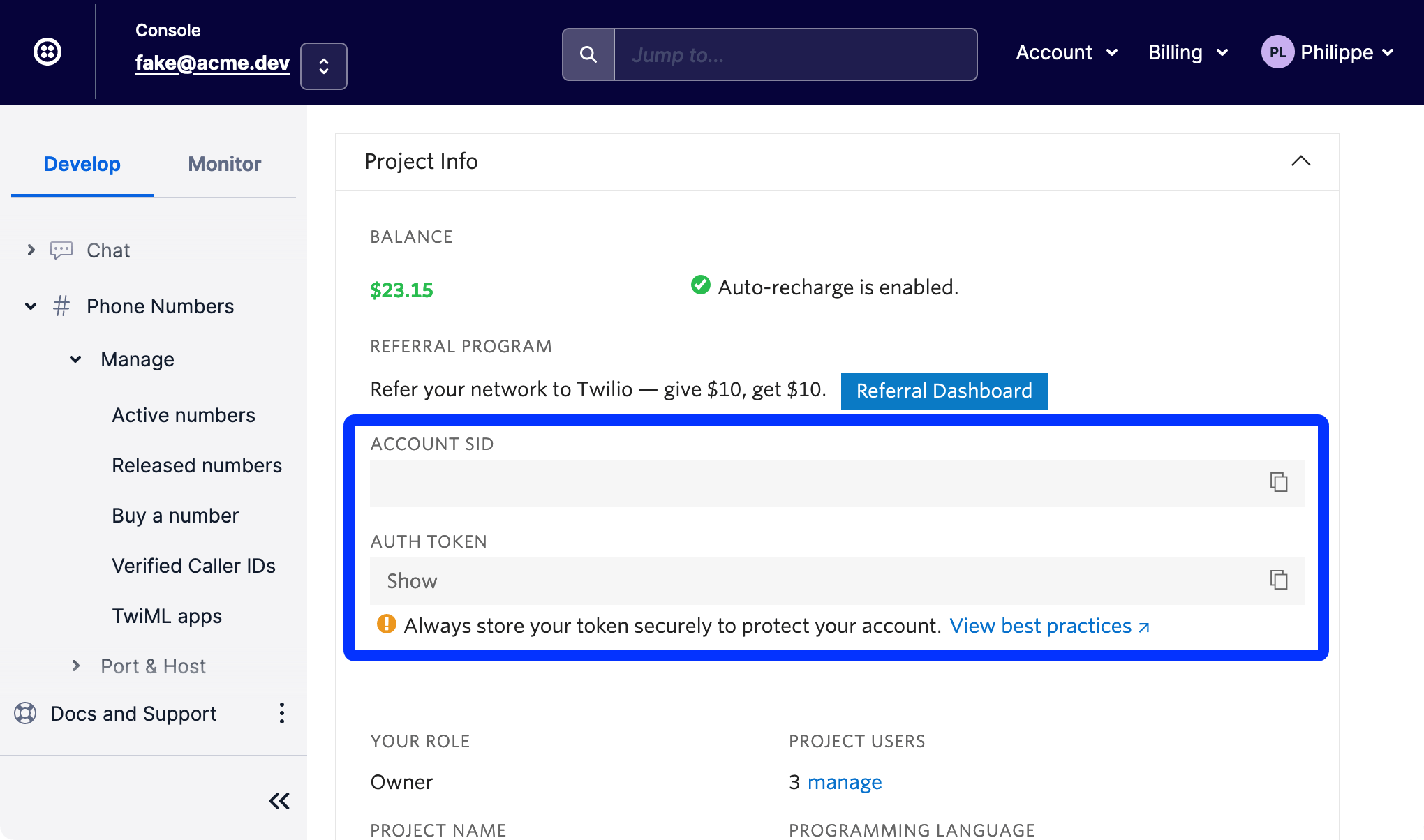
Where can I find my Twilio account SID and Auth Token?
Both SID and Auth Token should be available in your [Twilio console page](https://www.twilio.com/console).
What does "anyone is online" mean for the online schedule?
The **Online schedule** setting (in **Settings** > **Accounts** > your Live Chat account > **Setup**) controls when the chat widget appears as online on your website. It has three options:
* **When anyone is online on Missive** - the widget shows as online whenever at least one relevant person has an active Missive session (desktop app, browser, or mobile app).
* **When anyone is online on Missive within the following schedule** - both conditions must be true: someone must be online *and* the current time must fall within the defined schedule.
* **Within the following schedule** - only the schedule is checked, regardless of whether anyone is online.
"Anyone" refers to whoever the live chat account is shared with:
* Shared with a **team** - any active member of that team counts.
* Shared with the **whole organization** - any member of the organization counts.
* Shared with **specific users** - any of those specific users must be online.
{% hint style="info" %}
Users with [Out of Office](/docs/core-features/status-and-out-of-office.md) status enabled do not count as being online, even if they have an active Missive session.
{% endhint %}
Why does the live chat need a Twilio account?
There are two advantages to this approach:
1. Users pay per usage fee directly to Twilio (low price for average volume).
2. It lets us offer it on all plans with no surcharge.
{% hint style="info" %}
For both you and your users, Twilio won't be visible; it is just the backend.
{% endhint %}
---
# Agent Instructions
This documentation is published with GitBook. GitBook is the documentation platform designed so that both humans and AI agents can read, navigate, and reason over technical content effectively. Learn more at gitbook.com.
## Querying This Documentation
If you need additional information that is not directly available in this page, you can query the documentation dynamically by asking a question.
Perform an HTTP GET request on the current page URL with the `ask` query parameter, and the optional `goal` query parameter:
```
GET https://missiveapp.com/docs/core-features/connected-accounts/other-channels/live-chat/faq.md?ask=&goal=
```
`ask` is the immediate question: it should be specific, self-contained, and written in natural language.
`goal` is optional and describes the broader end goal you are ultimately trying to accomplish on behalf of the user. GitBook uses it to tailor the answer towards what is most useful for that goal.
The response will contain a direct answer to the question and relevant excerpts and sources from the documentation.
Use this mechanism when the answer is not explicitly present in the current page, you need clarification or additional context, or you want to retrieve related documentation sections.