
December 19, 2023
66 Most Significant Customer Service Statistics in 2026
These statistics can help you see the direction the customer service industry is heading in—and what you need to do to prepare your business in 2026.
In a recent McKinsey & Company study, customer service leaders were asked: what is your highest priority?
The answer at the top of the list was improving customer experience.
This goal has become the driving change of many aspects of the customer service industry, from the tech we use to how we design omnichannel experiences and even response times.
To highlight the different aspects of customer service and their importance, we have collected 66 key customer service statistics that talk about rapid changes like AI, chatbots, and automation that are helping customer service teams meet these expectations.
These statistics can help you see the direction the customer service industry is heading in—and what you need to do to prepare your business in 2026.
Let's take a look 👇
How Poor Customer Service Drives a Negative Experience
Poor customer service directly drives customer churn, negative word-of-mouth, and lost revenue. Research shows 96% of customers will cut ties with a company after bad service, and US businesses risk losing $1.9 trillion annually due to poor experiences.
The data on how customers respond to bad service has been consistent for decades. A White House Office of Consumer Affairs study found unhappy customers tell 9-15 people about their experience—some tell 20 or more. For every customer who complains, 26 others stay silent. As HuffPost reminisced, the results were... humbling.
Yikes 🥴
Further research from Qualtrics and ServiceNow found that 80% of customers have switched brands because of a poor customer experience, and US companies risk losing $1.9 trillion in spending because of it.
Customers rarely give businesses a second chance after poor service 👇
- 96% will leave after bad service: An eye-watering majority will cut ties with a company over a single poor experience. (Hyken)
- Feeling unappreciated is the top driver: More than price or product issues, customers leave when they feel the company doesn't value them.
- 64% of customers say they can't get help or solve their problem through their provider's customer service. ( Airkit )
- 65% of customers will go back to a competitor if they have a negative customer experience. ( Forrester )
- Only 34% of customers felt they were consistently treated with empathy when interacting with customer service. ( Qualtrics )
- 54% of customers say customer service feels like an afterthought for businesses. ( Zendesk )
Interestingly, this sentiment was shared across age brackets. A Propel Software study found a majority of Millennials (57%) will cut ties with a brand after one bad encounter, while 54% of all survey respondents said they would do the same.
What is perhaps most alarming for brands is how unforgiving customers are unless the customer service team can save the day.
- Only 15% of consumers will forgive a "very poor" experience with a brand, but almost 80% of consumers will forgive if they rate the service team as "very good." ( Qualtrics XM Institute )
These statistics are clear: customer service teams can win people back, even after a rotten experience.
The Positive Impact of Excellent Customer Service
Excellent customer service means fast issue resolution, first-contact problem solving, and consistent empathy. 90% of customers say issue resolution is their top concern, and 83% feel more loyal to brands that respond to and resolve complaints.
Here's what customers actually want 👇
- 90% of customers say issue resolution is their top concern. ( KPMG )
- Customers want service reps to act quickly. 90% of customers say an "immediate" response to a question is very important to their experience, and 60% say the response time should be 10 minutes or less. ( HubSpot )
- A third of customers say the most critical aspect of a good customer service experience is for their problem to be solved in one single interaction. They even said it didn't matter how long it took. ( Statista )
- An overwhelming 83% of customers feel more loyal to brands that respond to and resolve their complaints. ( Forrester )
- 94% of American customers will recommend a company if they rate their customer service as "very good." ( Qualtrics XM Institute)
What's interesting is brand loyalty can be achieved through great customer service. Propel Software found that brands can win over customers for life if they remember their birthday, service reps call customers by their name, and are swift to make changes when complaints are made.
The Evolving Role of AI in Customer Service
Artificial Intelligence (AI) is changing everything we do, from how we write to how we program and yes—how we talk to customers.
Forbes labeled AI as a new industrial revolution, and a 2022 IBM survey found AI adoption rates are steadily increasing across the globe.

For customer service, the emergence of AI has led to monumental shifts:
- Market explosion: The AI customer service market was worth $308 million in 2022 and is projected to hit $2.8 billion by 2030. (Generative Research)
- New career paths:78% of support leaders expect AI to transform customer support careers in the next five years, creating new opportunities and roles. (Intercom)
- 79% of customer service professionals say AI and automation tools are important to their overall strategy, while some 49% say these tools will be able to do most customer service-related tasks completely independently. ( HubSpot )
- 73% of support leaders believe customers will expect AI-assisted customer service within the next five years. ( Intercom )
- Customer service centers using AI can handle over twice as many calls, and 74% say AI helps save them time. ( Dialpad )
- Businesses that have invested in AI and automation are beginning to see the benefits. 61% have seen improvements to their customer experience over the past year, while 58% have improved their CSAT scores. ( Intercom )
According to HubSpot, AI is making customer service teams more efficient across the board:

HubSpot: The State of AI in Service, 2023. Source
There's a gap between how leaders invest in AI and how much customers want to interact with it.

There is still a need for humans in the customer service world. Intercom: The State of AI in Customer Service 2023 Report.
The worries of such disruptive tech are not new. The same thing happened when computers were put into workplaces in the 1980s—many people feared they would lose their jobs. But just as those computers still require a human to run them, Intercom found AI and automation tools will need people to develop chatbots, design AI conversations, and create strategies. The future of customer service and AI looks different—but the progression looks promising.
The Power of Chatbots in Customer Satisfaction
Chatbots handle up to 80% of routine customer service tasks, offer 24/7 availability, and can cut service costs by up to 30%. They've become essential for meeting modern customer expectations around speed and accessibility.
The chatbot market reflects this shift—it's predicted to reach $15.5 billion by 2028, growing 23.3% annually. (MarketsandMarkets)
- 88% of people had at least one conversation with a chatbot in 2022. ( Tidio )
- 64% of internet users say 24-hour service is the best feature of chatbots. ( Drift )
- Chatbots can handle up to 80% of routine customer service tasks. ( IBM )
- Live chat is used by 67% of B2C businesses solely for customer support. (Source: Finance Online )
The other big bonus of chatbots is they are incredibly beneficial for a company's budget. Not only can chatbots cut customer service costs by up to 30% ( IBM ), but:
- Chatbot conversion rates in some industries can reach up to 70% ( Tidio )
- 47% of consumers would happily buy items via a chatbot. ( Smart Tribune )
- 40% of customers don't care if they speak to a human or a chatbot—as long as their query gets resolved. ( HubSpot )
However, there is also a generational divide around chatbot preferences. While 20% of Gen Z customers want to start a customer service experience with a chatbot, that figure drops to just 4% for Boomers. ( Simplr )
It also depends on what type of issue the customer has.
- 74% of customers will choose a chatbot over a human to answer simple questions ( PSFK ).
- 60% of consumers prefer to wait in queue for an agent to reply than receive an instant response from a chatbot. ( Userlike )
- 80% of consumers will talk to a chatbot if there's an opportunity to quickly switch to an agent. ( Simplr )
Chatbot use is definitely increasing, and more customers are happy to use them. But the stats are clear—a large portion of customers out there still want to talk to a real human 🙋
How Omnichannel Customer Service is Evolving
Omnichannel customer service means customers can switch between channels—chat, email, phone, social—without repeating themselves. 9 out of 10 customers expect this seamless experience, yet 77% of companies struggle to deliver it.
Sound familiar? 👇
- 🤖 Chatbot: "Shoot an email across to the support team so we can get this sorted."
- 📞 Phone call: "I will transfer you to another department that can help."
- 🐦 Twitter: "Send me a DM so I can get this sorted for you!"
Each response is reasonable on its own. The problem starts when customers jump channels and have to explain everything again.
Customers want a painless support experience. In fact, 9 out of 10 customers expect a seamless omnichannel experience no matter what communication method they use. ( CX Today )
- 76% of customers expect consistent interactions across departments. However, 54% feel like service, marketing and sales teams don't share information. ( Salesforce )
- Over 70% of consumers think customer service teams should collaborate so they don't have to repeat information to different representatives. ( Zendesk )
- Chatbots can play a crucial role in omnichannel support. They have a 75% resolution rate for routine questions and can integrate with other communication channels to connect customers with a live support agent. ( Microsoft )
Brands must decide what communication channels to prioritize, depending on customer preferences.
- 40% of customers say having multiple communication options is the most important part of a customer service department. ( TCN )
- Phone and email are still the most preferred customer service options for older generations, while younger customers prefer channels like online chat, social media and text. ( Qualtrics )
- Despite online chat being ranked the third channel across all age groups, it was the second most effective channel for resolving issues quickly. ( Qualtrics )
However, some brands struggle to meet these customer demands.
77% of companies struggle to create a cohesive customer experience across devices and channels, even when 62% of customers say they want to engage over multiple digital channels. The good news is there is a huge opportunity for businesses to let customers self-service a problem 👇
- 88% of customers want the option of an online self-service portal. ( Statista )
- 92% of customers are open to using a knowledge base, with 83% saying they would also use a community forum for help if it was available. ( Vanilla Forums )
- 39% of customers say resolving issues with a self-service option is quicker than other customer service channels. ( Freshdesk )
But be warned—self-service doesn't mean forgetting about your customers. 77% of customers say a poor self-service option is worse than not offering any support at all, as it wastes their time!
Predictions For The Future of Customer Service
There is no doubt the way we approach customer service is changing at a rapid pace.
Gartner predicts that by 2025, customer service teams that use AI in their multichannel customer strategy will boost operational efficiency by 25%. And 84% of companies think AI chatbots will become a crucial communication tool for talking to customers ( CCW ).
What's interesting is how these changes will come about. Research by Boston Consulting Group (BCG) predicts generative AI will be embedded and rolled out across customer service functions until it can provide continuous assistance across all customer journeys:

If this predicted rollout becomes a reality, BCG expects Generative AI to increase customer service productivity by anywhere from 30% to 50%.
Gartner also expects that by 2027, chatbots will become the main customer service channel for a quarter of all businesses. If this happens, it will lead to a major shakeup of the entire customer journey, and businesses must start to plan for how AI will work alongside customer service representatives.
According to McKinsey research , an estimated 75% of customers use multiple channels in their ongoing experience. It has offered a vision of what a future customer service model could look like if AI was introduced at every customer touchpoint:

While the statistics we have talked about highlight that customers are not quite all in on AI and automated support experiences, they are getting more comfortable.
The best thing your business can do is embrace customer service tech while keeping humans central to complex issues. Customers don't care how they get good service—they just expect it.
Brands that win will leverage every tool in their toolkit:
- Use chatbots to speed up routine service
- Share information across teams to improve omnichannel experiences
- Use AI to optimize every touchpoint in your customer's journey
Follow these trends in 2026—and your customer service team will thrive 🥳

December 19, 2023
10 best Zendesk alternatives and competitors for 2026
Zendesk’s real price starts at $55 per agent, not $19. Here are the 10 best Zendesk competitors and alternatives for 2026, with verified pricing for each.
The best Zendesk alternatives and competitors in 2026 are Missive, Help Scout, Freshdesk, HubSpot Service Hub, Zoho Desk, HelpCrunch, Intercom, Chatbase, Gorgias, and Helpshift. Each one handles the two complaints that push teams off Zendesk (the price and the complexity), but they’re built for different jobs. This guide sorts them by what you actually need, a shared inbox or a full help desk, with current 2026 pricing for every tool.
There’s a question most Zendesk shoppers don’t ask before they start comparing: do you even need a help desk?
A lot of teams land on Zendesk because it’s the default, then spend months configuring a ticketing system they don’t really need. They reply to email, forward things to coworkers, and chase the occasional WhatsApp message. What they need is a shared inbox with real collaboration, not a platform that turns every customer message into a numbered ticket.
If that’s you, the list below starts with tools built around email and collaboration. If you genuinely need full help-desk features (SLAs, queues, ticket schemas, self-service portals), the second half of the list covers those.
Why teams leave Zendesk
Four reasons come up in almost every conversation with a team switching off Zendesk.
The real price is never $19
Zendesk advertises Support Team at $19 per agent per month. Most teams quickly realize that tier is an email-only ticketing system with almost nothing else. The one people actually end up on, Suite Team, starts at $55 per agent per month. Suite Professional is $115. The top tier, now sold as Suite Enterprise + Copilot, no longer has a public price at all: getting a number means talking to sales.
Add Copilot, the AI assistant add-on, at $50 per agent per month (it only attaches to Professional and higher plans), and a 20-person team can spend more than $3,000 a month before a single automation is configured. AI agents are included on every plan now, but they bill per automated resolution once a small monthly allowance runs out, so the meter keeps running as your volume grows. Before signing anything, this Zendesk pricing breakdown walks through what most teams end up paying once every add-on is included.
Setup takes months, not days
Reports from current and former customers consistently put Zendesk’s full deployment at 3+ months for mid-size teams. The feature surface is huge: custom ticket schemas, triggers, workflows, macros, SLAs, routing rules. Most teams end up hiring a consultant or dedicating an admin to keep it running.
That’s fine if you need it. Most teams don’t.
Zendesk’s own support is slow
This one hurts more than it should. If you’re evaluating customer support software, and the vendor’s support team is itself hard to reach, that’s a signal. Reddit threads surface the same complaint on repeat: teams spending tens of thousands a year who can’t get a human on the phone. For a customer service tool, that’s a rough look.
You might not actually need ticketing
This is the one nobody talks about. We’ve spoken with small specialty retailers who had spent $50 per user on Zendesk before realizing the real problem: they didn’t want to automate their customer service, they wanted to collaborate on email. What they needed wasn’t tickets. It was a shared inbox multiple people could work together, plus separate shared inboxes for accounts receivable and vendor orders. Zendesk solved none of that.
If most of what you’d do in a help desk is answer email while looping a teammate in, you’re paying for a ticketing layer you don’t use.
A different way to think about Zendesk alternatives
Most comparison articles treat every tool on the list as a like-for-like Zendesk replacement. That’s the wrong frame for most small and mid-size teams.
A better question: do you need tickets or do you need a shared inbox?
- Tickets make sense when you have high volume, strict SLAs, complex routing, and a support team structured around queues. Think enterprise support ops, financial services, regulated industries.
- A shared inbox makes sense when customers expect a personal, human reply, your team is small enough that triage happens collaboratively, and the “ticket” framing actively makes your emails feel more robotic than they should.
The split matters because the two categories have completely different tools, pricing models, and user experiences. If you pick the wrong category, you’ll pay more, implement slower, and make your customers’ experience worse than before. We break the tradeoff down in more detail in our ticketing system vs shared inbox comparison.
What is Missive?
Before the list, some context for readers who haven’t come across us: Missive is a collaborative email client. It looks and works like an email app (Gmail, Outlook, Apple Mail), except multiple people can share inboxes, assign conversations to each other, chat inside the thread, and co-write drafts in real time. It handles email, SMS, WhatsApp, Instagram, Messenger, and live chat from the same interface. Teams use it for support, sales, ops, and general shared-inbox work across departments.
The rest of this article is an honest comparison of the main options, including Missive.
The 10 best Zendesk alternatives
If you need a shared inbox, not a help desk
1. Missive
Best for: teams that want to collaborate on email (and other channels) without turning every message into a ticket.
Missive is the clearest break from the Zendesk model on this list. Instead of treating customer messages as tickets moving through a pipeline, it treats them as what they are: emails, texts, DMs, and chat conversations that multiple people might need to work on.
You connect your existing email accounts (Gmail, Outlook, Microsoft 365, IMAP) and can start collaborating in minutes. Internal chat lives inside every thread, so discussing a reply never means forwarding the email or switching to Slack. Assignments route a conversation to a specific person or team without duplicating it. Rules handle the repetitive routing work, and AI rules can auto-classify, label, or draft replies using Missive AI credits or your own OpenAI, Anthropic, or Google API key.
The multichannel story is unusually complete for the price: the same rules engine handles WhatsApp, SMS, Instagram, Messenger, and live chat alongside email, no add-ons.
Where it wins: setup in an afternoon instead of months. Real collaboration on email (live co-drafting, internal chat in-thread). Flat, predictable pricing. AI on Missive credits or your own API key, so you’re not paying a per-agent AI upcharge.
Where it falls short: Missive isn’t a full help desk. If you need strict SLA enforcement, deep ticket schema customization, or a customer-facing help center with community forums, you’ll outgrow Missive faster than a tool like Zendesk or Freshdesk.
Pricing (annual billing):
| Plan | Starter | Productive | Business |
|---|---|---|---|
| Price | $14/user/mo | $24/user/mo | $36/user/mo |
30-day free trial with Productive features, no credit card required. Paid plans include unlimited history.
Try Missive free or book a demo.
2. Help Scout
Best for: support teams that want a clean, email-style interface with a built-in knowledge base.
Help Scout has built its identity around “support that feels like email, not a ticket number.” It’s a solid shared inbox with a nicely designed knowledge base (Docs), an embeddable widget (Beacon), and a cleaner experience than most help desks. Teams who care about human-feeling customer replies often land here.
The tradeoff is that Help Scout’s shared-inbox pricing isn’t dramatically below Zendesk’s on a seat-for-seat basis once you add AI and extra inboxes, and AI Answers is billed separately at $0.75 per resolution. If you’re choosing Help Scout primarily for cost reasons, run the full math first. If you’re comparing further, we have a full write-up of Help Scout alternatives.
Where it wins: clean UI, genuinely good knowledge base, support for teams that want a warm brand voice.
Where it falls short: limited multichannel (WhatsApp is on Plus and up), AI Answers is per-resolution on top of seat costs, reporting history is capped by tier.
Pricing (annual billing):
| Plan | Free | Standard | Plus | Pro |
|---|---|---|---|---|
| Price | $0 (5 users) | $25/user/mo | $45/user/mo | $65/user/mo (10-user min) |
If you need a full help desk
3. Freshdesk
Best for: teams that want Zendesk-class features at meaningfully lower prices.
Freshdesk is the most direct feature match to Zendesk on this list, just priced lower. Multichannel support, a free starter program, Freddy AI (priced as an add-on), and scalability into the hundreds of agents are all there. Agent collision detection (which prevents two agents from replying to the same ticket) is especially useful at volume.
The tradeoff is flexibility. Freshdesk customizes less aggressively than Zendesk. If you have a workflow with dozens of custom fields, custom triggers, and conditional logic chained five levels deep, you’ll hit walls faster on Freshdesk than on Zendesk or Salesforce Service Cloud.
Where it wins: the closest thing to “Zendesk without the premium.” Free program covers tiny teams for the first 6 months. Decent AI at a predictable add-on price.
Where it falls short: Freddy AI Copilot is $29 per agent per month on top of seat cost; Freddy AI Agent sessions run $49 per 100 with no rollover. Adds up at scale.
Pricing (annual billing):
| Plan | Free | Growth | Pro | Enterprise |
|---|---|---|---|---|
| Price | $0 (2 agents, 6 months) | $19/agent/mo | $55/agent/mo | $89/agent/mo |
4. HubSpot Service Hub
Best for: teams already on HubSpot CRM or the broader HubSpot platform.
If you’re running HubSpot for sales or marketing, Service Hub is the obvious default for support. Customer records, tickets, deals, and conversations live on the same object, which is genuinely valuable when a support interaction needs sales context or vice versa.
Adopting Service Hub as a standalone support tool (without using the rest of HubSpot) is a harder pitch. The value is in the integration; without it, you’re paying HubSpot-scale prices for a mid-tier help desk.
Where it wins: the deepest native CRM integration of any tool on this list. Clean free tier for very small teams.
Where it falls short: Enterprise requires a 10-seat minimum and a $3,500 onboarding fee. Professional tier jumps from $15 to $90 per seat per month, a hefty cliff. Starter plans have limited support for continuing chat conversations via email, a workflow quirk that trips up new teams.
Pricing (annual billing):
| Plan | Free | Starter | Professional | Enterprise |
|---|---|---|---|---|
| Price | $0 (2 users) | $15/user/mo | $90/user/mo | $150/user/mo |
Professional has a $1,500 onboarding fee. Enterprise has a $3,500 onboarding fee and 10-seat minimum.
5. Zoho Desk
Best for: teams that want a full help desk at the cheapest credible price.
Zoho Desk gives you the full multichannel help desk feature set (tickets, email, chat, phone, social, web forms) at a meaningfully lower price than Zendesk Suite equivalents. Zia, Zoho’s AI assistant, drafts replies, categorizes inbound, and surfaces knowledge base articles for self-service. Integration with the rest of the Zoho suite (CRM, Analytics, Campaigns) is tight.
The catch is that Standard is intentionally limited; most teams end up on Professional or Enterprise once they hit the usage caps. Still cheaper than Zendesk, but run the numbers for your actual team size before signing.
Where it wins: best cost-per-feature ratio if you need traditional help-desk capabilities. Plays well with the rest of the Zoho stack.
Where it falls short: UI is dated relative to newer tools. Standard tier is restrictive enough that the “real” starting price is closer to Professional.
Pricing (annual billing):
| Plan | Standard | Professional | Enterprise |
|---|---|---|---|
| Price | $14/user/mo | $23/user/mo | $40/user/mo |
6. HelpCrunch
Best for: teams that want live chat and an omnichannel inbox with a knowledge-base-trained AI agent, without Zendesk’s price or setup time.
HelpCrunch is a live-chat-first support platform that pulls email, live chat, WhatsApp, Facebook, Instagram, and Telegram into one shared inbox. It pairs that with a chatbot, a knowledge base you can embed directly in the chat widget for self-service, and AI Agents that answer common questions from your knowledge base articles and custom answers. You can be running in minutes rather than the months a full Zendesk rollout can take.
The thing to watch is how the AI is metered. The chatbot and AI Agents only unlock on Pro, and each plan from Pro up includes a small free monthly conversation limit; past that, you buy extensions ($23.20 per 100 conversations on annual billing). The agents are also flow-based, so you build the chatbot logic rather than handing it a thread and letting it reason on its own. That keeps costs predictable, but it’s more configuration than a fully autonomous agent.
Where it wins: fast setup, a clean knowledge base that lives inside the chat widget, and AI Agents at a fraction of Zendesk’s $50-per-agent AI cost.
Where it falls short: no deep ticket schema customization, and larger teams may miss Zendesk’s range of macros and triggers. AI conversations are capped and metered, so heavy chatbot volume gets harder to budget.
Pricing (annual billing):
| Plan | Basic | Pro | Unlimited |
|---|---|---|---|
| Price | $12/user/mo | $20/user/mo | $495/mo (unlimited users) |
No free plan, but there’s a free trial and free migration. AI Agents start on Pro; extra AI conversations run $23.20 per 100.
7. Intercom
Best for: product-led companies where live chat and in-app messaging are the main channels.
Intercom started as live chat and grew into full customer service, which shapes everything. The UI prioritizes real-time channels. Fin, their AI agent, is genuinely best-in-class for chat deflection. Workflows assume you’re messaging customers actively, not waiting for emails to land.
If most of your support happens in an in-app widget, Intercom is a legitimate best-in-class choice. If most of your support is email, the tool pulls you toward channels you don’t use.
Where it wins: the best chat-based AI agent on the market (Fin). Tight integrations with product analytics and onboarding flows.
Where it falls short: pricing is opaque and can spike fast. Fin charges $0.99 per automated resolution on top of seat costs, and your bill grows as your chatbot improves, which is backwards for most cost models.
Pricing (annual billing, plus Fin at $0.99 per resolution):
| Plan | Essential | Advanced | Expert |
|---|---|---|---|
| Price | $29/seat/mo | $85/seat/mo | $132/seat/mo |
8. Chatbase
Best for: teams that want an AI agent resolving the repetitive half of support before a person sees it.
Chatbase is the newest tool on this list and the least shaped by the ticket model. You train an agent on your help center, documents, and past support tickets, and it answers questions, pulls live data from connected systems, updates records, and escalates to a person with the conversation context already attached. Procedures let you define a fixed sequence for common request types so the agent follows the same path every time instead of improvising.
The part that matters for a Zendesk shopper is that you can run it two ways. Chatbase has its own Helpdesk, a ticketing workspace with statuses, assignment rules, saved views, internal notes, and AI-drafted replies, covering the website widget, email, WhatsApp, Messenger, Instagram, and API. Or you can skip that and point Chatbase at the help desk you already run, including Zendesk itself, plus Freshdesk, Salesforce, HubSpot, Help Scout, Zoho Desk, and Gorgias. That second mode is rare on this list; most tools here expect you to migrate.
Pricing is where you have to read carefully. Chatbase bills per workspace rather than per seat, which gets cheaper than everything else here as headcount grows, but the Helpdesk only unlocks on Standard at $120 a month. The $32 Hobby plan is the AI agent alone, so if you’re replacing Zendesk outright, $120 is your real starting number.
Where it wins: flat workspace pricing instead of per-seat, so cost doesn’t climb with headcount. The agent takes actions rather than only answering. It can sit on top of your existing help desk if you’d rather not migrate.
Where it falls short: the Helpdesk that makes it a Zendesk replacement starts at $120 a month, not the advertised $32. Message credits meter on every plan, so the bill tracks volume. SSO, audit logs, and custom roles are Enterprise-only. And it’s young: 42 G2 reviews against Fin’s 3,745, so there’s not much track record to check.
Pricing (annual billing):
| Plan | Free | Hobby | Standard | Pro |
|---|---|---|---|---|
| Price | $0 | $32/mo | $120/mo | $400/mo |
Priced per workspace, not per seat, with monthly message credits (500 on Hobby, 4,000 on Standard, 15,000 on Pro). The built-in Helpdesk starts on Standard. Enterprise is custom and adds SSO, audit logs, and custom roles.
9. Gorgias
Best for: Shopify (or BigCommerce / Magento) brands.
Gorgias is the clear pick for ecommerce, full stop. The Shopify integration is deeper than anything else on this list. Agents can edit orders, issue refunds, and apply discounts without leaving a ticket. Revenue attribution at the ticket level is unique to Gorgias.
Pricing is ticket-volume-based, which is great when volume is predictable and brutal when it isn’t. Black Friday spikes can double a monthly bill. AI Agent interactions are charged per resolution on top of the base plan.
Where it wins: the best ecommerce integration on the market. Unlimited agent seats on paid plans (you pay for volume, not headcount).
Where it falls short: non-ecommerce businesses pay for integrations they won’t use. Ticket-volume pricing adds variance to the budget every month.
Pricing (annual billing):
| Plan | Starter | Basic | Pro | Advanced |
|---|---|---|---|---|
| Price | $10/mo (50 tickets) | $50/mo (300 tickets) | $300/mo (2,000 tickets) | $750/mo (5,000 tickets) |
AI Agent interactions: $0.90 each on annual billing.
10. Helpshift
Best for: gaming studios and live-service titles where support has to happen inside the game, not in a separate inbox.
Helpshift is the odd one out on this list, on purpose. It’s built for game studios, and it’s been owned by Keywords Studios (the services company most large publishers already work with) since 2022. The difference from Zendesk isn’t features, it’s where support lives. Helpshift’s SDK puts the help center and messaging inside the game itself, with native support for iOS, Android, Unity, Unreal Engine, Cocos2d-x, web, and PC.
Console is the interesting part. Typing a support message on a controller is miserable, so most studios push console players to email. Helpshift uses a patented QR handoff instead: the player scans a code on screen and the conversation continues on their phone with the game, device, and account context already attached.
The AI aims at the same narrow target. Care AI, its player-support agent, is grounded in each studio’s approved knowledge plus gaming-specific issue patterns like missing rewards, ban appeals, and failed purchases. Helpshift says it resolves over 70% of player support queries on its own. Studios can also send in-game messages and push notifications to specific player segments, so the same tool covers incident comms and VIP outreach, not just inbound tickets.
Where it wins: gaming-native workflows, AI grounded in player-support scenarios rather than general customer service, and support that runs inside the game across mobile, web, PC, and console. Proactive in-game messaging means you’re not only reacting to tickets. Helpshift publishes migration case studies from teams that moved off general-purpose help desks, including KIXEYE (from Zendesk) and Ubisoft Mobile (from Salesforce).
Where it falls short: it’s a poor fit for anything outside gaming. If your support is email-heavy B2B work, or you just want a shared inbox a few people can work in together, this is far more platform than you need, and large parts of it (trust and safety, community management, VIP care) are sold as staffed services rather than software you configure yourself. Pricing is volume-based rather than per-seat, and Helpshift doesn’t publish it, so a real number takes a sales call.
Pricing:
| Plan | Starter | Growth | Enterprise |
|---|---|---|---|
| Price | $150/mo (250 issues) | Custom | Custom |
Helpshift doesn’t publish pricing on its own site. Third-party listings put Starter at $150 a month covering 250 issues, with roughly $0.45 per issue after that; Growth and Enterprise are quoted. An “issue” is one player conversation, so your bill tracks support volume rather than headcount, which cuts both ways: predictable at steady volume, unpredictable around a launch or an outage. Helpshift says quotes also depend on which parts of the platform you turn on, how much human agent coverage you need, and the languages and regions you have to cover. Get a current quote from them before you budget.
Zendesk competitors compared at a glance
Prices below reflect annual billing unless noted. Monthly billing on most of these tools runs 20-40% higher. Verified April 2026 (HelpCrunch June 2026, Freshdesk July 2026, Helpshift and Zendesk August 2026, Chatbase September 2026); spot-check current tiers before buying.
| Tool | Starting price | Best for |
|---|---|---|
| Missive | $14/user, 30-day free trial | Teams that want a shared inbox, not ticketing |
| Help Scout | Free for 5 users, then $25/user | Support teams wanting email-style UX plus a knowledge base |
| Freshdesk | Free for 2 agents (6 months), then $19/agent | Teams wanting Zendesk-class features at lower prices |
| HubSpot Service Hub | Free for 2 users, then $15/user | Teams already using HubSpot CRM |
| Zoho Desk | $14/user | Teams that need a full help desk at minimum cost |
| HelpCrunch | $12/user (no free plan) | Teams wanting live chat plus an omnichannel inbox with an AI agent |
| Intercom | $29/seat | Product-led companies leaning on live chat |
| Chatbase | $32/mo, Helpdesk from $120/mo | Teams wanting AI resolution before a human sees the ticket |
| Gorgias | $10/mo (volume-based) | Shopify / ecommerce brands |
| Helpshift | $150/mo (volume-based) | Gaming studios needing support inside the game |
How to choose the right Zendesk alternative
Seven questions to work through before you pick a tool.
Do you need tickets or a shared inbox?
This is the question most teams skip, and it’s the most important one. If most of your work is replying to email, forwarding to coworkers, and occasionally responding to a text or WhatsApp, you probably need a shared inbox. If you have formal SLAs, a structured support org, and real queue management, you need a help desk. Picking the wrong category makes everything downstream harder.
Where do your customers actually reach you?
List the channels your customers use most: email, live chat, WhatsApp, SMS, Instagram, phone. Then compare against each tool’s native channel support. Some tools treat chat as first-class and email as an afterthought, or vice versa. Bolted-on channels usually mean extra costs and a worse experience.
How does the pricing model match your team?
Per-seat pricing (most tools) is clean until you want to add a contractor for a week. Volume-based pricing (Gorgias, Helpshift) is fair when volume’s predictable and harsh when it’s not. Workspace pricing with metered usage (Chatbase) decouples cost from headcount but ties it to conversation volume. Tiered seat pricing with features locked behind higher tiers (Zendesk, Help Scout) is fine until you need the one feature on the next tier up.
Model 12 months of growth before signing anything. A tool that’s cheap at 5 users can turn expensive at 25.
How fast can you get value?
For Missive, Freshdesk Free, or Zoho Standard, you can be running in an afternoon. For Zendesk, Salesforce Service Cloud, or HubSpot Professional, plan on weeks or months. The cost of a long implementation isn’t just consultants; it’s the three months your team isn’t using the new tool.
How does AI get priced?
Three common models, all with different long-term economics:
- Bring-your-own-key or shared usage credits (Missive): you pay OpenAI, Anthropic, or Google directly, or draw from one Missive AI credit balance for the whole team, usually pennies per run.
- Per-resolution or metered packs (Help Scout’s AI Answers, Intercom’s Fin, Gorgias AI Agent, Zendesk’s AI agents, HelpCrunch’s AI conversation extensions, Chatbase’s message credits): predictable per-interaction cost, but scales up as your AI gets better.
- Per-agent upcharge (Zendesk’s $50/agent Copilot, Freshdesk’s $29/agent Copilot): flat and easy to budget, but expensive if you have more agents than interactions.
Is real collaboration actually real?
“Team inbox” means different things across tools. Test the specific workflows: can two people edit the same draft simultaneously? Can you @mention a teammate inside a conversation without forwarding? Can you assign a conversation and have it show up in that person’s inbox automatically? These questions separate genuine collaboration from single-user inboxes with a thin multiuser layer.
How good is the vendor’s own support?
Ironic but relevant. A customer service tool with slow, hard-to-reach support is a red flag. Read G2 and Capterra reviews for response-time patterns, and reach out yourself before buying.
Quick picks: choose X if…
- Choose Missive if your team replies to email and other channels collaboratively and doesn’t want to think in tickets.
- Choose Help Scout if you want shared-inbox UX plus a knowledge base and you prefer warm, human-feeling replies.
- Choose Freshdesk if you want Zendesk-level features at a meaningfully lower price and don’t need deep customization.
- Choose HubSpot Service Hub if you’re already using HubSpot CRM and want support tickets on the same customer record.
- Choose Zoho Desk if cost is your top priority and you need the full help-desk feature set.
- Choose HelpCrunch if you want live chat and an omnichannel inbox with a knowledge-base-trained AI agent, at a lower price than Intercom or Zendesk.
- Choose Intercom if most of your support happens in a live chat widget.
- Choose Chatbase if you want an AI agent handling the repetitive requests, either with its own helpdesk or layered onto the one you already run.
- Choose Gorgias if you sell on Shopify (or similar) and support is tied to order lookups, refunds, and discounts.
- Choose Helpshift if you’re a game studio and support needs to happen inside the game, across mobile, PC, and console.
Frequently asked questions
What is the best free alternative to Zendesk?
Freshdesk (free for 2 agents, though only for the first 6 months), HubSpot Service Hub (free for 2 users with HubSpot branding), and Help Scout (free for 5 users and 1 inbox, capped at 100 contacts a month) have the credible free tiers here. Chatbase has a free plan too, but it covers the AI agent only, not the Helpdesk. Missive doesn’t have one. What it has instead is a 30-day trial with the full Productive feature set and up to 25 seats, which tells you more about whether a tool fits your team than a permanently capped tier will.
Which Zendesk alternative is best for small businesses?
If you’re a small team that works collaboratively on email (rather than running formal support operations), Missive is the cleanest fit. If you want a traditional help desk on a small-business budget, Freshdesk Growth or Zoho Desk Standard are the value picks. If you already use HubSpot or Shopify, default to the native option (Service Hub or Gorgias). A broader comparison for small businesses lives in our help desk software guide.
Which Zendesk alternative is best for enterprise?
For large enterprises, the real shortlist is usually Salesforce Service Cloud (if you’re already standardized on Salesforce), Kustomer (for high-volume consumer brands wanting CRM + support in one), or Intercom (for product-led companies with live chat as the main channel). None of those are on this list because they’re rarely the right answer for small and mid-size teams, which is who most Zendesk shoppers are.
Who are Zendesk’s biggest competitors?
Zendesk’s biggest direct competitors are Freshdesk, Salesforce Service Cloud, Intercom, Zoho Desk, HubSpot Service Hub, and Help Scout. Vertical players compete hard inside their own segments: Gorgias for ecommerce brands, Helpshift for gaming studios. AI-first tools like Chatbase compete from a different angle, deflecting volume before it reaches a help desk at all. Shared inbox tools like Missive compete for the many teams that evaluate Zendesk but don’t actually need ticketing. Freshdesk is the closest feature-for-feature competitor; the others win on a specific strength, like CRM integration (HubSpot, Salesforce), chat AI (Intercom), or price (Zoho Desk).
How much cheaper are Zendesk alternatives?
Zendesk Suite Team (the realistic starting tier) is $55 per agent per month. Freshdesk Growth is $19. Zoho Desk Standard is $14. Missive Starter is $14. Help Scout Standard is $25. For a 10-person team, switching from Zendesk Suite Team to Freshdesk or Zoho saves roughly $360 to $410 per month on the base plan, before AI and add-ons factor in.
Is it hard to migrate off Zendesk?
It depends on how much you’ve built. If you’re using Zendesk as a shared inbox with a handful of rules, migration takes a day or two. If you’ve built custom workflows, extensive automations, a complex ticket schema, and integrations across your stack, plan on weeks. Most alternatives offer migration tools or paid migration services to move tickets, contacts, and knowledge base articles.
Do I actually need a help desk at all?
This is the question worth stopping on. If most of your “support” is replying to email, looping in a coworker, and the occasional WhatsApp message, a shared inbox tool like Missive handles the work without the help-desk overhead. The ticket model makes sense when you have real volume, formal SLAs, and a structured support org. For teams smaller than that, it adds cost and friction without adding value.
What’s the best Zendesk alternative for teams that want real collaboration?
Missive. Internal chat lives inside every conversation, live drafting shows who’s typing in real time, assignments make ownership explicit, and rules work across every channel. Other tools bolt collaboration onto a ticketing model; Missive is built around collaboration from the start.
Picking the right Zendesk alternative
Zendesk isn’t a bad product. It’s an expensive, complex, enterprise-focused product. If you’re not an enterprise, one of the ten tools above will serve you better.
For most small and mid-size teams, the answer is one of three: Missive (if you want real collaboration on email and don’t need ticketing), Freshdesk (if you want a traditional help desk at a reasonable price), or HubSpot Service Hub (if you’re already in HubSpot). Try your top two against real customer conversations for a week. The best tool on paper is almost never the best tool in practice.
If you’re leaning toward a shared inbox approach instead of a help desk, try Missive for free. You’ll know within a week whether it fits how your team actually works.

December 12, 2023
8 steps to create a customer service strategy
From defining your vision to cultivating a company-wide customer focus, discover the key steps for crafting...
Everyone has a story about how poor customer service made them never want to engage with the same brand again. On the other hand, excellent customer service makes customers feel appreciated and plays a key role in their buying journeys (alongside factors like quality and price).
PwC’s research underscores this fact, revealing that 42% of consumers are ready to pay more for friendly, welcoming customer service. That’s right, customers will open their wallets if you don’t drop the ball in assisting them.
But recognizing the importance of customer support is just the first step. Without a strategic approach, your valuable time, resources, and energy will get wasted on unnecessary actions, resulting in a less-than-optimal customer service experience.
To turn customer service into a competitive advantage, you need to act strategically and make sure every action contributes to providing excellent customer care.
What is a customer service strategy?
Your customer service strategy is the action plan for how your organization will consistently deliver high-quality customer service across your customer base. It’s the roadmap you’ll follow to create satisfied customers and develop a customer-centric approach.
At the core of an effective customer service strategy is a proactive and purposeful approach to meeting customer expectations.
A good strategy outlines specific goals and processes for your customer service team so they can deliver a positive experience to your customers. It helps allocate resources to create optimal customer experience and service efficiency, ensuring consistently great experiences across all support interactions. But it’s not just about the tactical (how you’ll answer customer questions or handle complaints); it’s also about maximizing your organization’s resources to create a customer-first company culture.
When creating a customer service strategy, start by understanding your customer needs and factor in market dynamics, competitor research, and your brand’s overall mission and value prop.
The impact of an effective customer service strategy
Investing in a strong customer service strategy has hardly any downsides. Instead, it brings a ton of benefits that help maximize the impact of your sales and service efforts, driving long-term growth. The key benefits include:
- Improved customer relationships. Instead of crossing your fingers and hoping customers have a good experience, you’re working intentionally to build a positive experience across the entire customer journey.
- Lower churn and increased customer loyalty. More positive experiences make it more likely for customers to stick around. They’re also willing to pay more for those experiences.
- Increased operational efficiency. A customer service strategy keeps your entire team aligned on what matters most. As your team grows, it gives clear direction and KPIs that show new team members what you value.
You’ve likely heard about tools like Buffer, Zapier, or Basecamp: companies that have seen massive growth by placing big bets on great customer service. Why? Because happy, loyal customers tend to have a higher lifetime value and become strong brand advocates, spreading the word and driving referrals.
In an era where trust in traditional marketing is declining, satisfied customers advocating for your brand become a powerful force for attracting new customers. According to HubSpot, 75% of consumers don’t trust advertisements, but 90% of people believe the purchase recommendations of their friends.
That’s why acting strategically and consistently elevating your customer service is crucial for sustained business growth.
8 steps to create a customer service strategy
If you’re just starting to develop your customer service strategy from scratch, the journey may seem daunting. But fear not. Below, we’ll go over the key components of crafting a winning strategy that drives lasting success.
Each step is a critical building block toward a customer service culture that stands the test of time, even in the middle of ever-changing market demands.
1. Understand your customers’ needs
Researching and understanding your customers’ unique needs is the cornerstone of building a strong customer service strategy. Really knowing your customers (being customer first) is how you take a generic plan and tailor it into something transformational for your business.
Key considerations that should guide your research:
- Customer journey. Begin by mapping out the customer journey from the point of sale to onboarding through ongoing usage to potential offboarding. What are the key touchpoints every customer hits when interacting with your brand? Can customers connect with support agents, and are self-service resources accessible? Assess your customer service offering for each stage to pinpoint problems and uncover opportunities.
- Recurring themes in support inquiries. Watch out for trends in customer tickets to identify pain points and areas causing friction. Understanding frequently asked questions empowers you to plan improvements, whether it’s fixing confusing product functionality or adding knowledge base resources to enable better customer self-service.
- Customer feedback. Customers hate not feeling listened to. Pain points from negative feedback highlight areas for immediate improvement and future development. Positive feedback sheds light on things that contribute to customer loyalty and satisfaction: things like quick response times, effective issue resolution, personalized interactions, or omni-channel support. Double down on whatever your customers love.
- Competitor analysis. Your competitors have a significant impact on customer expectations. It’s crucial to understand what customers appreciate in competing offers (both the product and the customer experience), and to identify areas where those competitors fall short.
2. Define your vision
With a deeper understanding of your customer needs, the next step is defining your vision. A customer service vision, at its essence, is your team’s shared understanding of what good customer service looks like.
It helps get everyone on the same page and align perspectives.
At this stage, clearly articulate how you want your brand to be perceived by customers. Based on that vision, you’ll be able to define key elements of your customer service strategy, such as:
- Team values. The core qualities you want your organization to uphold.
- Customer service channels. From email support to social media, your channels should match up well with your customers’ preferred communication channels.
- Operational systems. Define where to embrace the efficiency of automation and AI, and where to invest in the warmth of personalized human support as a competitive advantage.
- Service level objectives. Including response and resolution times to manage customer expectations.
3. Create a playbook
The next step is to create a customer service playbook with guidelines your support team should follow. It’s where you define what customer interactions should look like and serves as a reference point for your team.
Just like an NFL team uses a playbook to show every player where they should be on the field, your customer service playbook will guide your team’s actions each day.
Your playbook should cover your customer service best practices, and can include things like:
- Team objectives, vision, and values
- Responsibilities and expectations for each role on your team
- Communication and service standards, including tone of voice
- Available tools along with instructions on how to use them
- Internal resources, reference materials, and scripts for managing inquiries
- Internal and external communication channels
- Escalation and outage handling procedures
- Best practices and smart tips
As you work on your playbook, avoid complex terminology. Keep it concise and clear, making the document easy for your team to use whenever they need it. Consider using a knowledge base tool like Guru or KnowledgeOwl to make your playbook searchable.
4. Build your customer service team
The fourth step involves developing a hiring process that makes sure new team members align with your established vision and values.
A scorecard for rating candidates based on how well they resonate with the values you’ve defined can be a game-changer during hiring. It helps you translate your feelings about candidates into quantified data you can use to make better decisions.
This way, every addition to your team is not only equipped with the necessary skills but also shares a genuine commitment to the customer-centric vision and culture you’re building.
By prioritizing cultural fit in hiring, you lay the groundwork for a team that can deliver on your strategy. But building your team doesn’t end when a new employee starts. You’ll also need to coach and train your team to keep people engaged and motivated.
Remember: how you treat your team members shapes how they, in turn, treat your customers.
5. Identify key performance indicators (KPIs)
No strategy is complete without defining the KPIs for measuring your team’s success. Based on your vision, identify which metrics will best reflect successful execution.
Common customer service KPIs include:
- Customer effort score and customer satisfaction scores (CES and CSAT)
- First reply time
- Issue resolution time
- Escalation rate
- QA evaluation score
- Retention and churn rates
- Net promoter score (NPS)
- Self-service score
Remember: if you can measure it, you can manage it. Most customer service tools include analytics that help here. Don’t feel tempted to measure every KPI under the sun. Pick a few complementary KPIs, like first reply time, CSAT, and NPS, and optimize around those metrics over time.
6. Set SMART goals
Monitoring your KPIs is important, but you’ll typically improve them by executing specific, time-bound projects. That’s where SMART goals come into play.
If you’re not familiar with SMART goals, they’re goals that are:
- Specific
- Measurable
- Achievable
- Relevant
- Time-bound
Sometimes customer service leaders feel like SMART goals aren’t applicable to their teams (because support tickets never stop coming in and KPIs are ongoing), but they’re actually a helpful tool.
For instance, maybe you’re not happy with your team’s first reply time. Instead of setting a hard-to-action goal like “Reduce First Reply Time by 10%,” SMART goals help you prioritize and manage projects that are likely to reduce first reply time:
- Implement new AI-powered chatbot solution by end of Q2
- Revamp existing case routing workflows in June to reduce handoffs by 10%
With SMART goals like these, you’re bound to see a positive impact on your overarching first reply time goal.
7. Establish feedback loops
Your customer support strategy is dynamic. It’s continuously evolving, and you’ll need to make regular adjustments as your customers’ needs and your company’s strategy shift.
That’s why you need feedback loops.
The two main sources of feedback on your customer service strategy are your customers and your team:
- Create an open channel for feedback within your team. Frontline employees have valuable insights into actual workflow and customer challenges. Actively listen to their experiences, suggestions, and concerns that may elude higher management. You can solicit feedback through Q&As, brainstorming sessions, or one-on-ones.
- Develop a process for gathering customer feedback. Customer feedback isn’t just limited to your survey tool. You can learn a ton from routine customer inquiries, call logs, and chat transcripts. You can also conduct customer interviews to dive deep into understanding a customer’s specific use case. Regardless of your methods, find systematic and regular ways to listen to your customers, and to act on their feedback. Feedback analytics tools like Kapiche or SentiSum can make this analysis easier.
When boxer Mike Tyson was interviewed about his fight plan for fighting Evander Holyfield, he famously replied, “Everyone has a plan until they get punched in the mouth.”
Your customer service strategy is going to take punches over time: negative feedback from customers, pivots from your product managers, budget cuts from your board. Whatever shape those hits take, the key is building a resilient and flexible strategy that allows for real-time adjustments.
8. Cultivate a company-wide commitment to customer happiness
Customer service used to just be a function within a company. You had a customer service team, and they were responsible for solving customer issues.
You probably still have a customer service team, but today’s best organizations recognize that customer experience is far bigger than one team’s job. It’s massive and far-reaching. As Harvard Business Review puts it: “To deliver that complete customer experience, organizations must unite around the customer in ways they’ve never had to before.”
Customer-facing teams can only achieve so much in isolation. True success comes when the entire organization rallies behind the goal of making customers happy and successful.
That means you need to foster an organizational culture where every department understands and prioritizes customer experience. It’s easier said than done, and it’s work that takes time, but your customer service strategy should include details on how you’ll drive this kind of change.
Great places to start: sharing success stories and customer feedback across the organization, and cultivating relationships with key decision-makers who impact the customer experience, from product and engineering to sales and marketing.
The more you can help people at every level of your organization understand what customers need, how they’re feeling, and how they can become more successful, the higher your likelihood of long-term success.
Implementing your customer service strategy
Providing exceptional service to your customers isn’t just a nice thing to do. It’s a strategic business move, one that will improve your bottom line and lead to better long-term results.
Crafting a beautiful customer service strategy is only the beginning. A beautiful strategy on paper doesn’t change anything; it’s the implementation and execution that makes the difference. And it starts with investing in the key tools your customer service team uses to interact with customers every day.
That’s where Missive comes in. Missive is a team inbox and internal chat app that lets your whole team collaborate and help customers across many different channels. If you’re ready to transform your customer conversations and join the ranks of high-growth companies like Buffer, try Missive for free today.
FAQ
What are the key components of a customer service strategy?
The core components are: clear customer understanding (from journey mapping and feedback), a defined vision and values, a tactical playbook, the right team, measurable KPIs, SMART goals for improvement, feedback loops for adaptation, and a company-wide commitment beyond just the support team.
How often should you update your customer service strategy?
Do a full review annually, but make tactical adjustments continuously based on feedback loops. Your strategy should be a living document, not a slide deck that gets dusted off once a year.
What’s the most common reason customer service strategies fail?
They exist only on paper. A strategy that isn’t embedded in day-to-day tools, training, hiring, and metrics is just a wish list. Execution gaps kill more strategies than bad thinking does.
What KPIs should a new customer service team prioritize?
Start with three: first reply time, CSAT (customer satisfaction score), and resolution time. They’re easy to measure, they cover the most important dimensions of the experience, and they’re well-understood. Add more KPIs once you’re consistently hitting targets on these.
How do you get the rest of the company to care about customer service?
Make customer voices impossible to ignore. Share customer feedback in all-hands meetings. Invite non-support staff to listen to support calls occasionally. Attribute specific revenue wins to specific service interactions. The more you connect customer happiness to business outcomes people already care about, the easier the buy-in.

December 5, 2023
Customer service values: what they are, why they matter, and how to build yours
Customer service values give your team a shared playbook for handling the situations that weren’t in the training manual. Here’s what good customer service values look like, how to build them, and real examples from brands that get it right.
Customer service values are the guiding principles a support team uses to handle customer interactions, especially the ones the playbook doesn’t cover. They’re the fallback when the script runs out, the shared framework that lets different agents respond consistently to situations nobody anticipated.
No matter how well you train a support team, sooner or later they’ll be hit with a scenario they weren’t prepared for. A customer asks for something unusual, a policy doesn’t cleanly apply, or a difficult customer sends a complaint that doesn’t fit any of your standard categories. In those moments, what guides the agent’s response?
If the answer is “whatever they feel like doing,” you don’t have customer service values. You have inconsistency.
Customer service values are a company’s shared compass for handling customer interactions, especially the ones the playbook doesn’t cover. Done well, they give agents the confidence to make judgment calls that reliably produce good outcomes. Done poorly, they become platitudes nobody reads. They work best as part of a broader customer service strategy rather than as a standalone artifact.
This guide covers what customer service values actually are, why they matter commercially, and how to build a set that your team will use rather than ignore.
What are customer service values?
Customer service values are principles and strategies that guide how a team communicates with and treats customers. In practice, they’re a small set of words or phrases, usually three to five, that every support agent can internalize and apply in the moment.
They’re different from company values (which cover everything from how you build products to how you make hiring decisions) but related. Good customer service values are a more specific expression of company values applied to customer-facing work.
A company value might be “honesty.” The corresponding customer service value might be “be upfront about what we can’t do, and help customers find a path forward anyway.”
Why customer service values matter
Values matter because they’re the fallback when the script runs out.
Scripts can cover common situations. What happens when a customer’s problem falls outside the script? Without shared values, agents improvise based on personal judgment, which means two customers with identical problems can have wildly different experiences depending on who answered the phone.
With shared values, agents still use personal judgment, but they’re pulling from the same mental model. Two different agents handling the same situation end up in similar places, even if the exact words differ.
That consistency pays off commercially. Research consistently shows that customer-centric companies outperform peers on profitability, with one Deloitte study putting the margin at 60% better. Part of that is product, but a bigger part is the accumulated goodwill from thousands of individual customer interactions that went well. (The broader customer service statistics support the same conclusion.)
Beyond profitability:
- Customers who have a good customer experience are more loyal and more likely to recommend your brand.
- Consistent service builds a reputation that becomes a moat over time.
- Teams with clear values make decisions faster because they’re not relitigating the basics every time.
The 7 customer service values that actually matter
If you want a working set to start from, these seven cover most of what good customer service requires:
- Empathy: genuinely understanding the customer’s situation before responding to it.
- Reliability: doing what you said you’d do, when you said you’d do it.
- Responsiveness: respecting the customer’s time with timely replies, even when the answer is “I’m looking into it.”
- Transparency: telling the truth about what’s going on, including the bad parts.
- Ownership: seeing a customer’s issue through rather than hot-potato-ing it internally.
- Respect: treating every customer as a person, not a ticket number.
- Humility: admitting mistakes, learning from feedback, and improving.
Some frameworks call these the 7 principles of customer service, others call them values, others call them pillars. The label matters less than whether your team actually uses them. What separates a team with real values from one with a poster on the wall is whether these show up in day-to-day decisions.
5 qualities of a good customer service team
Related but slightly different from values, the qualities that customers actually notice in a great support interaction:
- Speed without sacrificing accuracy
- Warmth without fake enthusiasm
- Knowledge of the product, deep enough to solve real problems
- Follow-through on commitments and open issues
- Respect for the customer’s time, expertise, and frustration
Values are what your team aims for internally. Qualities are what your customers experience externally. A good customer service team has both, and one reinforces the other.
Best practices for building customer service values
1. Start with your company values
Customer service values shouldn’t exist in a vacuum. They should flow from the broader principles your company already operates on.
A few foundational principles most companies can build from:
- Empathy. Each customer interaction should reflect genuine understanding. Support is about solving problems, but it’s also about making sure the person on the other end feels heard.
- Reliability. Customers need to know you’ll follow through. If you promise a refund in five business days, it arrives in five business days.
- Responsiveness. Speed matters, especially on live channels. Responsiveness isn’t just about first-response time, it’s about whether the customer feels like they’re waiting.
- Transparency. Say what’s true. Don’t hedge, don’t overpromise, don’t disappear when things go wrong.
Start with foundations like these, then shape each one to fit your brand.
Take a hypothetical example: a design-focused software company with company values around “craft,” “candor,” and “long-term thinking.” Their customer service values might translate to:
- Craft: Reply quality matters more than reply speed (within reason). A thoughtful answer beats a fast one that misses the point.
- Candor: Tell customers the truth, even when the truth is inconvenient. Don’t make excuses for bugs; own them and communicate a path.
- Long-term thinking: The customer in front of you is potentially a ten-year customer. Treat them that way, even on the tenth email of a frustrating exchange.
Specific to the company, actionable by the team, and traceable back to the company’s identity.
2. Keep the list short
The single most common mistake in values work: going overboard.
You don’t need 20 values in a code of ethics for your team to succeed. Three to five is plenty. Short enough to remember, specific enough to apply.
A compact example set:
- Resolve with empathy. When there’s a problem, treat the customer’s frustration as legitimate and aim for resolution, not deflection.
- Be real. Write like a human. Canned language is fine as a starting point but not as a finishing point.
- Own the outcome. The agent who started the conversation is responsible for seeing it through, even if it means handing off internally.
- Say no when needed. A customer-first orientation doesn’t mean saying yes to everything. Sometimes the right answer is no, delivered well.
Four values. Each one gives an agent guidance for tricky moments. None of them are so abstract that they need a meeting to interpret.
3. Turn values into standard operating procedures
Values on a poster don’t change behavior. Values embedded in how your team actually handles specific situations do.
For each value, ask: what does this look like in practice when [specific scenario] happens?
Say your value is “resolve with empathy.” What does that mean concretely when:
- A customer’s order arrives damaged?
- A customer missed a cancellation deadline?
- A customer is asking for a refund on a product they clearly used?
Write the answers down. Those become the standard operating procedures that turn values from language into action. Your SOP for a damaged order might be: acknowledge the inconvenience first, offer a replacement immediately without requiring proof beyond a photo, follow up once replacement arrives. That’s empathy as a process, not a platitude. The same thinking applies to email, good email etiquette flows naturally from values rather than a rigid script.
Three brands that build real customer service values
Looking at brands that customers consistently cite as having great service, the common thread is always the same: clear values, lived consistently.
1. Chewy: empathy as the operating principle
Chewy, the online pet supplies retailer, has built a customer service reputation that rivals Apple or Amazon at a tiny fraction of the scale. What’s interesting is how consistent the stories are.
When a customer’s pet dies and they try to return unopened food, Chewy tells them to donate it to a local animal shelter and sends a full refund. Sometimes they send flowers. Sometimes they paint a portrait of the pet.
These aren’t one-off gestures. They’re what the company’s customer service team does systematically, because the operating value is that this is a business about the relationship between people and their pets, and that relationship deserves to be honored. The guide isn’t “process the return efficiently.” It’s “treat this like what it is.”
The commercial outcome: customers who tell these stories to everyone they know, and who stay with Chewy for life.
2. Nordstrom: judgment over policy
Nordstrom’s employee handbook has been famously short for decades. The reported version is one sentence: “Use good judgment in all situations.”
The practical expression is their return policy, which has no official time limit and doesn’t strictly require a receipt. Customers have returned items years after purchase and received refunds. The company occasionally eats a cost on something that shouldn’t have been returned, but the goodwill compounds.
The underlying value: trust the customer first, and empower the employee to act. A short-term loss on a specific return is worth the long-term gain of a customer who tells everyone they know about the experience.
3. Zappos: service as the product
Zappos built a brand on the idea that they’re not really a shoe company, they’re a customer service company that happens to sell shoes. Their support team is famously empowered to do whatever it takes, including helping customers shop at competitors when Zappos doesn’t have what they need. That’s what effortless customer support looks like in practice.
The value: the relationship is worth more than the transaction. When a customer is better served by someone else, help them. The customer remembers.
What all three examples share isn’t the specific policy, it’s that the values are operational, not decorative. They show up in day-to-day decisions, not just on the careers page.
How to tell if your customer service values are working
A few signs your values are doing their job:
- Agents can quote them from memory
- Tough decisions get made faster because the framework is clear
- New hires absorb the culture within weeks, not quarters
- Customer feedback consistently mentions the same positive themes
- Your team pushes back on processes that contradict the values
And a few signs they aren’t:
- Nobody on the team could list them without checking
- Agents ask managers for approval on basic judgment calls
- Customer experience feels inconsistent across different team members
- New hires struggle to understand “how we do things here”
- The values exist on a poster but nobody references them
If the second list sounds familiar, the values probably need rewriting, reinforcing, or both. The same is true of the operational layer around them, shared-inbox best practices reinforce values by making the right behavior the path of least resistance.
Where to start
If your team doesn’t have explicit customer service values yet, a reasonable starting sequence:
- Look at your company values and ask which ones translate most directly to customer-facing work.
- Interview your best agents about how they handle tough situations. Look for patterns in their reasoning.
- Draft 3, 5 customer service values based on those patterns.
- Write concrete scenarios for each value, what does this look like in practice?
- Share a draft with the team and get pushback.
- Iterate and publish.
- Revisit every six months to see if they still fit. (Values and customer service goals should evolve together.)
The work isn’t glamorous, but the payoff is real: a team that makes consistent decisions aligned to the company’s identity, with less friction and better outcomes for customers.
Missive is a collaborative email client built for teams that care about consistency across customer interactions. Shared inboxes, internal chat on every conversation, and multi-channel support. Try Missive free for 30 days, no credit card required.

December 4, 2023
How much time do we actually spend on email at work?
If your inbox feels like a full-time job, it’s because it kind of is. Here’s what the research says about how much time we spend on email, what factors drive it up, and six strategies to take some of that time back.
It’s Monday morning. You open your laptop, coffee in hand, ready to tackle the day. Your inbox had a wild weekend: 87 new messages, half of them marked “urgent,” most of them neither.
By the time you’ve triaged, replied, flagged, and deleted your way through, it’s lunchtime. Where did half your day go?
Welcome to the modern knowledge worker’s reality. Email, once a productivity tool, has become the thing that most gets in the way of productive work. Call it email overload: the inbox that never empties, the notifications that never stop.
This piece covers what the research actually says about email time, the real reasons it takes so long, and six strategies that work to take some of that time back.
How much time does the average person spend on email?
Research from Microsoft’s Work Trend Index and similar studies across knowledge work consistently shows:
- The average knowledge worker spends 8, 10 hours per week on email, roughly two hours a day.
- That number climbs for managers and people in communication-heavy roles, sometimes hitting 12, 14 hours weekly.
- The average employee drafts around 100, 120 emails per week, spending about five to six minutes on each.
- Total time on email, including reading, triaging, and searching, can account for 25, 30% of a full workweek.
Put differently: over the course of a year, the average office worker spends somewhere between 400 and 500 hours on email. That’s ten to twelve full working weeks, every year, on inbox work.
Why writing an email takes longer than it should
The raw typing is rarely the bottleneck. The things that actually eat time:
Purpose and complexity. A quick confirmation takes a minute. A proposal email or a sensitive follow-up can take 20+ minutes of drafting, re-reading, and editing.
Research and reference. If the email needs data, links, or supporting context, gathering that is usually the longest part. You often don’t realize the source you need is buried in a Google Doc you can’t find.
Writing ability. Some people naturally write tight; others need three drafts to get to the point. Practice helps.
Context switching and interruptions. Every Slack ping and calendar notification drags you out of the email you’re writing. Re-engaging costs you minutes every time.
Format and polish. Formal emails (reports, proposals, customer-facing notes) take longer than casual ones because formatting and tone require deliberate choices.
Attachments and supplementary material. Finding and attaching the right file, renaming it, making sure the right version is included, all of this adds up across a workday.
Proofreading. For any email that matters, rereading before sending is non-optional. That’s another 30, 60 seconds per important message.
The honest answer to “why does email take so long” is that most of the time isn’t writing. It’s everything around the writing.
How to spend less time on email
A handful of strategies that actually work, in rough order of impact.
1. Set specific times for email
The single biggest lever: stop checking email constantly.
Every time a notification pulls you into your inbox, you pay a context-switching cost that can take 15+ minutes to recover from. Do that ten times a day and you’ve burned hours on mode-switching alone.
What works better:
- Two or three dedicated email sessions per day. Morning, post-lunch, end of day. Process everything in each session, then close the tab.
- Notifications off during focused work. The world will not end if you reply in two hours instead of two minutes.
- An auto-responder for async expectations. Something like “I check email at 10am, 2pm, and 5pm” sets expectations with coworkers and customers.
The first week of this feels wrong. By week three, you’ll wonder how you worked any other way.
2. Use canned responses and templates
If you’re typing the same reply for the hundredth time, automate it.
Most modern email tools let you save canned responses. Customer service teams often use these heavily; everyone else underuses them.
Good candidates for templating:
- Responses to commonly asked questions
- Meeting scheduling replies
- Project status update formats
- Intro emails you send frequently
- “Thanks, got it, will reply properly tomorrow” for high-volume days
In Missive, you can insert a canned response anywhere in a draft by typing # and selecting the one you want. The savings add up fast, if a response takes 3 minutes to write fresh and 15 seconds to insert and tweak, you’re saving an hour a week on just ten uses.
3. Prioritize ruthlessly
Not every email is equally important, even though most people treat their inbox like everything is. A quick triage pass turns a wall of email into a prioritized list.
A practical system:
- Urgent + important: Handle now or within hours.
- Important, not urgent: Schedule a block to handle them this week.
- Urgent, not important: Delegate if possible, short-reply if not.
- Neither: Archive or delete. Seriously.
Newsletters, FYIs, and most automated notifications belong in the fourth bucket. The cost of missing one is usually zero. The cost of reading all of them is hours of your life.
4. Use email tools that actually help
Your inbox is not a wise choice for any other purpose than email. If Gmail’s built-in features are your entire workflow, you’re leaving productivity on the table.
A few categories of tools that genuinely help:
- Shared inbox tools if you work on email as a team. Missive, for example, handles shared inboxes for addresses like support@ or sales@, with assignments, internal chat, and rules that automate repetitive work.
- AI-assisted email for drafting, translating, summarizing long threads, and triaging. Most modern email tools have some AI layer now. They’re genuinely useful when used selectively, less so when used to generate fluff.
- Snooze features for emails you can’t deal with right now but don’t want to forget.
- Send-later scheduling so you can draft when you have energy and send when it lands best.
The shift in how good tools can help with email over the past two years has been genuinely significant. If you haven’t evaluated your email stack lately, it’s worth a look.
5. Use AI to speed up common tasks
This is now a real category, not a gimmick. AI in email can reliably:
- Summarize long threads so you don’t have to scroll through 40 replies to catch up.
- Translate incoming messages in languages you don’t speak.
- Draft replies from a short prompt, which you then edit.
- Fix grammar and tone on drafts you’ve written.
- Extract action items from long messages.
Missive’s AI integration lets you do all of these with your choice of OpenAI, Anthropic, or Gemini. You bring your own API key, so costs are usually pennies per use. For teams, AI rules can auto-categorize, auto-draft, or auto-label incoming email before anyone touches it.
The productivity gain isn’t from any single feature. It’s from compounding small time savings across hundreds of emails per week.
6. Filters, labels, and folders
If your inbox is a pile, no amount of discipline will save you. If it’s sorted, most of the work is already done.
A solid filter system:
- Auto-label by sender for recurring emails (your manager, specific customers, vendors).
- Auto-archive low-priority notifications so they exist if you need to search but don’t clutter the inbox.
- Move newsletters out of the main inbox to a “Reading” folder for later.
- Tag or label project-related emails so you can find them in a search later.
Setting these up takes an afternoon. Paid back within the first week.
In Missive, you can open the label menu with Cmd+Shift+L (or Ctrl+Shift+L on Windows) and apply labels from the keyboard.
The compounding case for getting serious about email
If you save 8 hours a week on email, not impossible with the strategies above, that’s a full workday every week. Over a year, that’s roughly 400 hours, or ten full weeks of work, freed up for actually productive work. And if you’re aiming for inbox zero on top of that, these strategies are the path.
You’re not going to eliminate email. But you can stop letting it eat your life.
The path is usually the same: fewer, more focused email sessions; heavy use of canned responses; ruthless prioritization; better tools; and a filter system that does the sorting for you. Put all five in place and you’ll get most of the way there. Skip them and you’ll keep losing your mornings to the inbox. (For the long version, our guide to email management best practices covers the full playbook.)
Missive is a collaborative email client built for teams and individuals who want to spend less time on email and more time on the work that actually matters. Shared inboxes, AI-powered rules, canned responses, and multi-channel support in one place. Try Missive free for 30 days, no credit card required.

November 14, 2023
11 best email management software in 2026 (+ how to choose one)
Email management software helps you spend less time in your inbox and more time on actual work. Here are the 11 tools worth considering in 2026, what each is best for, and how to pick one that fits your team.
Some love them, some hate them, but email is still how most of us communicate at work. The average person gets hundreds of messages a week, and the flow doesn’t stop. An overloaded inbox quietly grinds productivity to a halt.
Email management software promises to fix that, or at least make it manageable. The category covers a lot of ground: standalone email clients, tools that sit on top of Gmail or Outlook, shared inboxes for teams, AI-powered triage systems, bulk cleanup tools, and everything in between.
This guide covers the 11 tools worth considering in 2026, what each is actually best for, and how to pick one that fits how your team works. From inbox-zero utilities to full team collaboration platforms, you’ll find one that matches your needs.
What is email management software?
Email management software is any tool that helps you organize, automate, or collaborate on email better than your default inbox does.
The category breaks down into three overlapping types:
Standalone email clients (Outlook, Gmail, Apple Mail, Missive) replace or augment your default inbox with their own interface.
Add-on tools (SaneBox, Clean Email, Superhuman for Gmail) sit on top of your existing email provider and add specific capabilities: AI triage, bulk cleanup, keyboard shortcuts.
Team platforms (Missive, Help Scout, Helpwise, Front) treat email as a collaborative workflow. Shared inboxes, assignments, internal discussion, rules: the features needed when multiple people handle email together.
The right choice depends less on feature lists and more on what you’re actually trying to fix. Drowning in personal newsletters? An add-on cleanup tool. Team missing customer replies? A collaborative inbox. Individual user who wants faster triage? A keyboard-driven client.
11 best email management software
Here’s our rundown, grouped by the problem each tool is best at solving.
1. Missive
For small-to-medium teams who need real collaboration on email.
Price: 30-day free trial, no credit card. From $14/user/month billed yearly ($18 monthly).
Missive is an email client built for teams. It does the standard things you’d expect (snooze, multiple accounts, filters, canned responses), but the real value is in how teams actually work together on email.
Team inboxes let anyone on your team see incoming messages. Assignments make clear who’s handling what. Internal chat lives inside each email conversation, so discussion happens in context without forwarding chains. Rules automate routing and responses, with AI-powered options that can read email content (not just headers) and take actions based on meaning.
For teams that spend meaningful time on email (customer support, sales, agencies, accounting firms, operations), Missive removes the friction of passing messages around and discussing them elsewhere. Everything happens in one place.
Pros:
- Real team collaboration built into the inbox
- Supports email, SMS, WhatsApp, and live chat in one place
- Flexible rules with AI-powered options
- Free plan for small teams
- Affordable at $18/user for paid plans
Cons:
- Slight learning curve if you’re coming from basic Gmail or Outlook
- Analytics are only on the top-tier plan
2. Microsoft Outlook
For teams already using Microsoft 365.
Price: Free version for personal use with ads. Starting at $6/month for business plans.
Outlook is the default for most enterprise Microsoft 365 shops. It has all the basics (calendar, tasks, shared inboxes, contacts) with a familiar interface most people already know.
The big advantage is integration with the rest of Microsoft 365. Word, Excel, Teams, SharePoint, OneDrive: all connect natively. For businesses already on the Microsoft stack, there’s no reason to pay for a separate email client.
The free version has ads. The collaboration model is less integrated for smaller teams than purpose-built shared inbox tools. But for what it is, Outlook is a capable business email tool with enterprise-grade security.
Pros:
- Familiar interface
- Native integration with Microsoft 365
- Included in most business Microsoft plans
- Enterprise-grade security and permissions
Cons:
- Less collaborative than purpose-built team tools
- Free personal version shows ads
3. Gmail
For individuals already in Google Workspace.
Price: Free for personal use. Starting at $6/month for business plans.
Gmail is probably the most recognizable email client in the world. It’s clean, fast, and integrates tightly with the rest of Google Workspace: Drive, Calendar, Docs, Meet.
For individuals, Gmail is excellent. Labels, filters, smart composition, good search. For teams that need real collaboration, though, Gmail alone hits limits fast. Google Groups collaborative inboxes are clunky and limited, and there’s no native concept of assignments or internal discussion on emails.
Plenty of third-party tools (including Missive) sit on top of Gmail to fill these gaps while keeping your Gmail inbox as the underlying account.
Pros:
- Free for personal use
- Clean, familiar interface
- Tight Google Workspace integration
- Strong spam filtering and search
Cons:
- Limited team collaboration features
- Google Groups isn’t a real shared inbox
- Labels instead of folders can confuse new users
4. Shared Inbox by Canary
For teams wanting AI-first collaboration.
Price: 7-day free trial. Paid plans from $10/user/month.
Canary lets teams manage shared inboxes alongside personal ones. You can assign conversations, tag and categorize, merge related threads, and comment internally.
The AI angle is the big differentiator. Canary offers context-aware reply suggestions, automatic highlighting of recurring issues across conversations, and an AI chatbot that can handle repetitive questions before a human ever sees them. For support teams dealing with high volumes of similar questions, this can meaningfully reduce the manual workload.
Pros:
- Central inbox with clear assignments and comments
- AI-assisted replies and recurring-issue insights
- Familiar email-style interface
Cons:
- No free plan beyond the trial
- Limited third-party integrations
5. Clean Email
For anyone overwhelmed by years of inbox clutter.
Price: Starting at $9.99/month.
If your inbox has thousands of unread emails and you want to actually clean it up (not just pretend to), Clean Email is built for that specific job. It doesn’t try to be your daily email client; it’s a cleanup tool.
Clean Email sorts your existing emails into smart groups (Travel, Shopping, Top Senders, Seasonal Sales, etc.), lets you bulk-unsubscribe from newsletters, auto-delete old messages, and set rules to keep future clutter out.
Not a team tool. Not a daily client. But for the specific task of getting out from under a 20,000-email backlog, it works well.
Pros:
- Bulk cleans thousands of emails quickly
- Smart filters and automation rules
- Accessible on web and mobile
- Doesn’t read or store email content
Cons:
- No team features
- No desktop app for Windows
6. Spike
For people who want email to feel like chat.
Price: Free for one email address. Pro is $6/user/month billed annually; Ultimate is $12/user/month. Spike’s Teamspace product (a separate team offering) ranges from free to $8/user/month.
Spike reformats email into chat-style conversations. Instead of seeing the typical headers, quoted text, and threaded replies, you see something that looks more like Slack or WhatsApp: short messages flowing in a conversation view.
For people who wish email felt more like messaging, Spike is genuinely refreshing. It also includes group chats, collaborative notes, tasks, and AI categorization.
The tradeoff is that it’s a different mental model than traditional email. If you’re coming from Outlook or Gmail, there’s adjustment time. And for people who value email’s more formal, structured nature, Spike might feel like it’s solving a problem you don’t have.
Pros:
- Unique chat-style interface
- AI categorization and prioritization
- Collaborative notes and tasks built in
Cons:
- Learning curve for anyone used to traditional email
- Fewer third-party integrations than alternatives
7. Superhuman
For individuals who live in their inbox and use keyboard shortcuts.
Price: Starting at $30/month.
Superhuman is a premium email client built around speed. Everything is keyboard-first, the interface is stripped down, and the AI features (drafting, triage, follow-up reminders) are well-integrated.
It started as a Gmail-only tool but now supports Outlook too. The team plan exists but isn’t the focus; this is primarily a personal productivity tool for people who process lots of email fast.
At $30/month per user, it’s among the most expensive options. The pitch is that the speed savings justify the cost, and for heavy email users, it often does.
Pros:
- Fast, keyboard-driven interface
- AI features for drafting and triage
- Integrated snooze, reminders, and follow-ups
Cons:
- Pricey at $30/user
- Built primarily for individuals, not teams
8. SaneBox
For individuals who want AI to sort their incoming email.
Price: Starting at $7/month.
SaneBox sits on top of your existing email provider and uses AI to filter and sort incoming messages. Low-priority emails get shunted to a “SaneLater” folder. Newsletters go to “SaneNews.” Notifications you’ve been ignoring get tucked away automatically.
It’s a good middle ground for anyone who doesn’t want to switch email clients but wants smarter filtering than Gmail or Outlook provide by default. Your existing interface stays the same; SaneBox just works in the background.
Pros:
- Your existing email interface stays unchanged
- Focused on filtering incoming email
- Works with most email providers
Cons:
- No free plan
- Similar features are built into modern tools like Missive (via AI rules) or Superhuman
9. Helpwise
For small teams who need a basic shared inbox without a full help desk.
Price: Starting at $15/month.
Helpwise is a lightweight shared inbox tool focused on customer-facing teams. It offers email templates, assignments, internal notes, rules, and basic reporting: enough for most small support teams without the complexity of a full help desk platform.
The interface is simpler than tools like Help Scout or Front. For teams who just need “multiple people can work the same support email” without the overhead of a full ticketing system, Helpwise gets the job done.
Pros:
- Simple interface, minimal configuration
- Good for small support teams
Cons:
- Less customizable than larger platforms
- Limited integrations
10. Brevo (formerly Sendinblue)
For teams that need email marketing plus basic inbox management.
Price: Free for up to 300 emails/day. Starter starts at $9/month for 5,000 emails. Standard plan starts at $18/month for higher volumes and advanced features.
Brevo is primarily an email marketing platform: newsletters, campaigns, automated sequences, A/B testing, analytics. It also includes a basic shared inbox feature, which is useful if you want marketing and inbound communication in one tool.
This isn’t the right choice if you mainly do one-to-one email. It’s designed for teams sending marketing emails at scale. The inbox management is a nice addition, not the core product.
Worth noting: the Starter tier still shows Brevo branding on emails unless you pay an add-on (roughly $11–12/month) to remove it.
Pros:
- Full email marketing platform
- Strong analytics for campaigns
- Free plan for low-volume users
- Starter tier is genuinely affordable at $9/month
Cons:
- Bigger learning curve than basic email clients
- Doesn’t feel like a day-to-day email client
- Brevo branding on Starter tier unless you pay extra
11. Help Scout
For customer support teams who want a full-featured help desk.
Price: Standard starts at $25/user/month. Plus is $45/user/month. Pro runs $65–$75/user/month depending on annual vs. monthly billing. AI Answers is priced separately at roughly $0.75 per resolution.
Help Scout is a help desk platform that includes shared inboxes, knowledge base tools, reporting, and customer profiles. It’s heavier than simple shared inbox tools but lighter than enterprise help desks like Zendesk.
For support teams that want ticketing, SLA tracking, customer context, and self-service knowledge articles all in one place, Help Scout covers the ground. The tradeoff: it’s a support tool specifically, not a general email client. Using it for internal email or day-to-day team communication doesn’t fit.
Pros:
- Full-featured customer support platform
- Integrated knowledge base
- Good reporting and customer history
Cons:
- Overkill for teams that just need a shared inbox
- Higher learning curve for admins and agents
- AI features add usage-based costs on top of seat pricing
Quick comparison
Essential features to look for
Most email management tools cover the basics. When evaluating one, these are the features that matter most:
Folders and labels. Organizing emails into categories. Look for nested support and shared labels if you work in a team.
Rules and automation. Triggering actions (labels, replies, routing) when conditions are met. Modern tools include AI-based rules that read email content, not just headers.
Snooze. Deferring emails to reappear at a specific time. Essential for inbox zero practices.
Canned responses. Templated replies for common questions. Huge time-saver for support teams.
Multi-account support. Handling multiple email addresses in one interface. Critical if you manage personal and work addresses, or multiple client accounts.
Rich contact information. Seeing context about the person you’re emailing: previous conversations, account details, company info. Especially valuable in sales and support contexts.
Shared inbox. Multiple team members collaborating on the same email address (like support@ or sales@). Needed for any team larger than one person.
Internal chat. Discussing an email with your team without forwarding or CC’ing. The best tools put this discussion directly inside the email conversation, preserving full context.
Integrations. Connecting to your CRM, project management, and other tools. Deep integrations save context-switching and keep customer data in sync.
How to choose the right email management tool
Three questions to narrow the field:
1. Is this personal or team? Solo users have very different needs than teams. A personal productivity tool like Superhuman doesn’t translate to team use, and team platforms like Help Scout are overkill for individuals.
2. What’s the actual problem you’re solving? Drowning in newsletters? An add-on tool like Clean Email. Missing customer replies? A shared inbox. Want faster triage? AI-powered filtering. The right answer depends on the specific pain point, not “the best” email tool in the abstract.
3. What’s your existing stack? If your team lives in Microsoft 365, Outlook integrates best. Google Workspace folks get the most out of tools that integrate tightly with Gmail (or alternatives that work on top of Gmail). Your existing stack matters more than standalone feature comparisons.
Once you’ve narrowed it down, pick two or three candidates and actually try them. Most tools offer free trials. The best way to know if a tool fits is using it for real work, not reading features lists.
Benefits of using email management software
The right tool translates to real hours saved per week.
More productive hours. Automated workflows handle repetitive tasks (routing, labeling, canned replies). Multiply that across everyone on your team and the time savings compound fast.
Better team scalability. Shared inboxes, assignments, and internal chat mean your team can grow without the usual email chaos. New hires can see context and get up to speed without interrupting others.
Fewer dropped conversations. Assignments and clear ownership mean customer messages stop falling through the cracks. SLAs get met, response times improve, and the team-level embarrassment of “sorry we missed your email” goes down.
Better data for improvement. Modern tools track response times, volume patterns, and common questions. That data informs staffing decisions, content improvements, and product changes.
Missive is a collaborative email client that combines shared inboxes, internal chat, AI-powered automation, and multi-channel support (email, SMS, WhatsApp, live chat) in one place. Try Missive free for 30 days, no credit card required.

November 14, 2023
B2B customer service: what makes it different and how to do it well
B2B customer service isn’t just B2C with longer contracts. The relationships are deeper, the stakes are bigger, and the support operation looks nothing like a retail helpdesk. Here’s what makes it different and what good looks like.
B2B customer service is the support function at companies whose customers are other businesses rather than individual consumers. Unlike B2C, it involves fewer accounts, deeper relationships, contractual service level agreements, and multiple stakeholders per customer, account managers, technical champions, executive sponsors, and end users all at once.
If you’ve only ever worked in B2C customer service, your first B2B role can feel strange. The tickets are fewer but heavier. One customer’s problem can tie up three people for a week. The person emailing you isn’t a consumer, they’re an employee whose job may depend on your product working. And the dollar amounts involved can make a single escalation matter more than hundreds of B2C tickets combined.
B2B customer service is its own discipline. This guide covers what makes it different, the metrics that actually matter, and what good B2B support operations look like in practice.
What is B2B customer service?
B2B customer service is the support function at companies whose customers are other businesses rather than individual consumers. It’s defined by fewer, deeper relationships, contractual service level agreements (SLAs), multiple stakeholders per account, and support operations built around long-term retention rather than ticket volume.
Instead of handling thousands of small, fast-moving questions from retail shoppers, B2B teams handle fewer but deeper relationships with business customers, often with named account managers, dedicated support engineers, and service level agreements (SLAs) written into contracts.
A B2C support team at a clothing retailer might answer “where’s my order” five hundred times a day. A B2B support team at a software company might work with twenty enterprise accounts, each with multiple stakeholders, a formal implementation process, and contractual uptime commitments.
What’s an example of a B2B customer?
A B2B customer is another business buying from you, not an individual consumer. Examples: a marketing agency subscribing to an analytics platform, a manufacturer buying industrial components from a distributor, a law firm using a document management SaaS, or a hospital network licensing electronic health record software. The common thread: the buyer is representing their company’s needs, and the purchase is usually larger and more deliberate than a consumer transaction.
What’s an example of B2B service?
B2B services are services that one business provides to another. Think of a payroll company serving small businesses (Gusto, ADP), a logistics provider moving freight for retailers (C.H. Robinson), an accounting firm handling corporate books (KPMG, Deloitte), or a software platform licensing tools to other companies (Salesforce, HubSpot). Each of these operates under contractual commitments, with account managers and SLAs that would be unusual in consumer-facing work.
What makes B2B customer service different from B2C
Five things separate B2B support from B2C in ways that matter for how you run the team:
The customer isn’t a consumer, they’re an employee. When someone contacts B2B support, they’re usually asking on behalf of their company. They have a boss who’s going to ask how the issue got resolved. They have a deadline. Their frustration isn’t “my order is late,” it’s “I can’t do my job until this is fixed, and I have to explain why.”
Contracts change what “good service” means. B2B relationships are often governed by contracts with explicit service level agreements: response times, resolution times, uptime guarantees, escalation paths. “Good service” isn’t just a nice-to-have. It’s a contractual obligation with financial penalties for breach.
Each account has multiple stakeholders. A single B2B customer might have a technical champion (the person who picked your product), an executive sponsor (the person who signed the contract), end users (the people who use it day-to-day), and a procurement contact (the person who pays the bill). Support needs to understand who it’s talking to at any given moment.
The relationship runs across years. B2B contracts are often annual or multi-year. The support rep who helps a customer today may be working with the same customer three years later. That longer time horizon changes how you handle hard conversations, burning a bridge today can cost a renewal in eighteen months.
One churned account can be a material loss. Lose a retail shopper, and your revenue drops by $40. Lose a B2B account, and your revenue can drop by $40,000, or $400,000. A single bad support experience can genuinely show up on a quarterly earnings call.
The metrics B2B support teams actually care about
B2C support teams optimize for volume metrics: how many tickets did we close, how fast, at what CSAT. B2B teams care about those too, but different numbers usually dominate:
- Net Revenue Retention (NRR). Does your customer base spend more this year than last year? Great support drives expansion within accounts. Poor support drives churn. NRR catches both.
- First-response time against contractual SLA. Not “how fast did we respond on average”, “did we hit the four-hour P1 response window we committed to in the MSA?” Breach rates matter more than averages.
- Time-to-resolution by severity. P1 issues (production down, critical workflow blocked) get their own resolution targets separate from P3 feature questions.
- Account health score. A composite metric combining ticket volume, sentiment, engagement, and product usage. Declining health on a large account is a renewal risk the CS team needs to see months before renewal.
- Executive escalation frequency. How often are customer execs escalating to your execs? Every unplanned exec-to-exec email is a signal that the front line isn’t catching something.
- Customer effort score. On a scale of 1-7, how much effort did the customer have to put in to resolve their issue? Lower is better. Especially important for B2B because a high-effort experience compounds across a multi-year relationship.
B2B customer service best practices (what good operations look like)
A few patterns tend to show up across B2B support teams that actually work:
Tiered support with clear escalation paths. Tier 1 handles routine questions and triage. Tier 2 handles technical depth. Tier 3, usually engineering-adjacent, handles bugs and edge cases that require code to resolve. Escalation between tiers is documented, not ad hoc.
Named contacts for larger accounts. Enterprise accounts often have a named customer success manager plus a dedicated support engineer, so the customer isn’t starting from scratch every time. For smaller accounts, a pooled support queue with good account context in the tool works fine.
Deep integration between support and product. Support surfaces recurring pain points to product. Product ships fixes. Support tells affected customers the fix is out. When this loop works, customers feel heard. When it breaks, customers feel like they’re shouting into a void.
Runbooks for the hairy stuff. For the hundred problems you’ve solved a hundred times, there’s a runbook. New hires can get up to speed fast, and nobody is reinventing the wheel on a Tuesday afternoon when a P1 comes in.
Context on every conversation. The person responding to a B2B ticket shouldn’t have to ask “what does your company do?” before they can help. Good B2B support tools surface account context (plan, contract terms, contacts, prior tickets, product usage) alongside the conversation itself.
B2B customer service examples (common scenarios and how to handle them)
The contract-adjacent question
“Hi, we’re considering adding fifty more seats, what’s our pricing?”
This isn’t really a support question; it’s a sales question dressed in support clothing. The right move is to loop in the account’s CS or account executive rather than trying to answer pricing questions yourself. But the worst move is to let the message sit for three days while you figure out who owns it, a slow response to a revenue-expansion signal is a missed opportunity.
A good B2B support tool lets you see the account’s account owner at a glance and forward the conversation internally without losing the thread.
The urgent production-down issue
“Our entire team is blocked, [critical feature] is throwing 500 errors.”
Every minute counts. Acknowledge within the SLA window (often 15 or 30 minutes for P1), assign an engineer, and communicate updates every 30, 60 minutes even if there’s no new information. Silence during an outage is the worst thing you can do, the customer’s boss is asking them what’s happening, and they need something to relay upward.
Keep the conversation in one thread so that the customer, the engineer, and anyone looped in later has the full history in one place.
The quiet churn risk
“We’ve been looking at some alternatives...”
This isn’t about the current ticket. The customer is telegraphing they’re evaluating options. Answer the immediate question thoroughly, then make sure the account owner sees the signal fast. Left alone, this kind of message quietly becomes a renewal loss three months later.
The internal stakeholder mismatch
“Our CTO told me to ask you about [thing that makes no sense for your product].”
The end user is relaying something from their exec that’s lost in translation. Rather than pushing back on the end user, ask for a direct line to the CTO or offer a call. Most of the time, five minutes with the stakeholder who raised the concern clears up more than twenty back-and-forth emails with the intermediary.
What Missive is
Missive is a collaborative email client built for teams. It’s worth knowing about for B2B support because the B2B support workflow (multiple stakeholders per account, internal coordination on every reply, executive escalations that need to stay visible) is exactly what Missive is designed for.
In Missive:
- Every conversation has internal chat so support, CS, and engineering can discuss a customer reply without forwarding it anywhere.
- Assignments make ownership explicit, no more “I thought you were handling this” handoffs.
- Shared drafts let two people co-write a tricky response before it goes out.
- Rules can auto-route conversations from key accounts to specific teams, flag VIP customers with warning notes, or escalate based on content.
- Multi-channel means the email thread, the Slack channel with the customer, the WhatsApp message from their account manager, and the SMS reminder all live together.
- It works with your existing email, Gmail, Outlook, Microsoft 365, or custom IMAP, so there’s no migration required.
For B2B teams who’ve outgrown Gmail but don’t need the complexity of Zendesk or Salesforce Service Cloud, Missive hits a useful middle ground.
What to avoid when running B2B support
A short list of things that reliably hurt B2B support operations:
- Measuring agents purely on ticket volume. This pushes agents to close tickets fast rather than solve problems well. In B2B, the cost of a half-solved ticket is higher than the cost of a slower-solved one.
- Treating every issue as equal priority. P1 production-down for your biggest customer isn’t the same as a feature question from a ten-seat trial. Prioritization has to be explicit.
- Isolating support from the rest of the business. Support sees customer reality earlier and clearer than almost any other function. When support is siloed, the whole company flies blind.
- Letting handoffs happen in Slack. If the record of “who agreed to do what for this customer” lives in three people’s DMs, it’s not a record. It’s a time bomb.
- Measuring CSAT without measuring effort. A customer can be satisfied and exhausted. High CSAT plus high effort is a warning sign, not a win.
Who should read this, and what to do next
B2B customer service is a multi-year relationship business. The teams who get it right treat it that way, with the tools, metrics, and processes that match the stakes. The teams who get it wrong treat B2B like B2C with a bigger ticket size, and they quietly churn accounts they didn’t need to lose. A strong customer service strategy is table stakes.
If your support operation is starting to feel the B2B-ness of your customer base (longer threads, deeper stakeholder maps, bigger consequences for mistakes), it’s worth stepping back and asking whether the tools and metrics you’re using were built for this. Usually they weren’t.
Missive is a collaborative email client built for teams who run high-stakes customer relationships. Shared inboxes, internal chat, assignments, and multi-channel support in one place. Try Missive free for 30 days, no credit card required.

November 1, 2023
How to put the customer first (without letting it eat your business)
A customer-first strategy isn’t about saying yes to every customer. It’s about building a business that anticipates what customers need, listens when they speak, and serves them well, without sacrificing what makes your business work.
A customer-first strategy means putting customer needs at the center of business decisions: across product, marketing, pricing, and support: even when it requires short-term tradeoffs. Done well, it compounds customer trust over years. Done poorly, it collapses into “whoever complains loudest wins.” This guide covers what customer-first actually means, the benefits and pitfalls, and what it takes to build it into how your company operates.
Think about a brand you genuinely love. Not a company you buy from occasionally, one you’re actively loyal to, one a competitor would struggle to pull you away from.
For a lot of people, it’s a brand that built its entire operation around the customer. Apple comes up a lot. So do Chewy, Costco, Trader Joe’s, Patagonia, and Southwest Airlines: companies that, over time, built customer trust that most of their peers never quite matched.
None of those companies got there by accident. Each one built a customer-first culture deliberately, with real operating consequences.
Is “customer first” just a slogan?
It usually is, yes. Most companies that put “customer first” in their mission statement treat it as marketing copy rather than an operating principle. You can tell the difference by looking at decisions, not language. A company that’s actually customer-first will occasionally take a visible operational hit to protect customer trust: a generous refund policy that costs money, a product pivot based on feedback, saying no to a deal that would have been bad for users. A company that’s just sloganeering never does any of that.
Customer-first, taken seriously, is a commitment to let customer interests shape internal tradeoffs. If your company has never had to choose between a short-term win and a customer-first principle, either your customer-first orientation hasn’t been tested, or it isn’t actually there.
What does customer-first mean?
A customer-first culture is one where customer needs shape decisions across the business, not just in support, but in product, marketing, pricing, and hiring. The company consistently asks “what does this mean for our customer?” before “what does this mean for our quarter?”
With a customer-first orientation:
- Products are designed around what customers actually need, not what’s easiest to build.
- Marketing is clearer and more honest because misleading messaging creates support problems downstream.
- Support is empowered to resolve problems, not defend policies.
- The company takes real operational hits when necessary to protect customer trust.
The honest tradeoff: customer-first is not free. Sometimes it costs you short-term profit. A refund policy that favors the customer over the business will cost you money on the edge cases. A product roadmap shaped by customer feedback will take longer than one driven by internal priorities. A support team empowered to bend rules will occasionally bend them in ways that cost you.
The counterargument is long-term: customer trust compounds. Customers who trust you stay longer, spend more, and tell their friends. Companies that optimize short-term at the expense of customer trust eventually find themselves with a churn problem they can’t market their way out of.
Customer-first ≠ “the customer is always right”
This is worth making explicit because the two get conflated and they’re not the same thing.
Customer-first means the customer’s experience and long-term interests shape your decisions. You anticipate their needs, listen to their feedback, and build products and services that serve them well.
“The customer is always right” means you do whatever any individual customer asks in the moment. It’s a cousin of customer-first but a different discipline, and taken literally, it’s a recipe for eating yourself alive. Every customer-first company has said no to customer requests that would have hurt the business or other customers.
The distinction matters because customer-first requires judgment. You’ll regularly face situations where serving one customer well means not serving another customer the exact thing they’re asking for. A customer-first culture gives you the framework to make those tradeoffs intelligently. “The customer is always right” just collapses into whoever complains loudest.
The benefits of a customer-first strategy
The numbers on customer experience have been consistent for years, backed up repeatedly in customer service statistics:
- Customers who have a good customer experience will pay meaningfully more for the same product.
- Roughly two-thirds of customer churn comes from poor service, not product problems.
- Satisfied customers are far more likely to make repeat purchases and recommend the company to others.
Beyond the revenue numbers, a genuine customer-first strategy creates compounding advantages:
Repeat business. Customers who feel seen don’t go shopping for alternatives. That reduces acquisition costs and lets you invest customer lifetime value back into the product.
Competitive moat. Every industry eventually gets crowded. A customer-first orientation isn’t easily copied by a competitor with similar features, because the culture takes years to build. Features can be copied overnight; trust can’t.
Consistent growth. Happy customers refer other customers. Organic growth from word of mouth is often the most valuable growth channel a company has, and it’s a direct function of how well you serve existing customers.
Product clarity. Companies that actually listen to customers tend to build better products because they’re solving real problems. Companies that don’t tend to build features nobody uses.
The 5 customer first rules
If you want a compact version to put on a poster, this is it:
- Anticipate, don’t just react. Build the product and service customers will need next, not just the ones they’re asking for today.
- Listen deliberately. Set up channels to hear customer feedback, and close the loop on what you hear.
- Empower the people closest to the customer. Your support team should have the authority to fix problems without escalation for anything under a reasonable threshold.
- Accept short-term costs for long-term trust. A generous refund today compounds into retention for years.
- Know when to say no. Customer-first doesn’t mean customer-always-right. Protect the team, the product, and other customers from requests that would hurt them.
The rest of this guide is the longer version of how to make each of these rules real.
Four steps to building a customer-first approach
Step 1: Find out what your customers actually want
The era of closed-door product design is mostly over. Customers today are vocal about what they want from a product. The channels are everywhere: social media, support tickets, reviews, surveys. The information is available. You just have to set up ways to collect it.
Places to listen:
- Social media. Your mentions and comments are a live focus group. Even the angry ones are data.
- Online reviews. G2, Capterra, Trustpilot, Amazon, wherever your product shows up, read the reviews carefully and look for patterns.
- Support tickets. The highest-signal feedback in any company usually lives in the support queue. Every recurring complaint is a product signal. Every repeated confusion is a UX signal. Every workaround customers build on their own is a feature request.
- Surveys and interviews. Done well, with open-ended questions and real follow-up, structured feedback fills in gaps the other channels miss.
- Customer advisory boards. For bigger customers, formal councils that meet quarterly give you access to strategic feedback you wouldn’t get otherwise.
The skill isn’t collecting feedback. It’s identifying the patterns in it, separating the loud-but-rare from the quiet-but-common, and deciding what to actually act on.
Step 2: Close the feedback loop
There’s a difference between collecting feedback and acting on it. The former focuses on collecting more and more data and reporting on it. The latter focuses on changing customer outcomes based on what the data says.
You want the second one. Collecting survey data you never act on trains customers that giving feedback is useless.
Practical ways to close the loop:
- Public roadmaps where customers can see requested features and watch them ship.
- Release notes that credit specific customer requests, “we built this because you asked for it.”
- Personal follow-ups on significant pieces of feedback, especially from customers who gave detailed bug reports or feature suggestions.
- Regular “you asked, we shipped” posts on social or in your product.
The Starbucks “My Starbucks Idea” platform (now retired) is often cited as an early example. Customers submitted 150,000+ ideas over the platform’s lifespan, and Starbucks shipped hundreds of them, including the pumpkin spice latte. The lesson isn’t the specific format. It’s that when customers see their feedback lead to real change, they keep giving feedback, and they become advocates.
Step 3: Talk to customers 1-on-1 when you can
A well-designed feedback system at scale is important, but it doesn’t replace the individual conversations.
For founders and leaders especially, staying connected to real customers through direct interaction (a reply to a tweet, a response to an email, a call to an unhappy customer) has two benefits. First, the customer feels seen. Second, you personally stay connected to ground truth in a way no survey can replicate.
Patagonia’s founder Yvon Chouinard was famous for personally responding to customer concerns about product durability. That isn’t scalable past a certain size, but the principle, leadership staying close to the customer voice, scales with effort.
At the support-team level, 1-on-1 also means: don’t treat every customer like they’re interchangeable. The person emailing you is someone with a job to do, and treating their specific situation like it matters is how you build customers for life.
Step 4: Give your team the tools to serve customers well
Finally, the operational layer. No customer-first strategy survives contact with a support team that can’t find the information they need to help customers. (Especially when some of the grind gets easier to automate.)
The concrete pieces that matter:
- Response time commitments. Define SLAs for each channel and actually track them. Customers hate waiting more than they hate almost anything else. (See our customer service tips for small businesses for SLA-setting ideas.)
- Canned responses. Common questions should have well-written, customer-friendly templates. Done well, they speed up the team without making responses feel robotic.
- Shared inboxes. If support@ goes to a single person’s inbox, you have a single point of failure. Shared inbox tools let multiple team members work the queue together.
- Customer context. When someone emails, the agent answering should see the customer’s history, account details, and recent conversations, not ask “what does your company do?” every time.
- Internal collaboration. Agents should be able to ask coworkers for help without forwarding emails or copying them into Slack. The conversation should happen inside the ticket, not around it.
What Missive is
Missive is a collaborative email client built for teams that care about customer relationships. It covers the operational layer above: shared inboxes for addresses like support@ or sales@, internal chat attached to every conversation, assignments, shared drafts, and rules that work across email, SMS, WhatsApp, Instagram, Messenger, and live chat.
The design goal is simple: make it easy for a team to respond to customers consistently and well, without the overhead of ticketing systems that feel built for help desks rather than real conversations.
Two examples of customer-first operations
Uber Pet: listening led to a product change
Before Uber Pet existed, customers traveling with dogs had to message drivers in advance to ask whether the driver would accept a pet. This led to awkward standoffs, cancellations, and frustration on both sides.
After enough customer feedback made the pattern clear, especially from specific markets where pet ownership is high, Uber launched Pet as a formal service class. Customers can now book pet-friendly rides directly, drivers opt in knowing they’re signing up for pet rides, and the awkward negotiation disappears.
What made this customer-first: Uber didn’t have to do this. The existing system technically worked. They did it because enough customers were asking, and doing it built goodwill that translates into the kind of loyalty that matters.
A company that retooled around customer response times
One pattern that shows up repeatedly in customer-first case studies: teams that were failing at response times because their tools forced them to juggle multiple systems. Email in one place, SMS in another, social DMs in a third, nothing connected.
The fix is usually the same: consolidate channels into one tool, make it easy for the team to see everything about a customer at once, and track response times rigorously.
Agencies like Ogilvy’s support teams and accounting firms like KPMG’s client services teams run similar operations at scale, multiple channels, multiple stakeholders per client, one unified view. The common infrastructure is a shared communication tool that treats a conversation as a conversation, regardless of what channel it started on.
The pitfalls of a customer-first strategy (where to draw the line)
One more thing worth saying explicitly, because this gets missed in the “customer-first” conversation: you still have to run a business.
A sustainable customer-first strategy means serving customers well over time, not sacrificing the business for any individual customer in the moment. That means:
- Saying no sometimes. Not every feature request belongs in the product. Not every customer is a fit for what you sell.
- Firing bad customers. The customer who costs your team ten hours a week and generates $50/month of revenue is not a customer you need. Let them go.
- Protecting the team. A customer who’s abusive to your support agents isn’t someone you have to keep serving. Drawing that line is part of running a healthy business.
- Staying true to your values. “The customer is always right” collapses into chaos. Customer-first requires having a spine.
The companies that do this well find the balance. They’re generous with customers who matter, firm with customers who don’t, and clear about the difference. That clarity is what lets them sustain the generosity without going out of business. Concrete customer service goals help codify where the lines are.
Missive is a collaborative email client built for teams that want to put customers first in practice, not just in slogans. Shared inboxes, internal chat, and multi-channel support. Try Missive free for 30 days, no credit card required.

October 31, 2023
8 Steps to Customer Service Recovery (with templates)
Learn the 8 steps to recover from a customer service failure—plus free email templates for apologies, follow-ups, and escalations that turn frustrated customers into loyal ones.
If you’ve ever worked the customer service desk at any time in your career, you know running into an angry customer is inevitable and can be tricky to navigate—especially if there is no official guidance from management on handling the situation.

Do you just let the customer walk away angry and run the risk of them telling other people about your “bad service”? Or do you do whatever you can to make the customer happy?
In situations like these, it helps to have a service recovery plan in place to help deescalate tensions and make things right with the customer.
If you don’t already have a customer service recovery plan in place (or you’re looking for tips to improve yours), this article is for you.
Key Takeaways
- Failures are opportunities in disguise: The Service Recovery Paradox shows that customers who have a problem resolved well can become more loyal than those who never had an issue at all.
- Follow a consistent process: The 8 steps in this guide—from listening to learning—give your team a repeatable framework so recovery isn’t left to guesswork.
- Empower your agents to act: Give support reps the authority to offer refunds, discounts, or replacements without multi-level approvals. Customers shouldn’t have to wait while your team asks for permission to help.
- Don’t stop at solving the problem: Following up after resolution and ending on a positive note are what separate adequate service from the kind that builds lifelong loyalty.
- Use templates as starting points, not scripts: The email templates in this guide save time on common recovery scenarios, but every response should be customized to the customer’s specific situation.
Table of Contents
- What is Customer Service Recovery?
- 8 Steps to Customer Service Recoverysome text
- Service Recovery Email Free Templates
- Improve Customer Satisfaction with Service Recovery
What is Customer Service Recovery?
Customer service recovery is a company’s steps to solve an unhappy customer’s issue through excellent customer service. When customer service blunders happen, it can feel like a mark against your business, but it doesn’t have to be—you just need the right systems to fix the issue.
In a perfect world, customers would be delighted with the service they receive 100% of the time. Unfortunately, we don’t live in an ideal world, and when customers receive lousy service, nearly 80% of those customers will take their business elsewhere, especially if they feel their complaints are unheard. That’s when customer service recovery should come into play.
Here’s how to handle complaints effectively:
- Identify the service complaint
- Work with the client to resolve the issue
- Learn from the experience
- Implement necessary process changes

While it may seem that customers with a bad experience will be hesitant to continue doing business with your company, that’s not always the case.
According to the Service Recovery Paradox, when your employees go above and beyond to solve an unhappy customer’s issue, they’re helping to increase the customer’s brand loyalty even more than if no issue had arisen. In other words, a well-handled failure can leave a stronger impression than flawless service—because the customer has seen firsthand that your company takes responsibility and follows through.
Clearly, service recovery should be a priority for your business and employees. Let’s look at the eight steps to create a service recovery plan to ensure your employees knock it out of the park when issues arise.
8 Steps to Customer Service Recovery
1. Listen to the customer
As a customer, there is no worse experience than not being heard when you have an issue with a product or service.
Recently, I experienced this with my Internet service provider. After days of trying to get help from customer service and multiple transfers to various departments, my issue was solved with a straightforward click of a button. The entire experience was frustrating, and as a result, I would not recommend their service.
It could have easily been solved if customer service had taken the time to listen to my concerns and identify my problem. The point of this story is simple: take the time to listen to your customers and understand their issue.
Encourage your reps to use specific phrases to show customers that they are heard. Train your employees to use terms like:
“I understand how this is upsetting.”
“I will work to resolve this issue.”
“I understand your concerns.”
2. Apologize to the customer
Along with listening to the customer’s concerns, the next step in customer service recovery is apologizing for the mishap.
Appropriate apologies never pass the blame on someone else or another department. Instead, they are genuinely heartfelt to help customers understand their needs and issues matter. Usually, a sincere apology helps to calm a customer, too. And when customers are cool and collected, it becomes easier to work with them to resolve the issue.
3. Take ownership of the problem
Part of a good recovery service plan is allowing your employees the authority and resources to resolve customer issues.
The goal is to avoid making customers wait a long time for answers, or make them repeat the issue to multiple people. Bouncing your customers from one department to the next only increases their frustration.
Although a breakdown in service may have happened for various reasons outside your control, it is your customer care team’s responsibility to own and fix the problem.
Research about service recovery through empowerment shows that it’s an effective way to improve service recovery performance and service team’s job satisfaction.
4. Identify and clarify the problem
Before your customer service reps attempt to resolve anything, the customer’s issue should be clearly understood. Learning to ask appropriate questions is vital to providing excellent customer service and resolving a problem.
Sometimes, getting to the root of an issue is as easy as asking clarifying questions like, “I understand this is the problem. Is this correct?” Other times, your reps might have to play the role of a detective and ask, “Can you walk me through the steps you took with our product that led you to this issue?”
It’s crucial that your customer service representatives do not attempt to solve a problem without understanding it. Attempts to solve an unknown problem will only lead to more frustration for your customers and employees.
Show your customers you care by seeking to understand their issues.
5. Solve the problem
The customer care team members are expert detectives and problem-solvers. Their job is troubleshooting the customer’s problem and finding an appropriate solution. Armed with the knowledge of the issue, your customer service reps can now do what they do best: solve the problem.
At this stage in the customer service recovery process, your reps should be focused on solving the customer’s issue and actively working to maintain the customer relationship. Maintaining customer relationships while solving a problem sometimes involves offering a refund. Other times, it’s fixing a broken product or upgrading a service. It should always include the company covering all costs associated with the fix. Research shows that when companies overcompensate for service failure, customers are more likely to accept the fix as fair and satisfactory.
It’s important to note that a problem is not solved until the customer is completely satisfied. Be sure not to make assumptions about customer satisfaction. Instead, ask them if they are satisfied with the solution and the service they have received.
6. End on a positive note
The service recovery process isn’t over when the customer is satisfied with the solution. Remember, customer service recovery is also about enhancing brand loyalty.
It’s often not enough that an unpleasant situation has been made right. After all, that’s the service or product your customer should have received in the first place.
Instead, show your customers you care and offer them a token of appreciation. If you’re a subscription service, think about offering a free month of service or waiving shipping fees for delivery. Or, offer a 15% discount for the next purchase. Come up with offers that make sense for your company and offer those to your customers in appreciation for sticking with you through their bad experience.
By doing this, you’ll be sure to end the interaction on a positive note and keep a loyal customer.
7. Follow up with the customer
Want to score extra points in the brand loyalty department? Follow up with the customer to ensure complete satisfaction.
Good customer service recovery continues well after the initial conversation with the customer ends. Ask them if they are still satisfied with the solution and service you provided with a follow-up email, a simple phone call, or take it a step further and mail a handwritten note. Consider asking the customer to respond to a satisfaction survey, too.
It’s also a good idea to keep a record of customer interactions for future reference or analysis.
8. Learn from the recovery experience
While service recovery might seem like it only benefits the customer, that couldn’t be farther from the truth. Service recovery is just as much for your team as it is for customers because it helps your team identify lapses in service or defects in your product line. You’re missing out if you’re not using it as a learning opportunity.
With the information your customer service team gathers from troubleshooting with customers and responses from the customer satisfaction survey, you and your team have the tools to ensure a bad customer experience doesn’t happen again.
Continuously improving and tweaking your products or services based on what you learn makes for a better experience for all, including your customers and employees.
Coordinating Recovery Across Your Team
Service recovery rarely involves just one person. A frustrated customer might email your support address, get a response from one agent, then follow up and reach a different team member. If the second agent doesn’t know what the first one promised, the customer has to repeat everything—and now they’re twice as frustrated.
This is where how your team communicates internally matters as much as what you say to the customer. When a recovery case is in progress, everyone who might touch that conversation needs visibility into what’s been said, what’s been promised, and who’s handling it. In Missive, your team can use internal comments and chat within the conversation itself—so the discussion about how to handle a tricky case stays right alongside the customer’s messages, not buried in a separate Slack thread or email chain. Assign the conversation to the person who owns the resolution, and everyone else can follow along without stepping on each other’s toes.
The worst thing you can do during recovery is make a customer feel like your team isn’t talking to each other. A shared inbox with conversation history and internal coordination prevents that.
Service Recovery Email Free Templates
Implementing a service recovery plan for your business doesn’t have to be complicated. If your business operates online, you can use these service recovery email templates as a guide to writing your own emails.
Apology Template
Thank you for emailing us about your concerns with our product line. I’m sorry to hear you are experiencing an issue with our product.
I apologize for the inconvenience, and I appreciate you bringing this to our attention. We stand behind our promise of guaranteeing the best product on the market, and we’ve failed. This one’s on us.
To clarify, you are experiencing [describe the issue in detail]. We want to make this right for you, and we have a couple of options.
We can offer you a full refund of your order or replace the defective product entirely at no extra cost to you.
Please let us know which option you prefer.
On another note, as a valued customer, we are offering you 20% off your next order.
Thank you for being with us!
[Your Company]
Follow-up Template
I hope this email finds you well!
I just wanted to follow up with you about your product replacement. I see that it was delivered to your address yesterday.
Please let me know if you experience any issues with your replacement product.
If you have a minute, we’d love if you took a second to complete a short survey about your experience. We’d greatly appreciate your responses to help us continue to improve.
Don’t forget to use your 20% discount for being such a valued customer!
Thanks for being awesome!
[Your Company]
Escalation Notification Template
Thank you for your patience while we’ve been working on this. I want to let you know that I’ve brought in [specialist name/team] to make sure we get this fully resolved for you.
They have the complete history of our conversation, so you won’t need to repeat any details. You should hear from them within [timeframe].
I’ll continue to keep an eye on this to make sure it’s handled to your satisfaction.
Thank you for giving us the chance to make this right.
[Your Name / Your Company]
Improve Customer Satisfaction with Service Recovery
If you provide a product or service, encountering an angry or rude customer is bound to happen. It’s almost inevitable. But with the proper service recovery plan in place, your customer service team has the power to calm your customers and do right by them.
When mistakes happen, don’t squander an opportunity. Use it as a chance to show your customers you care and build lifelong business relationships. And if your team handles recovery across email, make sure everyone has visibility into what’s been said and what’s been promised—tools like Missive keep your entire team on the same page so no customer has to repeat their story twice.
Frequently Asked Questions
What is customer service recovery?
Customer service recovery is the process of turning a negative customer experience into a positive one through prompt, empathetic resolution. The goal isn’t just to fix the immediate problem—it’s to restore the customer’s confidence in your business. Done well, recovery can actually strengthen loyalty beyond where it was before the issue occurred (a phenomenon known as the Service Recovery Paradox).
What is the first step of service recovery?
Listen. Before apologizing, offering solutions, or explaining what happened, let the customer describe the problem in their own words and show them you’re paying attention. Phrases like “I understand how this is upsetting” and “I hear you” go a long way toward defusing frustration before you move into problem-solving.
Should I always offer compensation during service recovery?
Not always, but often. For minor inconveniences, a sincere apology and a quick fix may be enough. For significant failures—especially ones that cost the customer time or money—compensation shows you take the impact seriously. Research shows that overcompensating slightly (a discount, a free month, waived fees) makes customers more likely to view the resolution as fair. The key is matching the gesture to the severity of the problem.
What if the customer won’t accept our recovery efforts?
It happens. Some customers are too frustrated, or the failure was too severe. In those cases, do everything you can—apologize sincerely, offer fair compensation, and leave the door open. Don’t pressure them. Sometimes a follow-up a few days later, after emotions have cooled, can change the outcome. And even when you lose a customer, treat the experience as learning: what broke, and how can your team prevent it next time?

October 26, 2023
The 12 Best Help Desk Software for Small Business
Simplify your customer support and boost your small business productivity with the best help desk software.
As a small business owner, you know that excellent customer support is essential for customer satisfaction and success in today's competitive business environment.
However, with limited resources and personnel, managing many customer inquiries and support requests at the same time can quickly become overwhelming.
That's where a help desk software can be a real asset. The tool that can help you master your support game.
In this guide, we'll help you choose the best customer service software for your needs and by giving you a list of the best ticket management software on the market today.
Most of these tools are meant for the support use case only (like Freshdesk) while we included a few more flexible email tools that can do support ticketing and be your daily inbox (like Missive). Not sure which model fits your team? Our ticketing system vs shared inbox comparison breaks it down.
The 12 Best Help Desk Software for Small Business
We reviewed the best solutions with a focus on important characteristics including scalability, pricing, integrations, and ease of use.
1. Missive
Best ticket management for companies that want collaborative support function, in a regular email client.
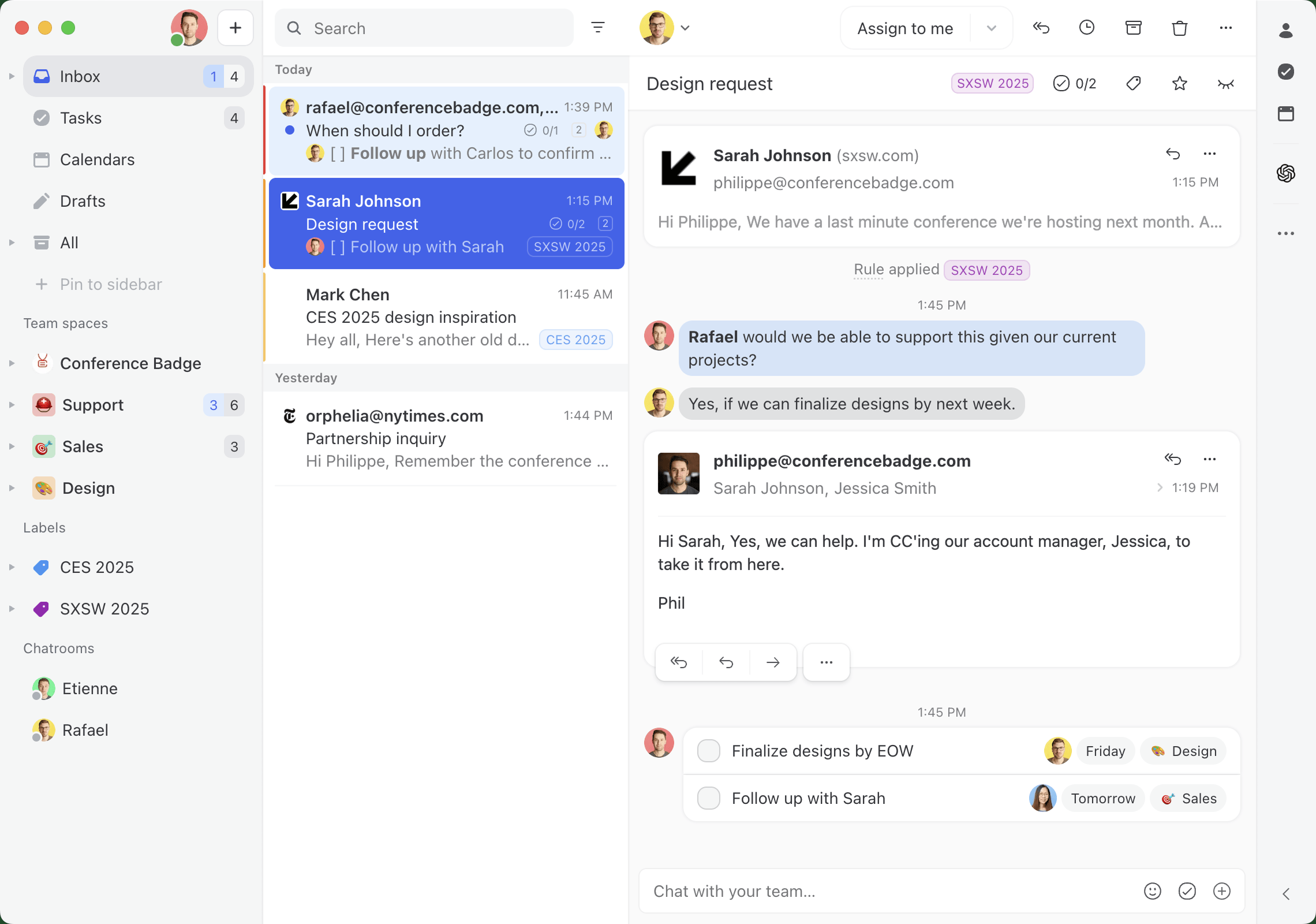
While Missive might not be the typical help desk, it's a wonderful tool for companies with limited resources. It provides great features like shared inboxes, archive/close functionality, analytics, livechat, AI automations, multiple communication channels, shared labels, canned responses, and a wide range of integrations with other tools like CRMs.
Missive also gives you the ability to assign conversations to a whole team, a specific person, or multiple people. With rules, you can decide how support conversations are routed to each team member—round-robin assignment, least busy assignment, or anything you can dream up.
Unlike other solutions on the list, Missive isn'tticket based. It works like a regular email client would. This makes it easier to be used for more than customer service, it is also a Team Inbox and team collaboration tool, enabling all your teams to work together and collaborate on almost any communication they receive.
Pricing
Missive pricing starts at $14/user/month (on a yearly plan) and goes up to $36/user/month. Missive offers a free trial as well.
| Free | Starter | Productive | Business |
|---|---|---|---|
| $0 / month | $18 / month per user | $30 / month per user | $45 / month per user |
2. Help Scout
Best help desk system for companies using email primarily and in need of aknowledge base.

Help Scout is an email-based help desk that also offers some email management software functionalities. It can help you simplify your communications and manage your client service operations.
Help Scout offers features like a knowledge base (self-service portal), ticketing system, and live chat. It also offers integrations with external tools, shared inboxes, and rules.
Just like Missive, Help Scout has a shared inbox, which allows your team to manage shared emails, assign co-members to conversations, chat with teammates, and tag conversations for easy organization. The platform also includes live chat support.
Overall, Help Scout provides companies with a complete solution for their customer service needs.
Pricing
Help Scout pricing starts at $25 per month per user for their basic plan. They also offer a free 15-day trial.
| Standard | Plus | Pro |
|---|---|---|
| $25 / month per user | $50 / month per user | Pricing information is not available |
3. Helpwise
Best help desk software for companies that need to integrate a Twillio number.

Helpwise is a user-friendly help desk aiming at simplifying customer service email management for small businesses. It offers features like shared inboxes, email templates, notes, rules, and assignments to make email collaboration easier and improve customer support.
Similar to Missive, Helpwise provides a shared inbox platform that allows teams to collaborate on SMS, social media, and live chat accounts. It also offers functionalities like assigning team members to conversations, tagging, and internal chatting for better communication.
With Helpwise, you can manage support requests, prioritize them, and respond to them in a timely manner.
In summary, Helpwise is a good helpdesk solution that combines shared inboxes, email management, and live chat in one place, making it a great option for small businesses to provide customer service.
Pricing
Helpwise pricing starts at $15 per month per user for their standard plan. They also a free 7-day trial.
| Standard | Premium | Advanced | Enterprise |
|---|---|---|---|
| $15 / month per user | $25 / month per user | $50 / month per user | Pricing information is not available |
4. Zendesk
Best help desk for companies that are using Zendesk CRM.

Zendesk is a popular tool used by businesses to provide customer service. It's a cloud-based solution that can help your small business efficiently manage and resolve customer inquiries and support tickets across different channels.
It offers features like ticketing, a knowledge base, live chat, and reporting. Zendesk makes it easy for businesses of all sizes to interact with customers and deliver great support. Plus, it integrates nicely with their CRM to seamlessly manage customers across their whole journey.
Overall, Zendesk is a good support platform that offers businesses everything they need to provide customer service.
Pricing
Zendesk pricing is for an annual plan billed on a monthly basis. They also offer a free 14-day trial.
| Support Team | Support Professional | Support Enterprise |
|---|---|---|
| $19 / month per user | $49 / month per user | $99 / month per user |
5. Front
Best ticket management for enterprise companies looking for an alternative to Missive.

Front is similar to Missive in the sense that it's a platform that helps teams manage shared email aliases, SMS, social media, and live chat all in one place.
While it's not a help desk platform, it centralizes customer requests in one place. Front also provides automation capabilities like rules to make everything run smoothly. It is a good solution for businesses looking to efficiently manage their customer support operations.
Front also offers advanced features like CRM and analytics to help you go deeper in metrics. However, as we'll see below, those features come with a hefty price tag.
Pricing
Front pricing starts at $19/user/month (billed annually) and jumps up to $99/user/month.
| Starter | Growth | Scale | Premier |
|---|---|---|---|
| $19 / month per user | $49 / month per user | $99 / month per user | Contact them |
6. Gmelius
Best help desk system for companies that want to keep using Gmail.

Gmelius is a helpdesk platform that transforms email into a collaborative and efficient tool for customer support. This Gmail add-on offers features like shared inboxes, team collaboration, and workflow automation.
Gmelius makes managing customer inquiries and tickets easier for your team if you're already using Gmail. Since it adds itself on top of the Google email client, it has an intuitive interface that will help your team resolve customer issues in a timely manner.
Gmelius also offers project management capabilities. It also comes with features like chats with your coworkers in an email thread, adding labels, and assigning team members to an email.
On the downside, Gmelius only support emails as a communication channel and is only an option for Gmail users.
Pricing
Gmelius pricing starts at $15 per month for 10 users on a pay-per-usage plan. They also offer a free 7-day trial.
| Flex (Pay for what you use) | Growth | Pro |
|---|---|---|
| $15 / month | $29 / month per user | $45 / month per user |
7. Hiver
Best help desk system for companies looking for an alternative to Gmelius.

Hiver is a help desk add-on for your Gmail account. It helps you assign emails to team members, set up reminders, track email threads, and tag emails to keep things organized and efficient.
Some key features of Hiver include shared inbox management, email delegation and assignment, email notes and comments, and email templates for standardized responses. Hiver also offers real-time collaboration features such as internal chat, making it easy for teams to work together on shared emails and tasks.
Hiver makes it easy for teams to manage their help desk operations and improve customer support processes, however it only supports emails and live chat as communication channels. You'll also need to be a Gmail user to take advantage of Hiver.
Pricing
Hiver pricing starts at $19 per month per user for 2 shared email inboxes. They also offer a free 7-day trial.
| Lite | Pro | Elite |
|---|---|---|
| $19 / month per user | $49 / month per user | $69 / month per user |
8. Groove
Best help desk system for companies looking for a cheaper alternative to Help Scout.

Groove offers a unified inbox for managing your customer communications in one place. It provides features like ticketing, knowledge base, email automation, and reporting improving your customer support processes.
Groove also offers integrations with popular tools, so you can incorporate it into your existing workflow.
Groove is similar to Missive since it is built as an email client and works in the same fashion. It's designed to help businesses deliver exceptional customer service and support through efficient and organized communication management.
You can also assign the conversation to a team member, leave notes in a conversation and mention someone in the conversation just like Missive.
Pricing
Groove pricing starts at $25 per month per user for one mailbox. They also offer a free 30-day free trial.
| Starter | Plus | Pro |
|---|---|---|
| $25 / month per user | $50 / month per user | $80 / month per user |
9. Freshdesk
Best help desk software for companies using the Freshworks suite.

Freshdesk is a help desk software that helps small businesses manage customer interactions across multiple channels such as email, phone, chat, and social media.
Some of its key features include multichannel support, automation, and collaboration options for team members to work together on resolving support tickets.
With Freshdesk, businesses can improve their support operations, save time with automation, and provide a great experience for their customers.
Unlike Missive, which has a more "human" approach to support requests, Freshdesk uses a ticketing system for customer inquiries. It also offers additional features such as a support desk, contact center, and customer feedback management.
Pricing
Freshdesk offers a free option with basic features, and paid plans starting at $18 per person per month, which increase based on the number of agents and features needed. However, to access live chat functionality, a subscription to their Freshchat tool may be required.
| Free | Growth | Pro | Enterprise |
|---|---|---|---|
| $0 / month | $18 / month per user | $59 / month per user | $95 / month per user |
10. Tidio
Best AI-powered help desk for businesses that want to balance automation with human support.
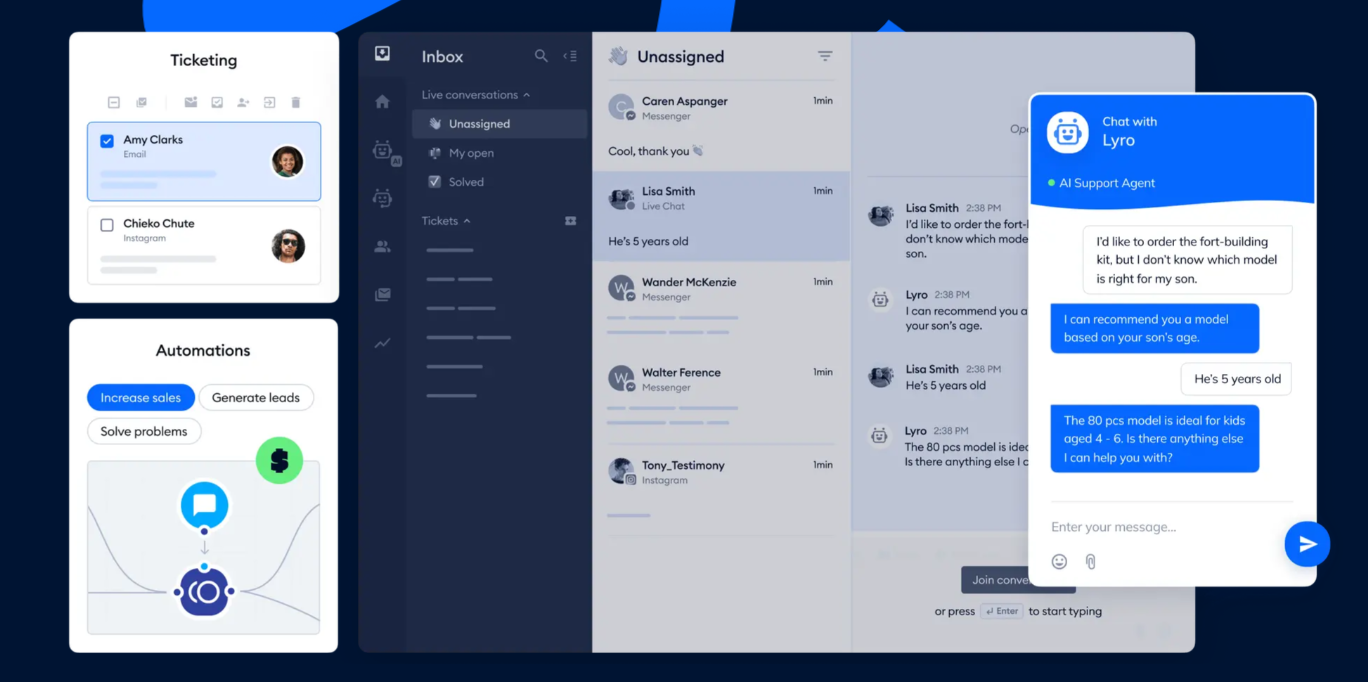
Tidio is an AI customer service platform that combines live chat, help desk ticketing, chatbot automation, and a conversational AI agent. It offers traditional help desk functionality, like centralizing conversations from email, chat, and social channels into one shared inbox and allowing teams to assign tickets.
On top of that, they have some AI-forward features via their AI agent (Lyro), which uses verified company data to provide responses and can seamlessly hand off to human agents when a question falls outside its scope.
On the downside, the Lyro conversations are quite pricey, with their starter and growth plan limited to 50 Lyro conversations total.
Pricing
Tidio offers a Free plan with essential chat and automation features for up to 100 unique visitors per month. Their pricing is primarily based on "billable conversations", instead of by seat like some of the other help desk options.
| Starter | Growth | Plus | Premimum |
|---|---|---|---|
| $29 / month | $59 / month | $749 / month | Contact Sales |
11. Zoho Desk
Best help desk software for enterprise customers.
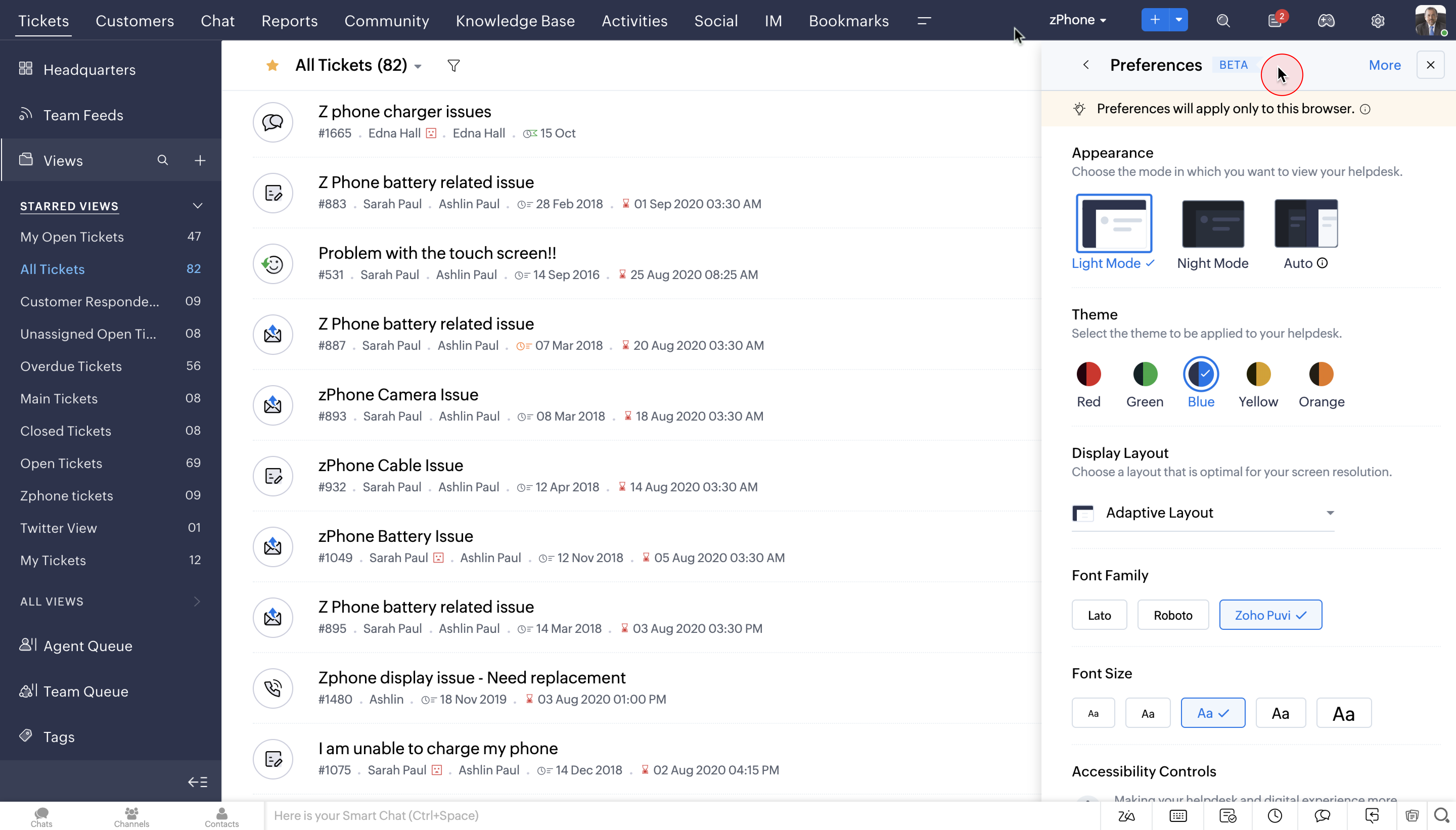
Zoho Desk has a very robust feature set and goes well beyond ticketing systems. They mostly support larger customers that have various teams within support (call center, email tickets, etc). Much like Salesforce, Zoho Desk is only one small function of the Zoho family which offers tools from marketing to finance.
If you're already a Zoho customer and you have very particular, enterprise-like needs. Then Zoho Desk might be a great, natural fit.
Pricing
Zoho Desk starts at $9/user/month and goes up to $50/user/month.
| Express | Standard | Professional | Enterprise |
|---|---|---|---|
| $9 / month per user | $20 / month per user | $35 / month per user | $50 / month per user |
12. HubSpot
Best help desk software for small businesses needing an all-in-one solution.
HubSpot Customer Platform centralizes sales, marketing, and customer service tools, making it a solid option for small businesses looking for an all-in-one solution. For customer service specifically, HubSpot includes ticket routing, knowledge base management, live chat and chatbots, an omnichannel inbox, and call tracking.
All of these features are powered by HubSpot's Smart CRM, which means customer data is shared across teams. This enables cross-departmental workflows like handoffs between sales and support, or letting marketing review sales performance data to identify high-converting channels.
On the downside, HubSpot's pricing escalates quickly beyond the Starter tier, and onboarding fees are required for Professional and Enterprise plans. Its customer service tools are also less specialized than dedicated support platforms on this list.
Pricing
HubSpot Customer Platform starts at $20/seat/month for Starter ($15/seat/month with annual commitment). Professional and Enterprise plans are priced for the full platform bundle, not per seat. Free tools are also available.
| Free | Starter | Professional | Enterprise |
|---|---|---|---|
| $0 / month | $20 / month per seat | $1,300 / month | $4,700 / month |
What is the difference between Help Desk and Service Desk Software?
Although functionally similar, these two pieces of software serve historically served different audiences.
Help desk software is primarily used for processing support requests for external parties (prospects, customers, users).
Service desk software is primarily used for processing support requests (typically IT related) for internal parties like employees and vendors.
Nowadays, most help desk software can be used as service desk software, and vice versa.
What Is Help Desk Management Software?
A help desk software is a specialized tool that helps you organize, manage and respond to customer requests.It makes it easy to receive, track, prioritize, and resolve customer requests and issues by assigning anyone in your team to a specific inquiry.
Help desk software typically includes features such as customer request management, automation, and integration with other tools and communication channels such as email, chat, and social media.
Some help desk management software can also be used to provide self-service options for customers, such as a knowledge base or live chat widget.
Why Do Small Businesses Need a Help Desk Software?
Small businesses often face unique challenges when it comes to managing customer support. Limited resources, small teams, and high customer expectations can make it difficult to provide efficient and effective support.
Considering that nearly 33% of customers consider switching brand after only one bad interaction with customer service, it's more important than ever to provide good support.
That's where help desk software can come to the rescue!
Using help desk software can help centralize all customer support in one place, making your entire support team more efficient.
Benefits of Using Help Desk Software for Small Businesses
Here are some reasons why it can be beneficial for your business:
- Centralized communication: Help desk software provides a single platform to manage all customer requests in one place, making it easier to streamline your customer interactions and respond promptly to important requests.
- Improved productivity: Some help desk software comes with automation features that can handle tasks such as assignment and categorization, saving you and your team time and allowing you to handle a higher volume of requests more efficiently.
- Improved customer experience: With features like automated responses and live chat, help desk software enables you to provide quick solutions, resulting in a seamless support experience for your customers.
Give your small business the support it needs with help desk software and enjoy the benefits of streamlined communication, increased productivity, and improved customer satisfaction.
How to Choose a Help Desk Software for Your Small Business
Choosing a help desk software for your small business might not be rocket science, but with so many options out there, it can be hard to choose the right one.
Before digging into the features of each platform, you should ask yourself some questions:
- Management system: What type of ticketing/management system do you need? At the very least, the solution should allow you to create conversations, assign them to a team member, and track their progress.
- Communication channels: What are the communication channels that need to be supported? Are you using email, social media, SMS, live chat?
- Integrations: Do you need to integrate other software you're using like a CRM?
- Mobile app: Do you need it to work while on the go? Is being able to view and manage customer inquiries from anywhere important to you?
- Pricing: What is your budget? Does the pricing make sense with all the features and seats you need? There are many free and affordable options that can be great alternatives to Intercom hefty price tag.
While features are an important aspect of the tool you'll choose, you should also consider other things:
- Think big: Your business may grow fast, so choose a solution that can keep up and scale with you.
- User-friendly: Complicated software that requires your time and money to learn are not a good option. Do you really want to train employees on new software for multiple days? Find a help desk that's easy to set up, configure, and use.
- Support that got your back: The solution you choose should have your back, and that includes customer support. Look for reliable and responsive support.
- Learn from others: Chances are, other customers of the tools we have shared in this list have shared their positive and negative opinion about it. Read reviews and testimonials from other business owners to get insights into the pros and cons of your different options.
- Test drive it: Don't commit without trying it out first. Take advantage of free trials or demos offered by the different help desk to see if they suit your needs.
By keeping these tips in mind and choosing the right help desk software, you'll be able to level up your customer support game and keep your customers happy. After all, satisfied customers are the secret sauce to your success.